Authentication and security
API version
Select a version to change the base URI
in syntax and code examples. Learn about versions:
in syntax and code examples. Learn about versions
HTTPS
The first prerequisite for securing the API is HTTPS, which is automatically enabled for all DreamApply instances.
HTTPS is HTTP over TLS. TLS provides both confidentiality and integrity for transmitted data ensured through mechanisms such as HMAC.
Because all API communication occurs over a secure channel, the DreamApply API design can remain simpler. For example, DreamApply does not require a complicated custom HMAC scheme (as used by some APIs, such as Amazon Web Services) or additional mechanisms, such as transmitting nonces with each request to prevent replay attacks.
As a general rule, avoid designing custom cryptographic protocols. Instead, rely on established and well-tested protocols.
In short, HTTPS is a design requirement.
API keys
The DreamApply API uses API keys to authenticate requests. If a request does not include a valid API key, DreamApply returns the 401 Unauthorized error.
Issue API keys
To issue an API key:
In the main menu of the DreamApply portal, under System, select API.
If the API option is not available, the API might not be enabled for your instance. In this case, contact the DreamApply team for assistance.
At the top of the page, click Unlock page and enter your password or use a one-time link to re-log in to the system.
Click Issue a new API key.
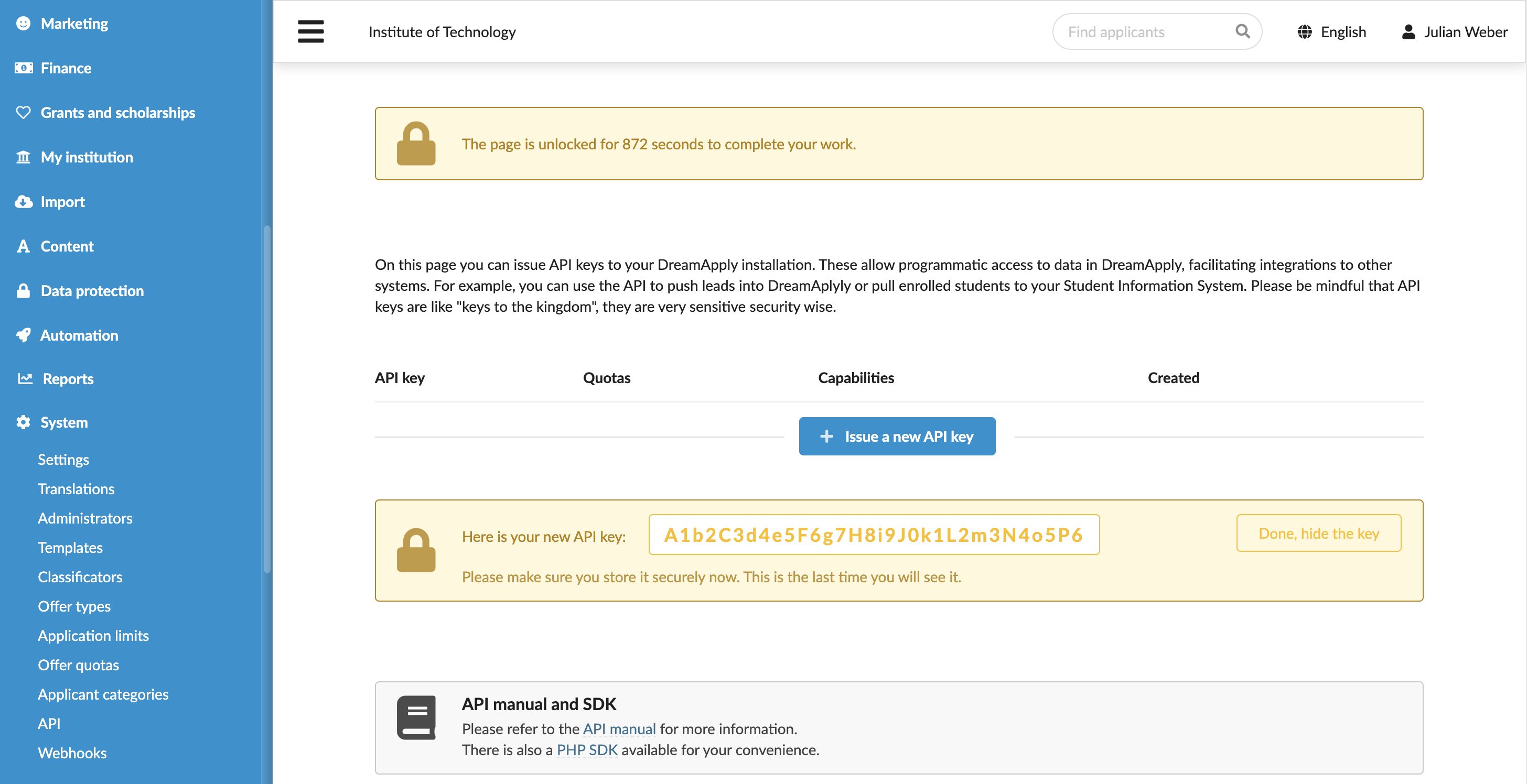
Restrict access for API keys
By default, an issued key has unrestricted access and allows performing all supported operations using the API. For security and access management purposes, you can restrict API capabilities.
To restrict access for an API key:
- In the main menu, under System, select API.
- At the top of the page, click Unlock page and enter your password or use a one-time link to re-log in to the system.
- Next to your API key, click Limit capabilities.
- Limit the API key only to those requests that you actually need to perform.
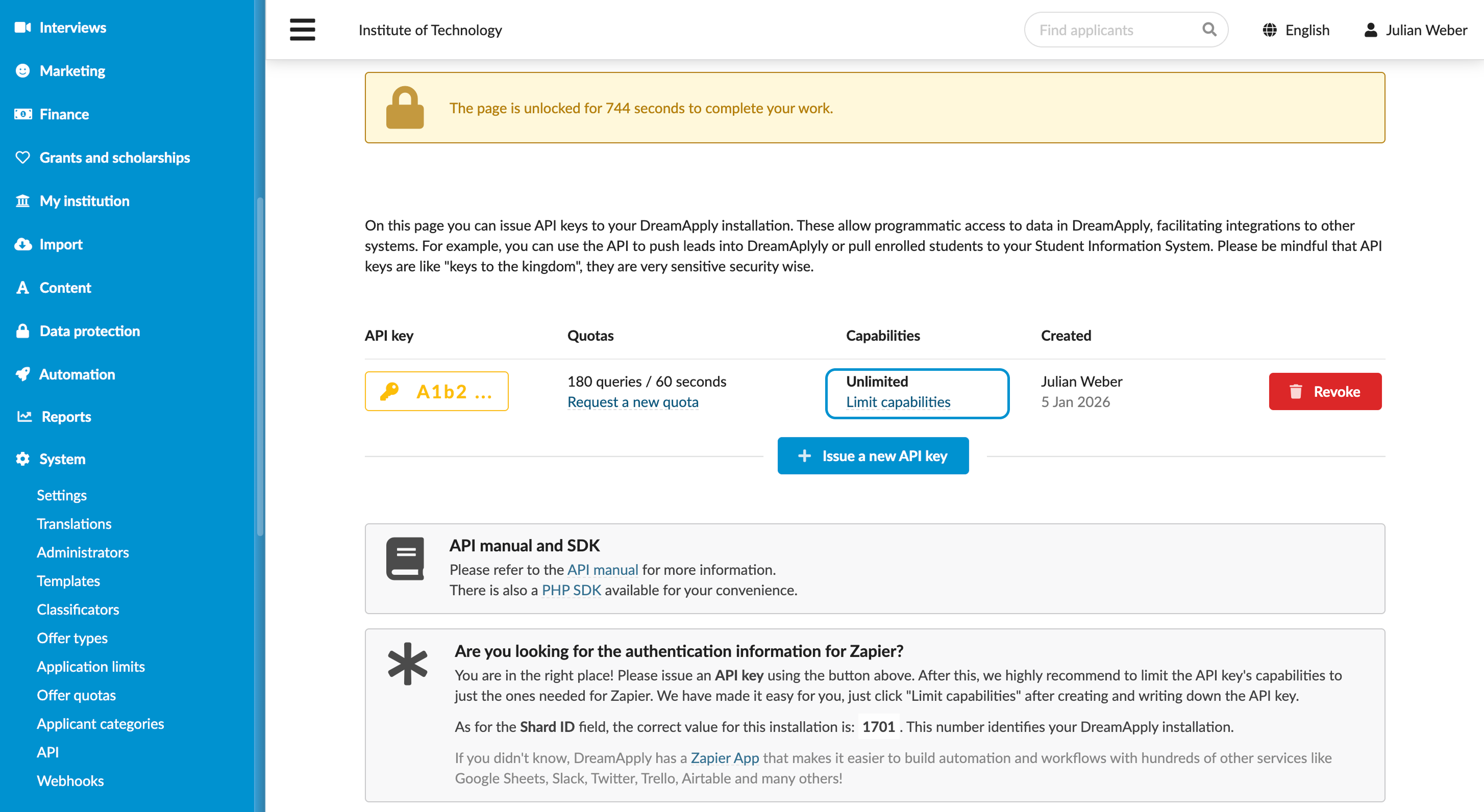
Rotate API keys
In some cases, you may need to rotate API keys. When an API key is rotated, DreamApply issues a new secret that you can start using for your integrations.
To rotate an API key:
- In the main menu, under System, select API.
- At the top of the page, click Unlock page and enter your password or use a one-time link to re-log in to the system.
- Next to your API key, click the Rotate key icon.
- Copy the new secret and use it as needed.
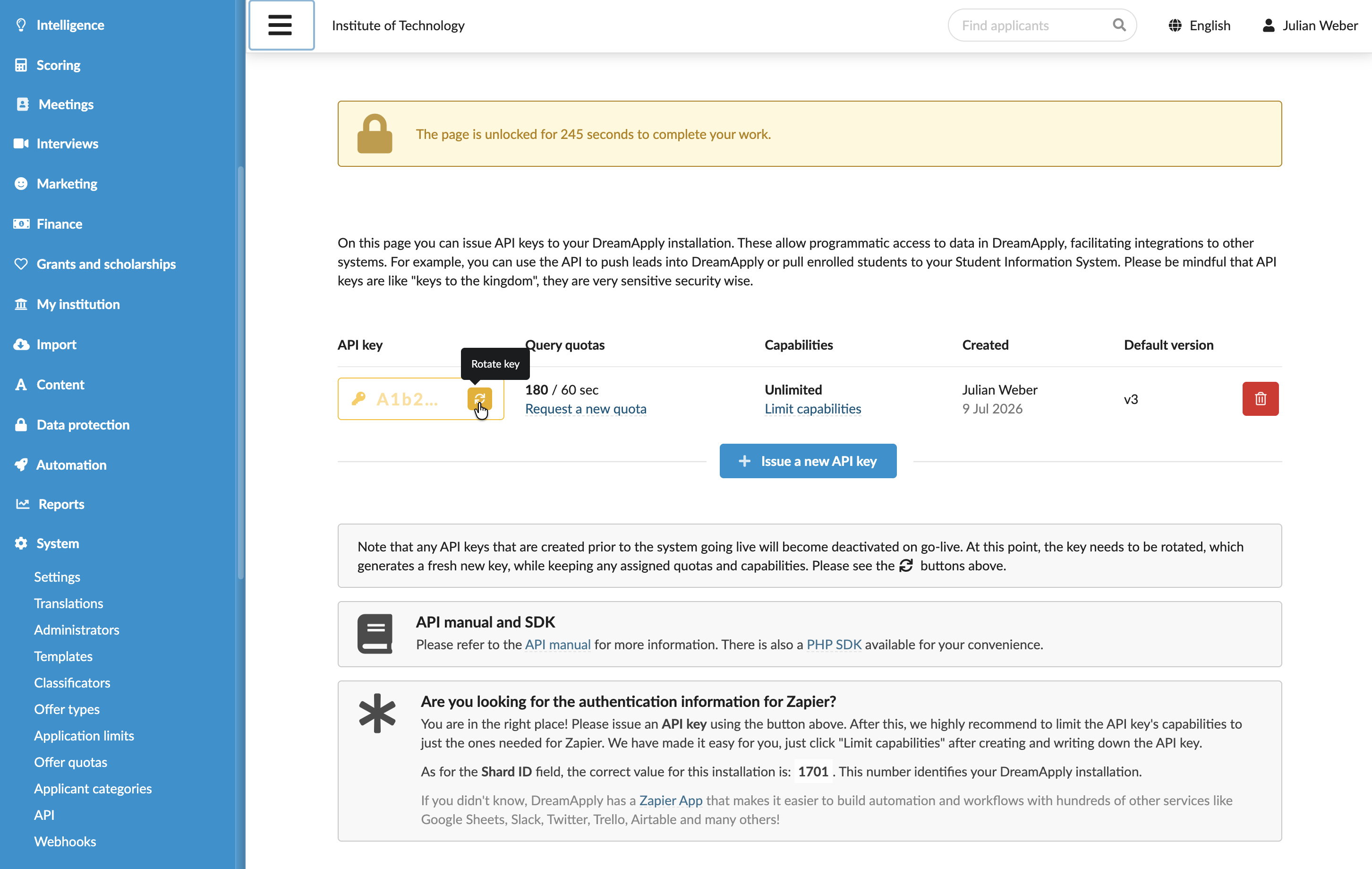
Authentication header
In the DreamApply authentication scheme, every request must include the standard Authorization header (except requests to /api/v10/version). Despite its name, the Authorization header is used for authentication.
The header uses the following format:
Authorization: DREAM apikey="YOUR-API-KEY"To secure the API, DreamApply relies on HTTPS, which ensures:
- Confidentiality of the API keys, sent and received data
- Integrity of data in transit
- Protection against the man-in-the-middle and replay attacks
The example below shows how to send a simple API request:
curl \
  -X GET \
  -H "Authorization: DREAM apikey=\"YOUR-API-KEY\"" \
  https://apply.uni.edu/api/institutions
In this example, apply.uni.edu is the domain for your DreamApply instance. If you have not configured a custom domain in the DreamApply settings, the domain may use the default DreamApply domain format, for example, your-uni.dreamapply.com.