API quota limits
API version
Select a version to change the base URI
in syntax and code examples. Learn about versions:
in syntax and code examples. Learn about versions
DreamApply limits the number of API requests that you can make over a specific period of time. These limits help prevent API abuse and maintain stable usage for all DreamApply clients.
Request quotas
By default, all API requests using the same API key are limited to 180 requests per minute.
A limit of 180 requests per minute does not mean that requests must be spaced evenly, for example, three requests per second. DreamApply calculates the total number of requests within the time window. A rapid succession of requests is allowed, but it can exhaust your quota more quickly.
Quotas in DreamApply are managed according to the following rules:
- Per API key: Quotas are applied to each individual API key. They are not applied per IP address or DreamApply instance.
- Universal counting: All HTTP methods, such as
GET,POSTandPUT, count equally toward the total quota limit.
To stay under the API quota limits, follow Best practices.
Exceeded quota
When you exceed the quota limit, the API immediately blocks further requests and returns the 429 Too Many Requests error. This indicates that the request in question was not processed. You must wait for the quota window to reset and then retry the request.
Request a quota increase
If your workflow requires higher limits, you can request a quota increase at any time.
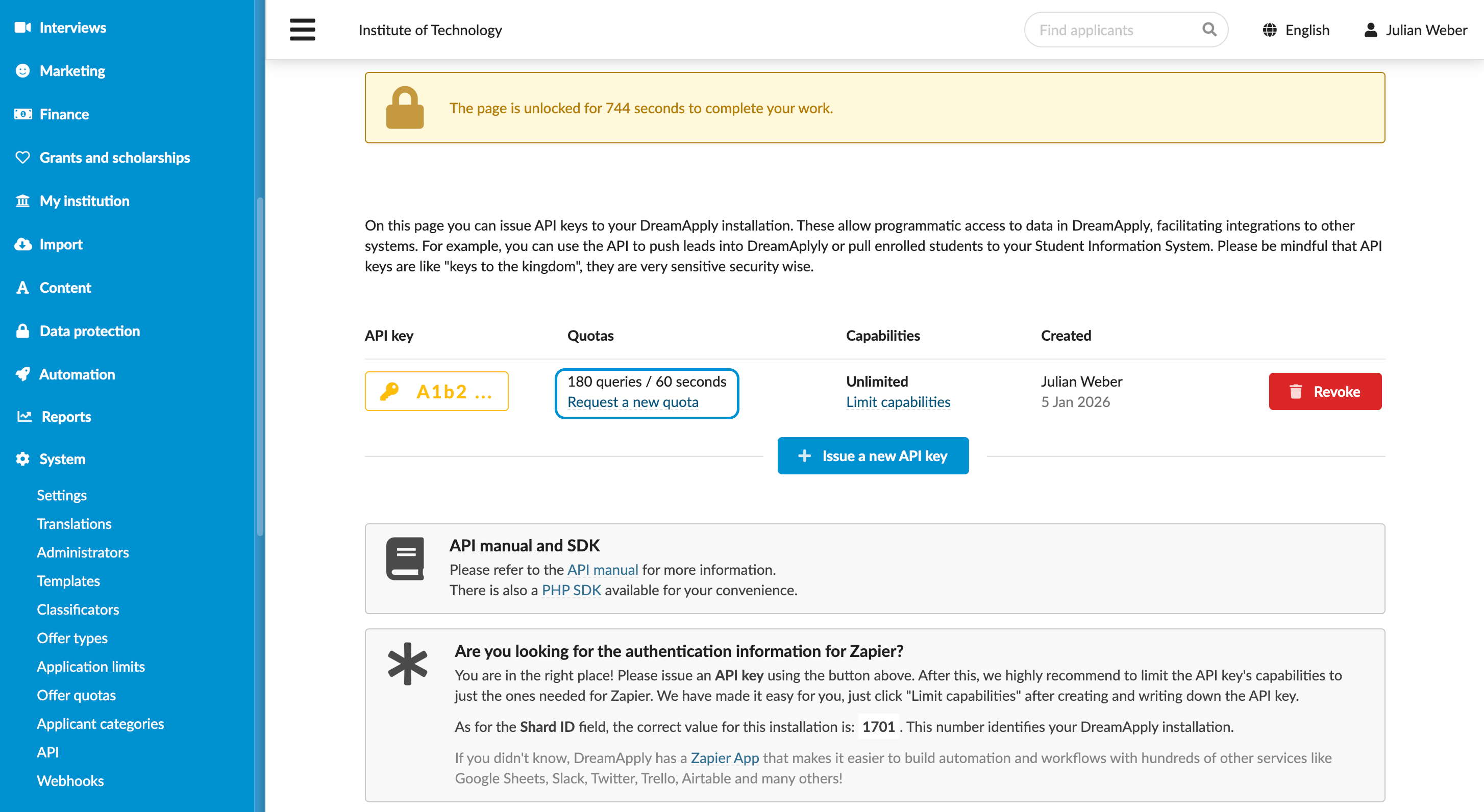
- In the main menu, under System, select API.
- Next to your API key, click Request a new quota.
- In the text box on the right, define the required quota limits and click Send the request.
The DreamApply team will review your request and contact you as soon as possible.
Resource usage monitoring
DreamApply monitors resource usage for every API key. If we detect unusual patterns or inefficient behavior that suggests a potential bug, we will notify you to help optimize your integration.