Application filing
In DreamApply, institutions can link programmes to one or more intakes. On the programme description page and programme tiles in the catalog, DreamApply displays a set of Apply now! buttons — one for each linked intake. Instead of showing intake names, the buttons are labeled with the target academic terms, for example, Fall semester 25/26. This helps applicants immediately understand when their studies would begin.
Depending on the intake settings, some buttons can be active, while others can be disabled or hidden to show that the intake has not yet started.
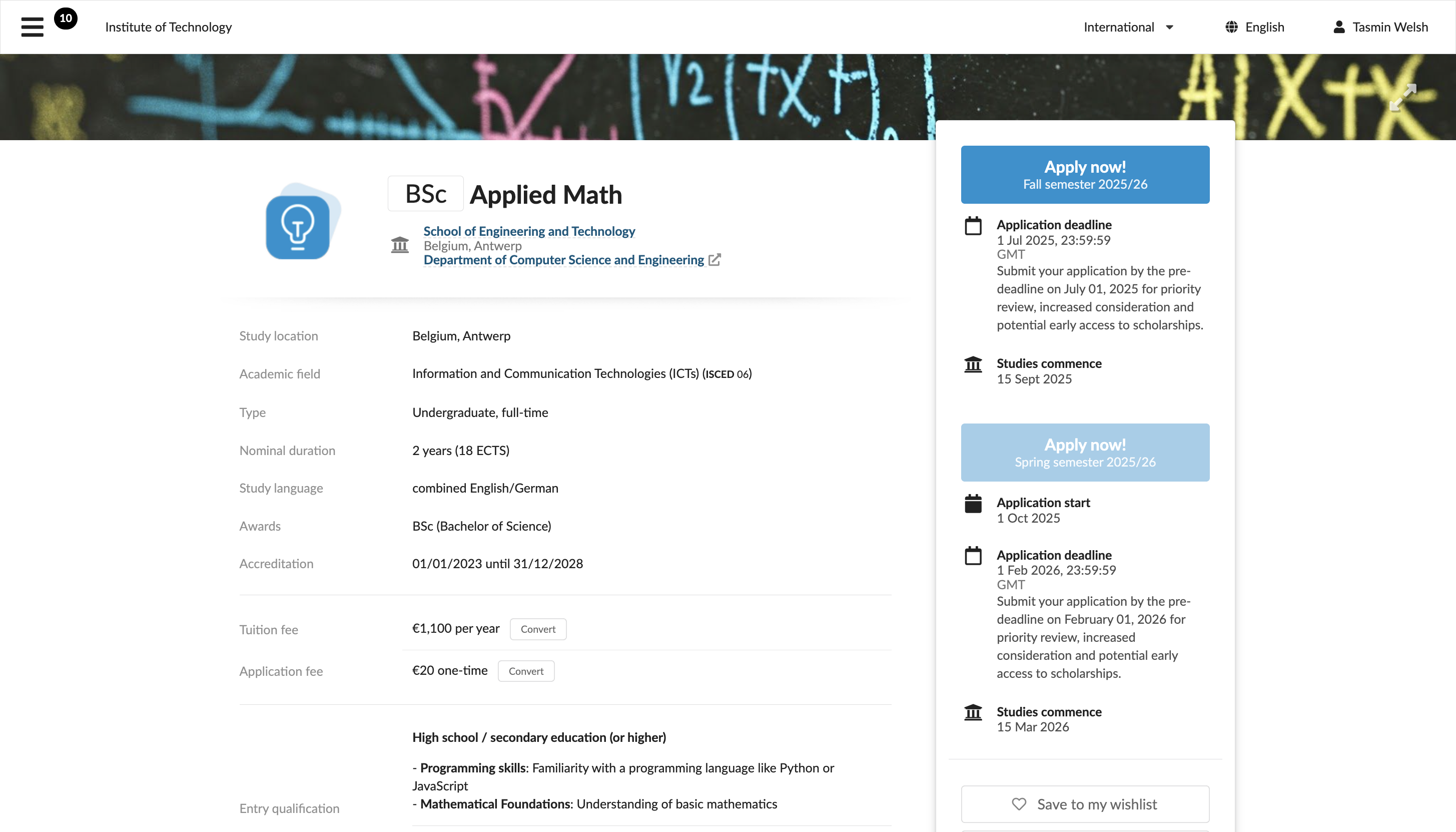
If an intake is configured to be available only for specific applicant categories, an applicant will be prompted to select their category before proceeding. This prompt only appears if the applicant has not selected a category yet.
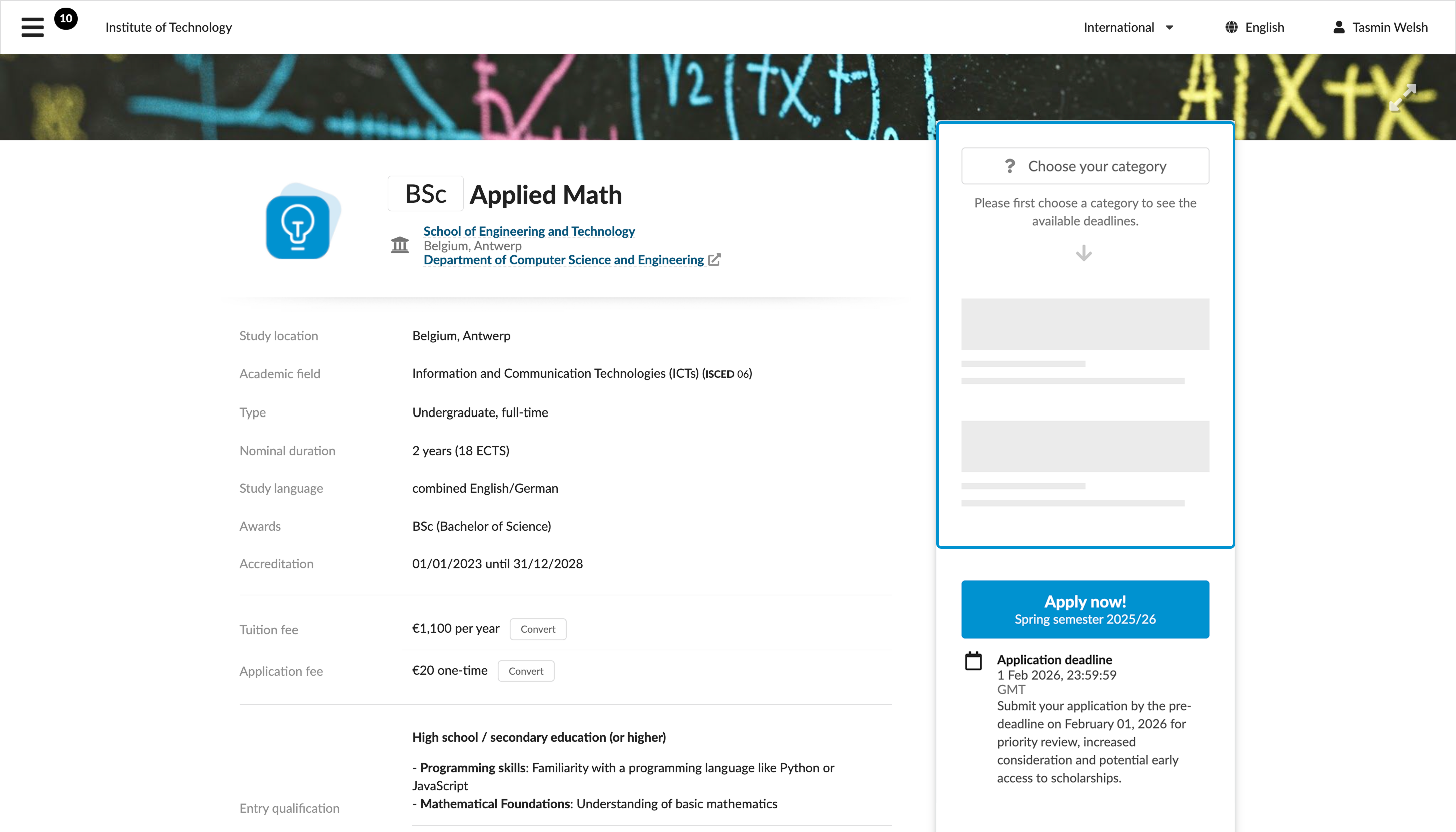
Institutions can control the button visibility and state depending on their admission flow, number of intakes and their timings. For example, if a programme is linked to two intakes, the button for the current intake will be displayed in the active state and the button for a later intake may be displayed in the inactive state to let applicants come back later. If the number of intakes is higher, it may be more practical to display the Apply now! button only when the relevant intake becomes available.
When an applicant clicks the Apply now! button, they confirm their intent to apply for:
- That specific programme
- Through that specific intake
- For the displayed academic term
DreamApply then automatically determines the correct academic term and files an application under it. As part of this process, it creates a new priority for the selected programme and adds it to the application through the selected intake. Depending on how applications are grouped, DreamApply can:
- Create a new application
- Add the priority to an existing application for that term
Application grouping
In DreamApply, each application is filed under a specific academic term. When an applicant clicks the Apply now! button, the system decides whether to create a new application or append the selected programme as a new priority to an application that already exists. This decision is based on the application grouping logic configured for the institution.
To control how applications are organized, institutions can choose from several grouping options:
Group by academic term: When an applicant adds a new priority and an application for the same term already exists, DreamApply adds this priority to the existing application. If no application exists for that term, DreamApply creates a new one.
Group by academic term and institution: DreamApply adds a new priority to an existing application only if the application is for the same term and all priorities belong to the same institution. Otherwise, DreamApply creates a new application. This option is useful for multi-institution setups where several competing institutions share the same instance, as it keeps priorities and applications isolated per institution.
Group by academic term and department: DreamApply adds a new priority to an existing application only if the application is for the same term and all priorities belong to the same department. Otherwise, DreamApply creates a new application. If some programmes do not belong to any departments and are linked directly to an institution, priorities for such programmes are grouped into a separate application.
Group by academic term and programme: Every newly selected programme is filed as a new application, even if another application already exists for the selected term.
Applications with mixed intakes
A single application can contain multiple priorities, with each priority representing a programme an applicant has selected. While an application is always filed under a specific term, priorities in the application can be filed through different intakes.
For example, an applicant applying for the Spring semester 25/26 can choose two programmes:
- One offered in the Early intake
- Another offered in the Primary intake
DreamApply will link each priority to its specific intake but file them together under a single application for the academic term. As a result, when Administrators filter applications by intake, the same application may appear in the results for multiple intakes.
Validation checks
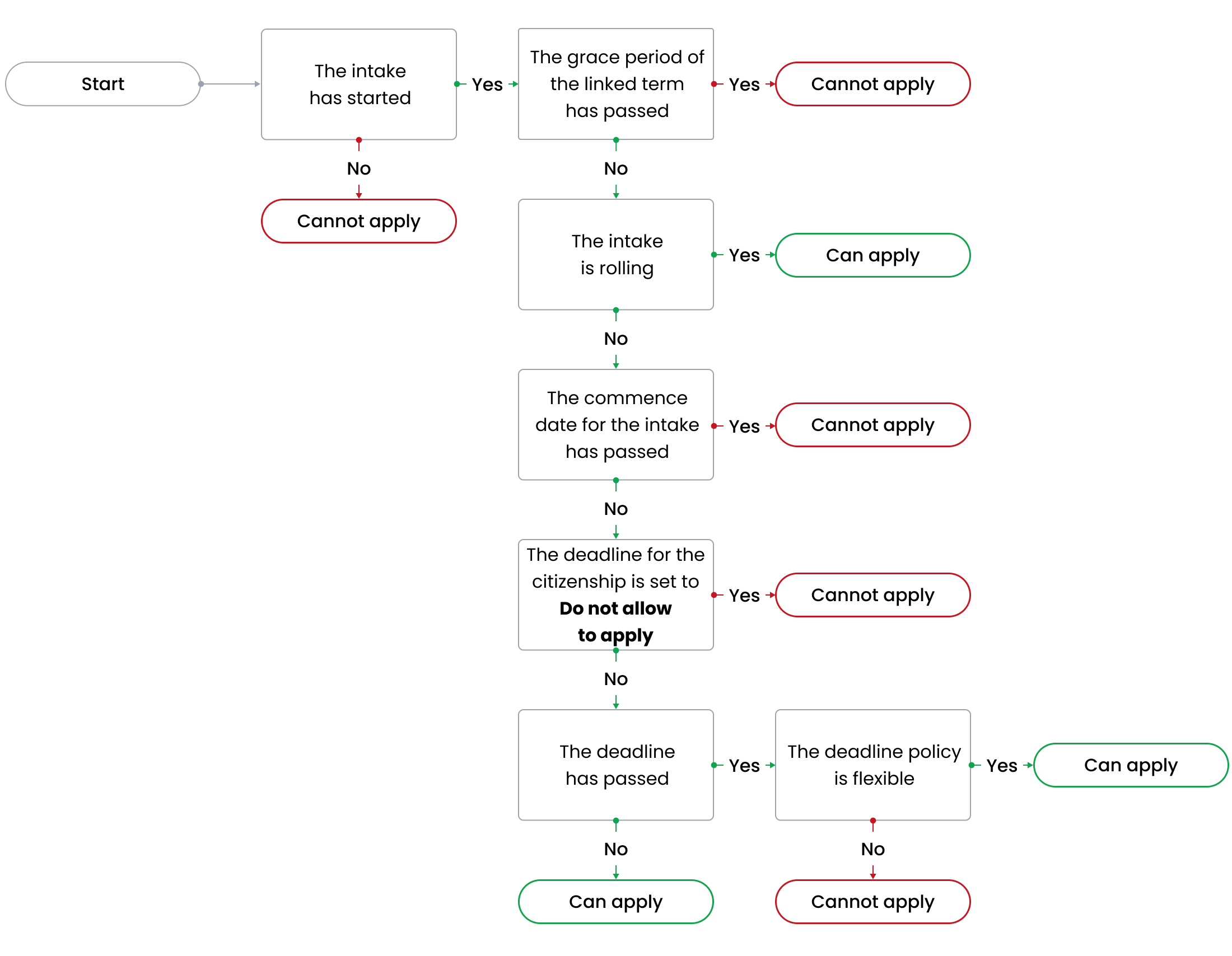
To determine if an applicant is eligible to apply for programmes linked to a specific intake, DreamApply performs the following checks: