Set the institution time zone
Roles
These roles reflect the default DreamApply setup.
You can define custom roles based on your
institution's needs. Learn more →:
You can define custom roles based on your
institution's needs. Learn more →
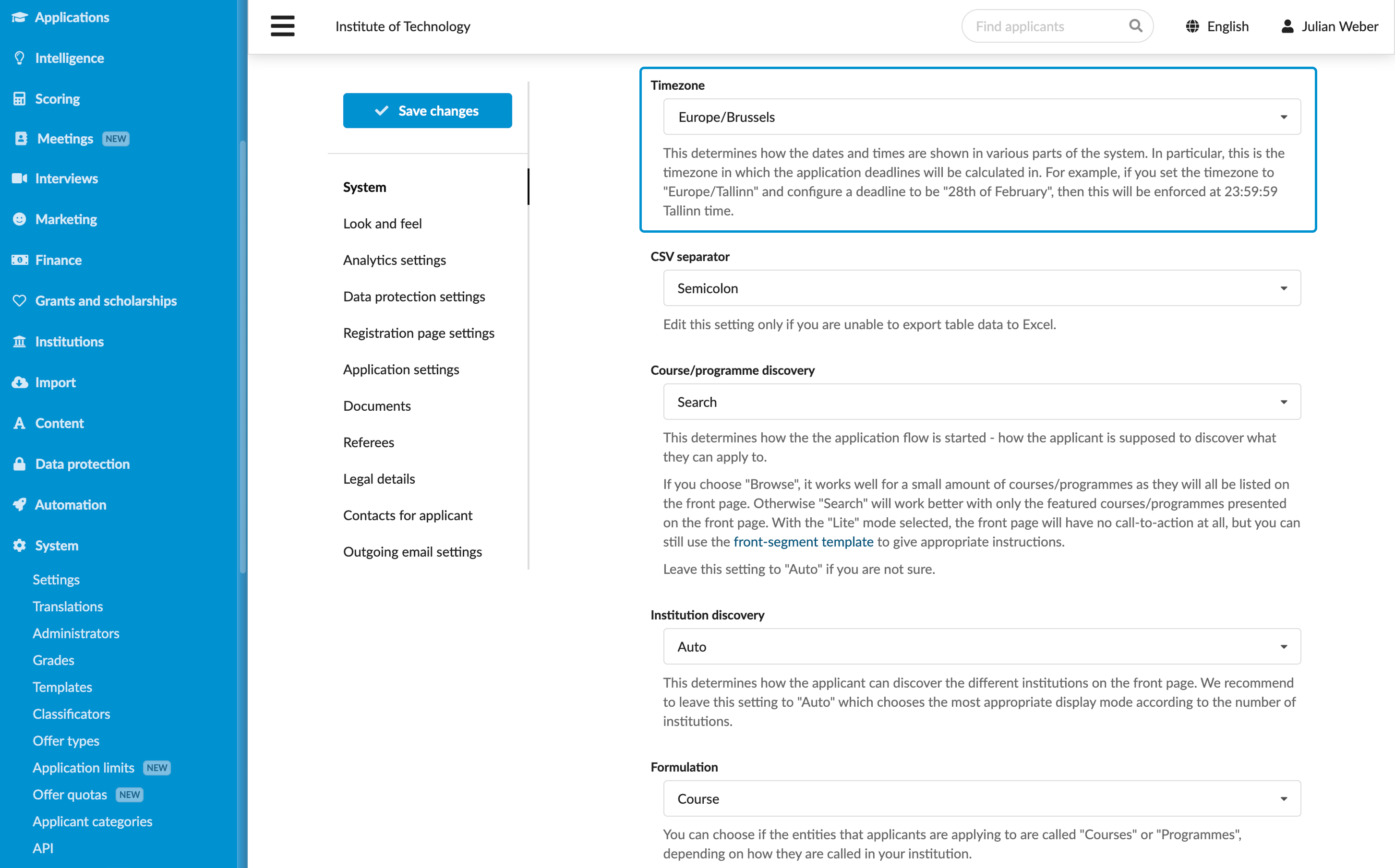
To properly define the admission timeline, make sure the time zone in DreamApply is consistent with your institution’s time zone. If the time zone is set incorrectly, deadlines and scheduled events may appear inaccurately, leading to confusion for applicants and Administrators.
Before you begin
To configure time settings, your account must have the Superuser role or the instance permission.
Define the time zone
To set the time zone:
- In the main menu, under System, select Settings.
- In the left pane, select System.
- From the Timezone list, select the local time zone for the institution.
- At the top of the form, click Save changes.