Appform basics
To collect information from applicants on the application edit page, you can configure and combine several sources. While applicants see a single, unified form, DreamApply builds it from several components:
The application edit page can also include programme-specific requirements configured for each programme in the catalog. For details, see Define application form settings.
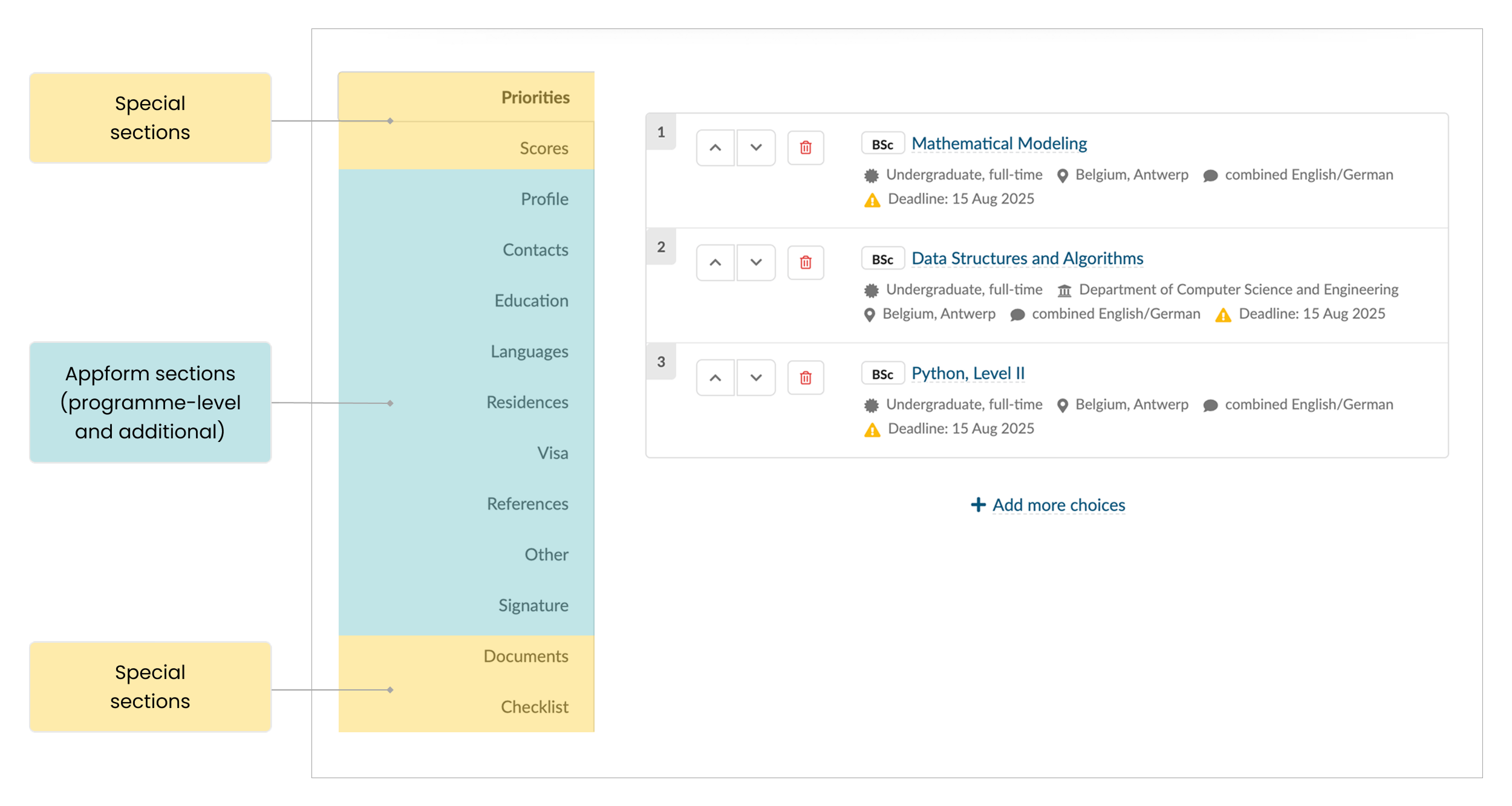
Programme-specific appforms
The structure of the application edit page is primarily defined by a programme-specific appform. This appform includes a standard set of sections and fields that applicants must complete. You can use this appform to collect common information that applies across multiple programmes.
When organizing the application edit page, first configure programme-specific appforms and link them to your programmes. Each programme in the catalog can be linked to a single programme-specific appform. You can either:
- Configure one appform for all programmes
- Use different appforms for different programme groups
Additional appforms
To collect extra information from applicants, you can configure additional appforms. These appforms are useful when certain sections or fields should appear only under specific conditions.
Additional appforms supplement programme-specific appforms. They can:
- Add new sections to the application edit page
- Add fields to existing sections
DreamApply can assign additional appforms to applications through:
- Automation rules: Triggered by defined conditions
- Offer types: Assigned when an application reaches a specific milestone
- Applicant categories: Targeted toward specific applicant groups
- Manual assignment: Added directly by Administrators
Inherent appform
An inherent appform is a system-generated appform used to preserve applicant data. DreamApply automatically creates this appform to store all fields that an applicant has already completed.
For example, if an applicant completes a field that is later removed from its original appform (or if the entire appform is removed), DreamApply moves that data to the inherent appform. This allows applications to remain complete and accurate regardless of configuration changes.
Appform merging
DreamApply can assign multiple appforms to a single application. All assigned appforms are merged into one unified structure presented on the application edit page.
The merging logic follows these principles:
Deduplication: DreamApply identifies and removes repeated sections and fields to prevent redundant data entry.
Quantities: If similar sections exist across appforms — such as references, motivation letters or documents — DreamApply uses the highest requirement. For example, if one programme requires two references and another requires three, the final appform will request three references.
Field status: If one appform recommends a field and another requires it, DreamApply treats the field as mandatory.