Set up official use sections
Roles
These roles reflect the default DreamApply setup.
You can define custom roles based on your
institution's needs. Learn more →:
You can define custom roles based on your
institution's needs. Learn more →
To record internal information needed for admission processing, you can add official use sections to appforms. These sections can be helpful for administrative details such as:
- Internal Administrator records
- Housing or accommodations assignments
- Scholarship or funding decisions
- Special admission routes or exceptions
Only Administrators can complete and view official use sections. These sections are hidden from applicants and Advisors to guarantee that sensitive information remains secure.
Before you begin
- To set up official use sections in appforms, your account must have the
SuperuserorCourses administratorrole or theappformspermission. - To complete official use sections, your account must have the
SuperuserorAdmissions administratorrole or theapplications-viewandapplications-editpermissions.
Add official use sections
To add an official use section to an appform:
- In the main menu, under Institutions/My Institution, select Appforms.
- At the top of the appform list, click Manage appform sections.
- At the bottom of the form, click New section.
- Specify the section title.
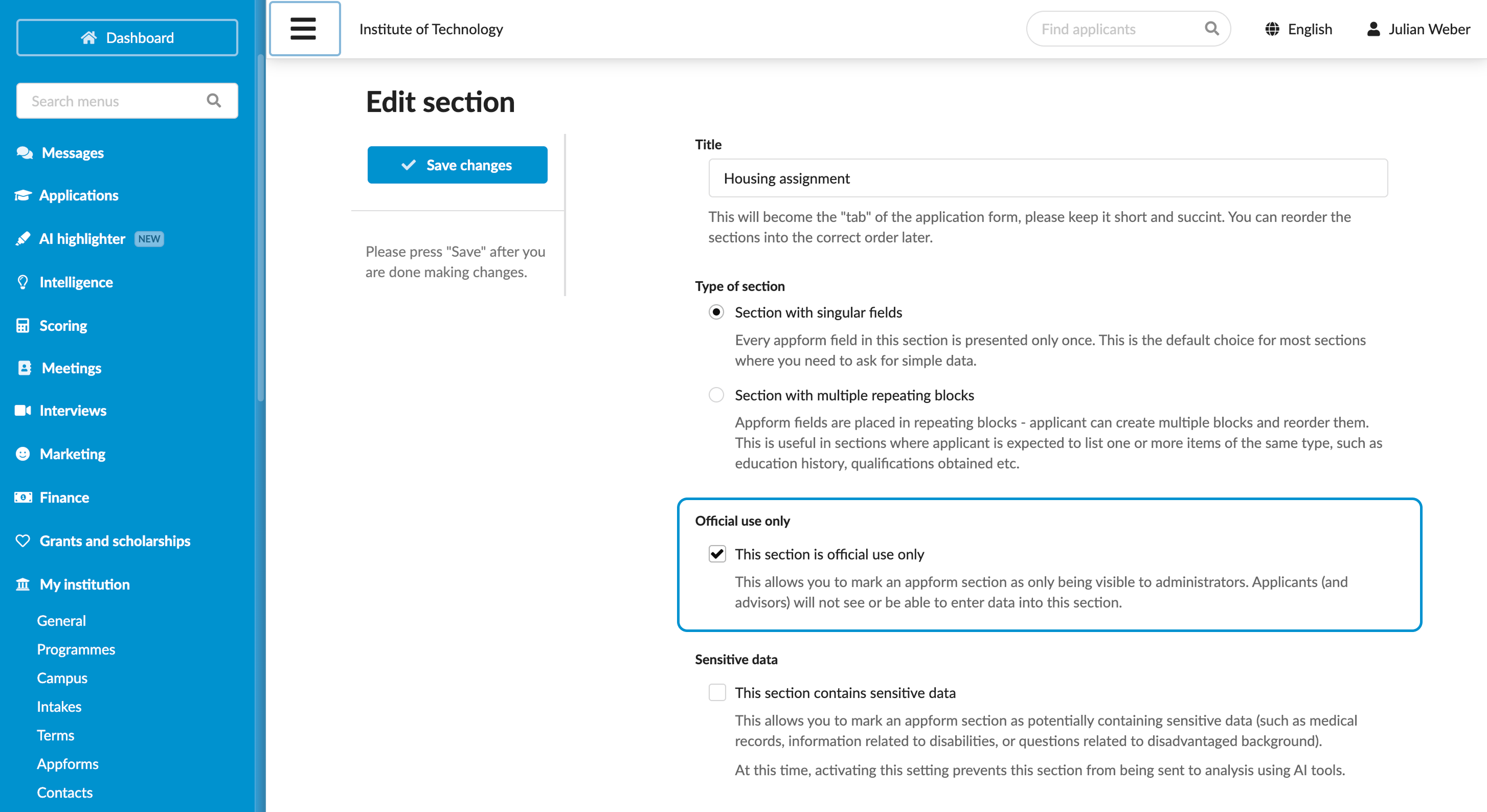
- In the Official use only section, select the This section is official use only check box.
- Configure other appform settings and at the top of the form, click Save changes.
- Add extra fields to the section. For details, see Create custom sections.
- Make sure the section is included in an appform that you plan to use. For details, see Add appforms.
Complete official use sections
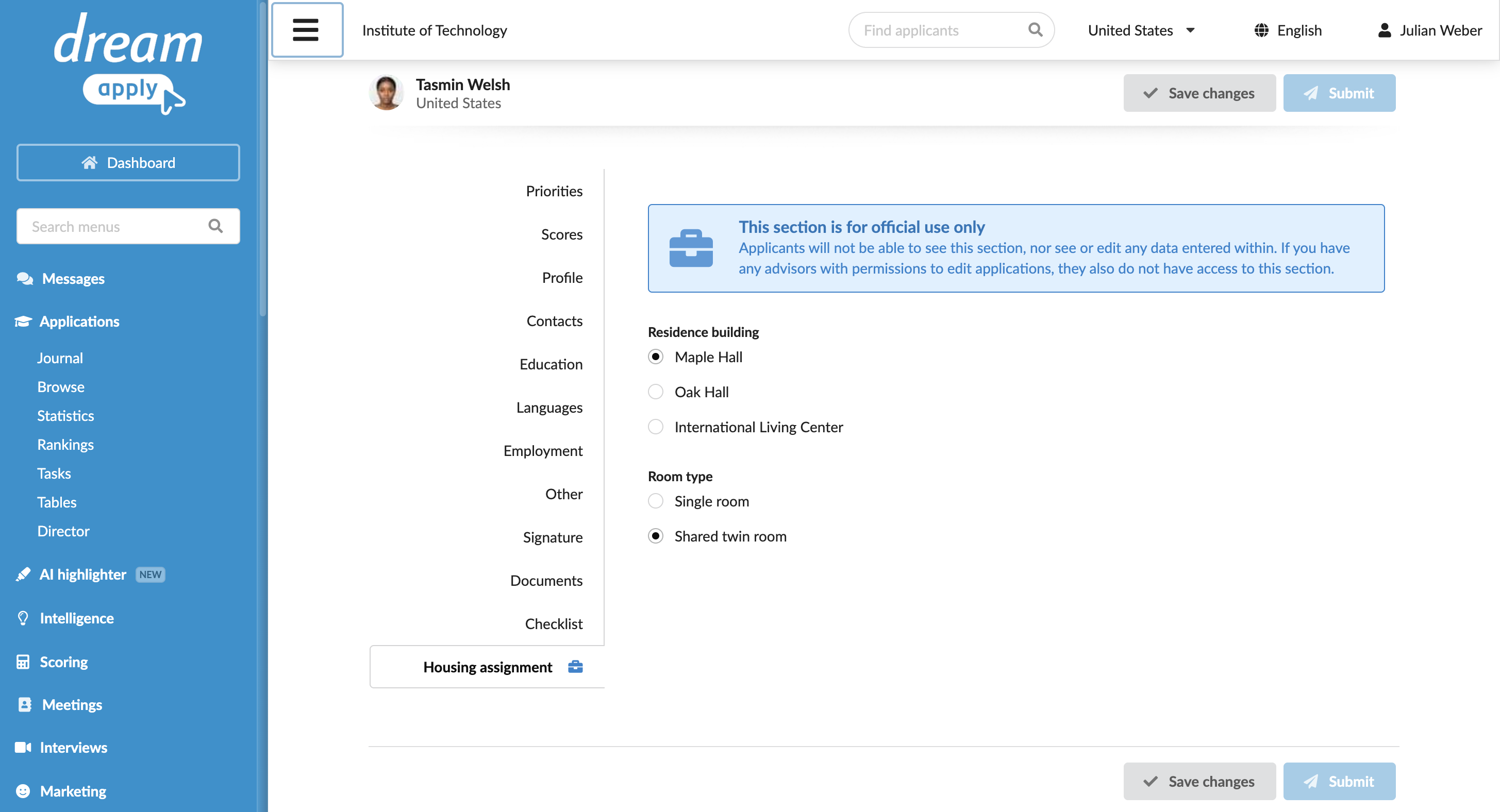
As an Administrator, you can complete official use sections and view the data entered by other Administrators.
- In the main menu, under Applications, select Browse.
- In the application card, click View.
- In the left menu, select Edit as an applicant.
- Complete the official use section and click Save changes.
Export official use data
Information entered in the official use sections is available through:
- PDF application exports
- Printed versions of applications (if these sections are included in print copies)
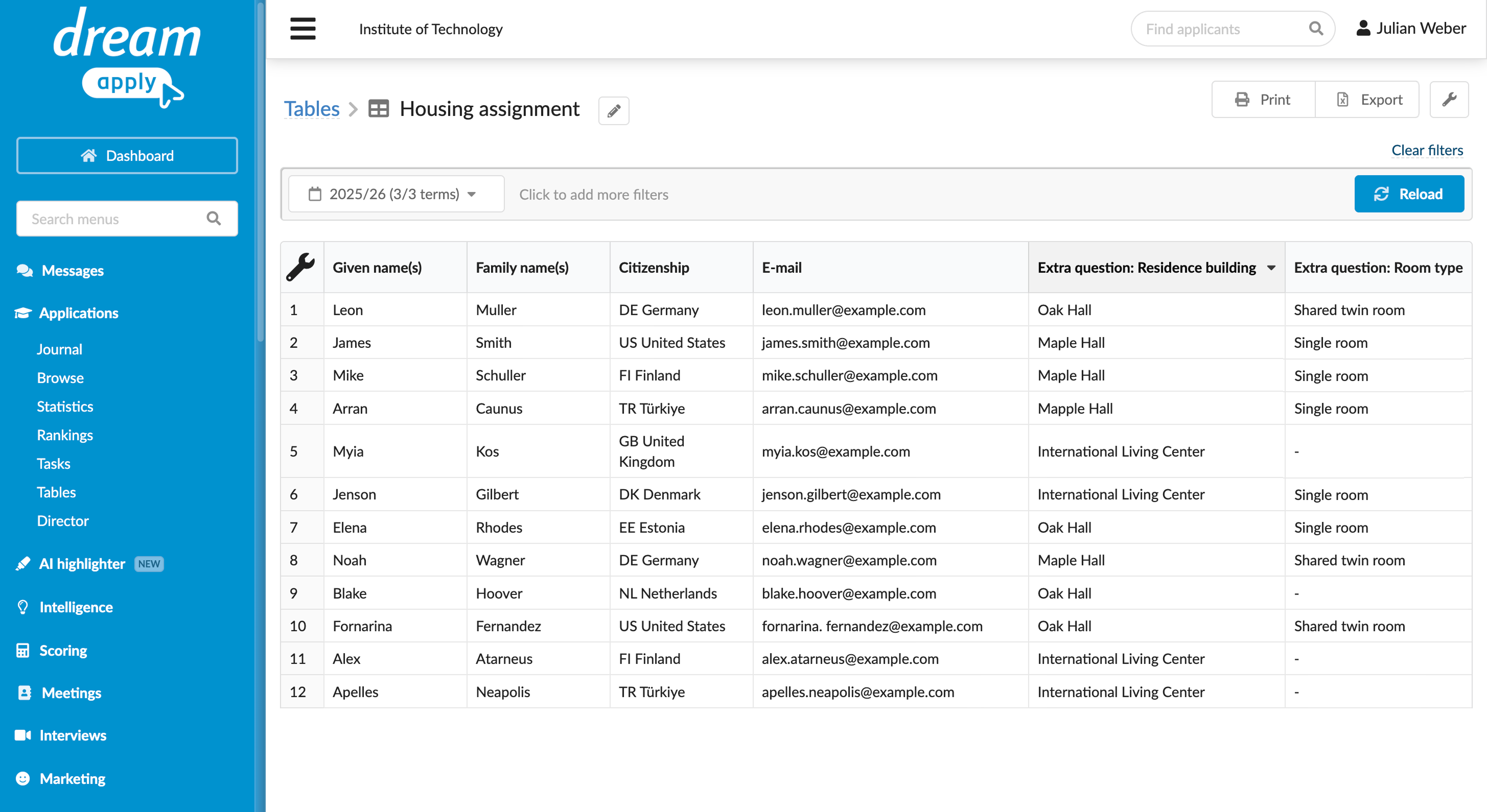
- Tables
- Content markers (capturing extra field values in official use sections)
The official use information is not included when an application is shared via a link share.