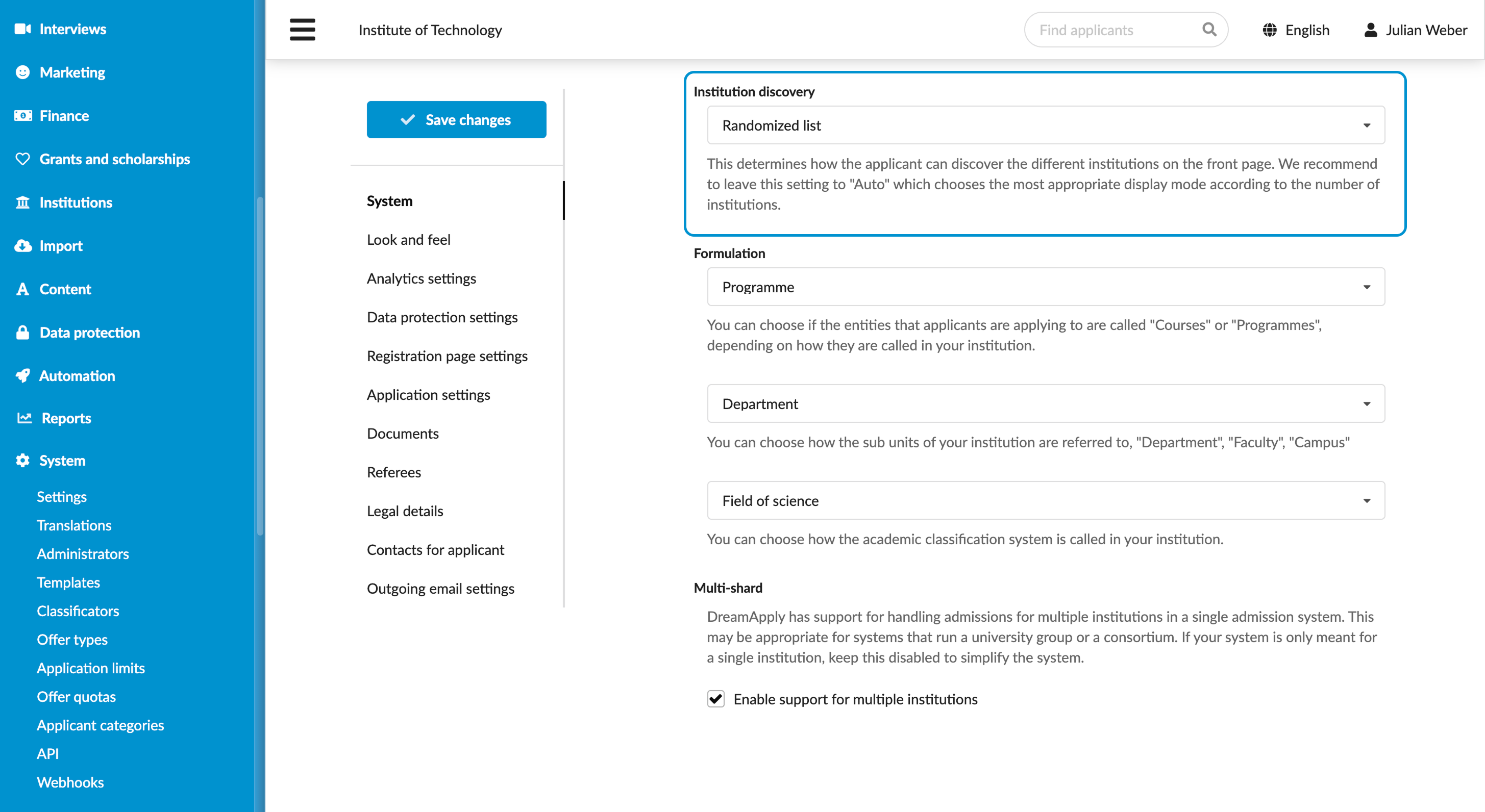
Select the institution discovery mode
Roles
These roles reflect the default DreamApply setup.
You can define custom roles based on your
institution's needs. Learn more →:
You can define custom roles based on your
institution's needs. Learn more →
If your institution uses the multi-institution setup, DreamApply automatically displays a list of institutions on the front page, right below the main banner. This list allows applicants to easily browse institutions within your organization.
To customize how this list appears, you can select the institution discovery mode. DreamApply offers the following modes:
- Alphabetic list: Institutions appear in alphabetical order.
- Randomized list: Institutions appear in a random order each time the page is loaded.
- Randomized list: Institution logos appear in a random order as a grid each time the page is loaded. Additionally, DreamApply displays the Show all institutions button that takes applicants to the Institutions page.
- Lite: DreamApply displays the Show all institutions button that takes applicants to the Institutions page.
- Auto: In this mode, DreamApply automatically selects the most suitable layout based on the number of institutions in your organization.

Before you begin
To adjust institution discovery, your account must have the Superuser role or the instance permission.
Select institution discovery mode
To select the institution discovery mode:
- In the main menu, under System, select Settings.
- In the System section, use the Institution discovery list to select the necessary mode.
- At the top of the form, click Save changes.