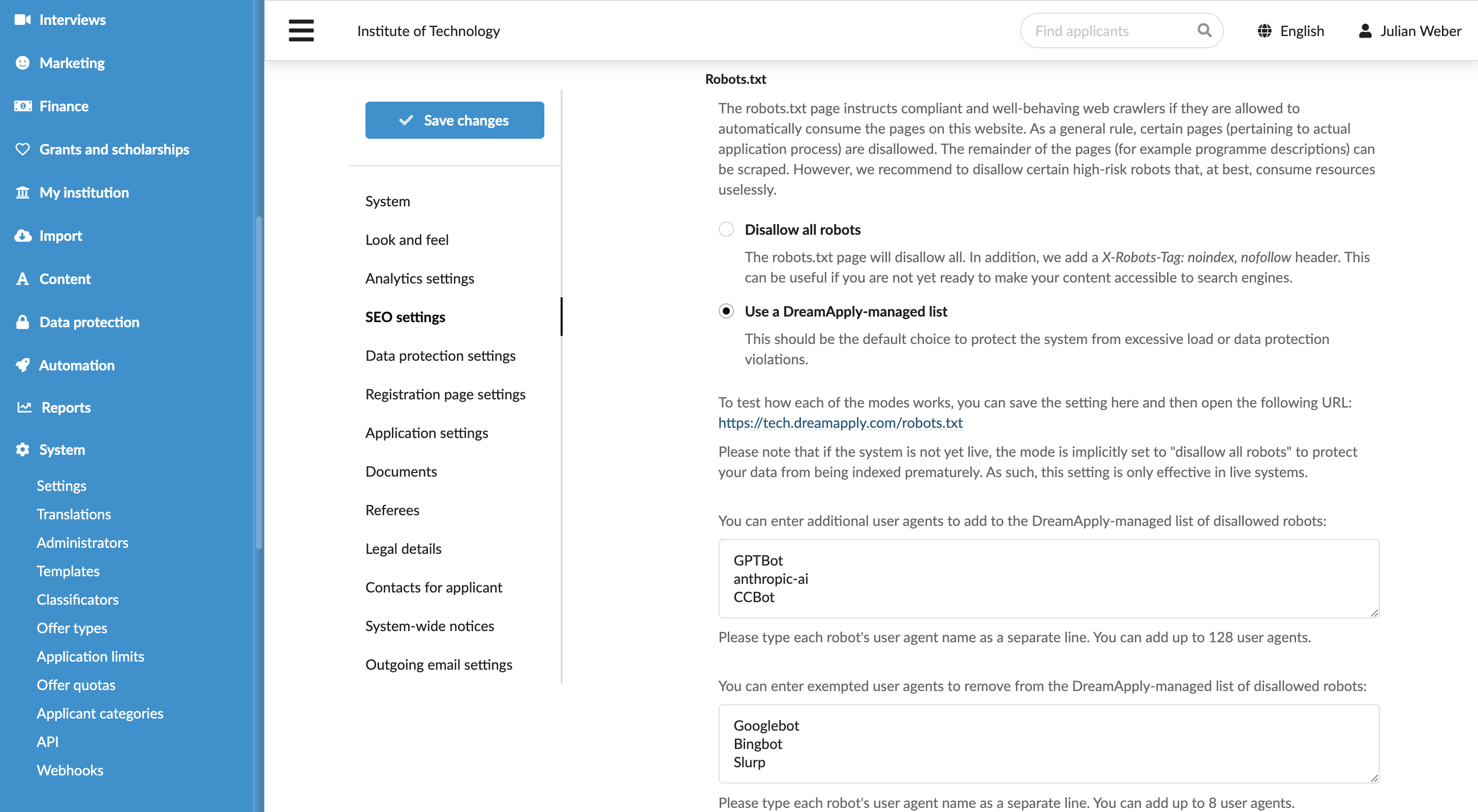
Define the SEO settings
Roles
These roles reflect the default DreamApply setup.
You can define custom roles based on your
institution's needs. Learn more →:
You can define custom roles based on your
institution's needs. Learn more →
DreamApply allows you to control how search engines discover and index your portal content and how automated agents interact with it.
You can configure the following search engine settings:
Before you begin
To define SEO settings, your account must have the Superuser role or the instance permission.
Configure sitemap settings
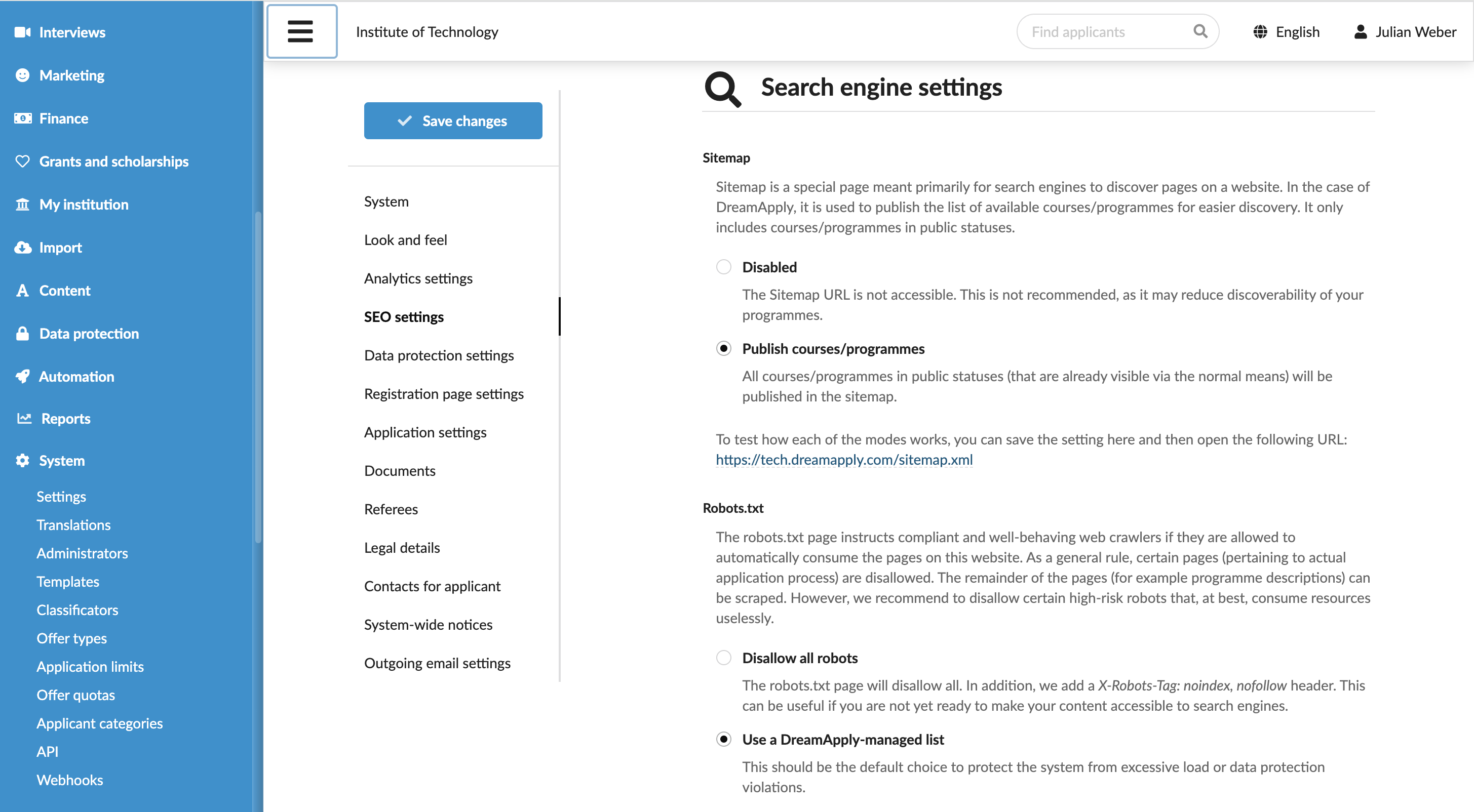
A sitemap helps search engines understand which programmes you offer and improves their discoverability.
The sitemap is accessible at: https://<your-dreamapply-portal>/sitemap.xml. DreamApply includes only programmes with Online status in the sitemap. Programmes with other statuses and other portal pages are not included.
To define the sitemap settings:
- In the main menu, under System, select Settings.
- In the left pane, select SEO settings.
- In the Sitemap section, select whether to publish or disable the sitemap.
Configure robots.txt settings
The robots.txt file defines the rules for automated agents (robots) that crawl your DreamApply portal.
The file is accessible at: https://<your-dreamapply-portal>/robots.txt. You can disallow all agents or configure a custom list of allowed and disallowed agents.
To define the robots.txt settings:
- In the main menu, under System, select Settings.
- In the left pane, select SEO settings.
- In the Robots.txt section, choose to either disallow all agents or define a custom list of allowed and disallowed agents for your portal.