How transactional emails work
DreamApply follows industry-standard best practices and takes all the necessary steps to ensure its emails are trustworthy and delivered successfully.
Email addressing
To ensure email security and reliable email delivery, DreamApply uses its authentication mechanism that complies with industry standards and email service providers’ requirements. This approach streamlines the email sending process and eliminates the need for complex setups.
Authentication mechanism
DreamApply handles the entire authentication process on its side and requires no setup on the institution part. The authentication mechanism is built around three key components that work together to ensure the email authenticity and security.
Sender Policy Framework (SPF)
The SPF allows the domain owner to specify which sources are authorized to send emails on behalf of its domain. The authorized sources are service email providers DreamApply has contracted. If an email comes from an unauthorized source, it is flagged as spam. For details, see Sender Policy Framework.
To verify the DreamApply SPF records, run the following command:
dig mail-eu.dreamapply.com TXTResolve-DnsName mail-eu.dreamapply.com -Type TXTDomainKeys Identified Mail (DKIM)
The DKIM provides tools to digitally sign each outgoing email using a private key stored securely at the email origin point. The recipient’s mail server verifies the signature with a corresponding public key stored in the DNS records of the DreamApply domain. This allows the recipient to verify if the email has been tampered in transit or it is a forged message. Tampered or forged messages are flagged as spam. For details, see DomainKeys Identified Mail.
To confirm the DKIM public key DreamApply is using, run the following command:
dig app._domainkey.mail-eu.dreamapply.com TXTResolve-DnsName app._domainkey.mail-eu.dreamapply.com -Type TXTDomain-based Message Authentication, Reporting & Conformance (DMARC)
The DMARC binds together the SPF and DKIM mechanisms to allow the domain owner to set up rules on how to handle emails that fail authentication checks. For details, see DMARC.
To check the DMARC policy enforced by DreamApply, run the following command:
dig _dmarc.dreamapply.com TXTResolve-DnsName _dmarc.dreamapply.com -Type TXTAlthough the sending domain is mail-eu.dreamapply.com, the DMARC policy is applied to both the apex domain and its subdomains to increase trustworthiness and improve deliverability.
Email deliverability
When writing email content, institutions must ensure their email messages are not flagged as spam. To do this:
- Avoid using spam-triggering words and excessive links in email content
- Do not attach large files to emails
- Ensure the email message is clear and relevant
On its side, DreamApply takes several measures to improve email deliverability:
Ensures proper authentication: DreamApply has set the SPF, DKIM and DMARC policies to guarantee reliable email communication and prevent emails from being flagged as spam. Clients can verify DreamApply DNS records using the commands listed above.
Uses a dedicated IP address: For sending emails, DreamApply uses a private IP address not shared with third parties.
Maintains a positive domain reputation: DreamApply regularly monitors and protects its domain reputation to increase trust with email providers.
Provides an unsubscribe option: DreamApply allows applicants to unsubscribe from email communication. For details, see Unsubscribe from emails.
DreamApply runs nightly delivery audits to 5 major providers: Gmail, Yahoo, Fastmail, Hotmail and iCloud/Apple Mail. It sends test emails to each provider with the standard email parameters and verifies the email delivery using the IMAP protocol.
To check the audit results, in the main menu of the DreamApply portal, select Dashboard and in the right pane, click the Email delivery diagnostics button.
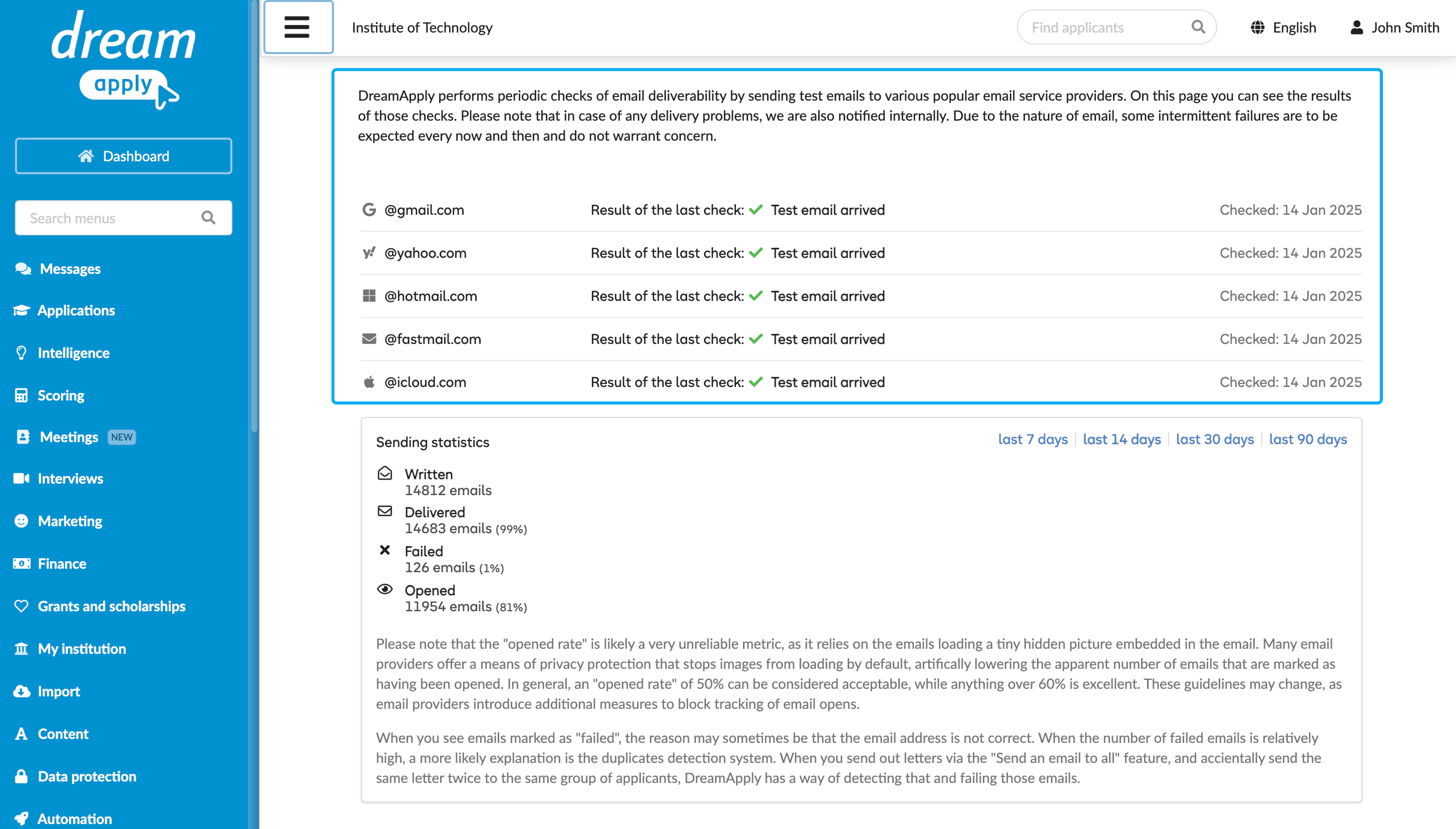
You can also use third-party tools such as Mail Tester to evaluate deliverability of DreamApply emails.
Open rate
One of the metrics available in the DreamApply email statistics is open rate. The open rate measures the percentage of recipients who open an email out of those who received it.
DreamApply employs the tracker pixels method to measure the open rate. The accuracy of this method depends on the user’s inbox setting: if images are blocked, the open may not be recorded. As a result, the actual open rate is likely to be higher than the one reported in the DreamApply statistics.
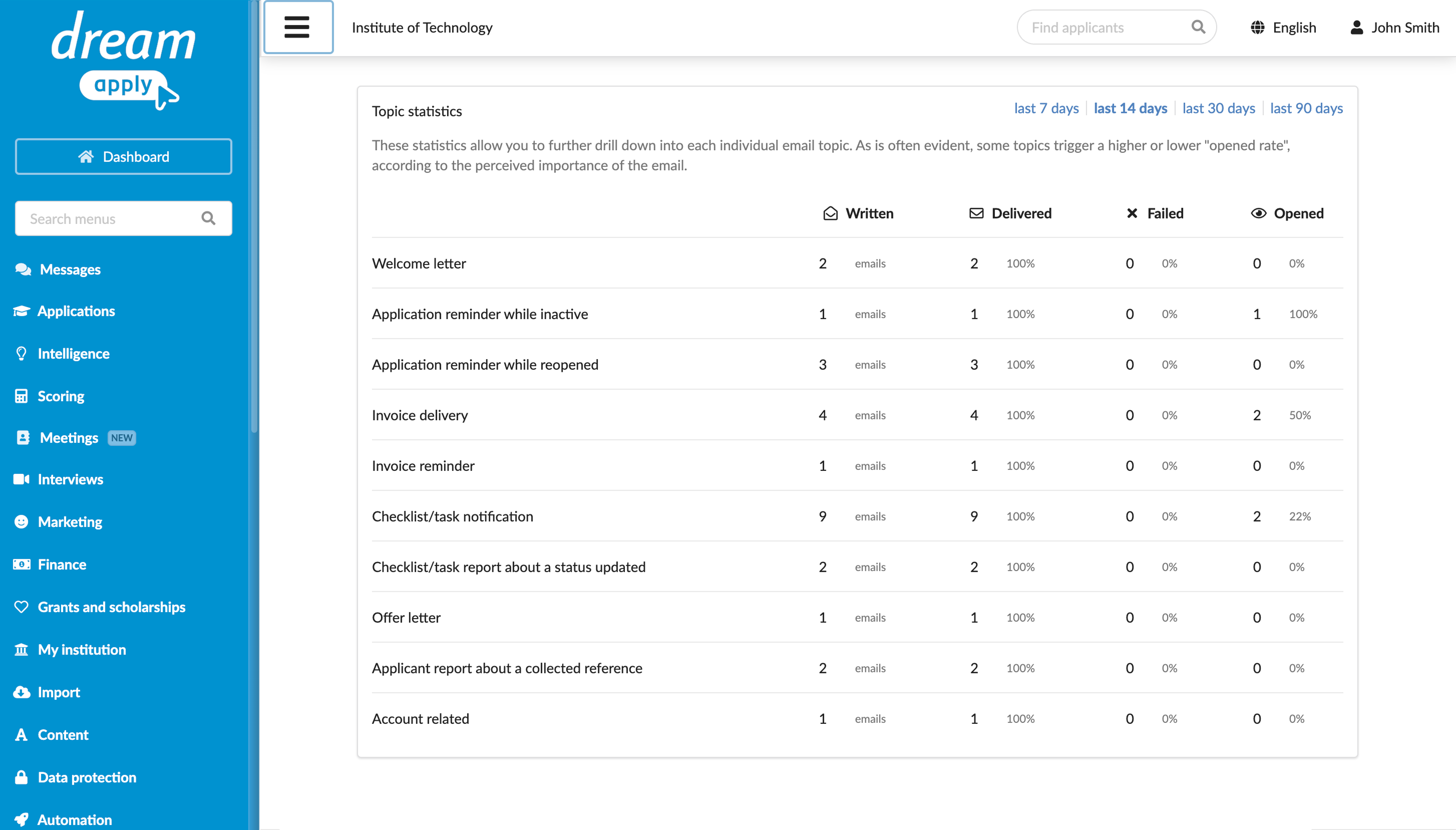
To check the delivery statistics, in the main menu of the DreamApply portal, select Dashboard and in the right pane, click the Email delivery diagnostics button.
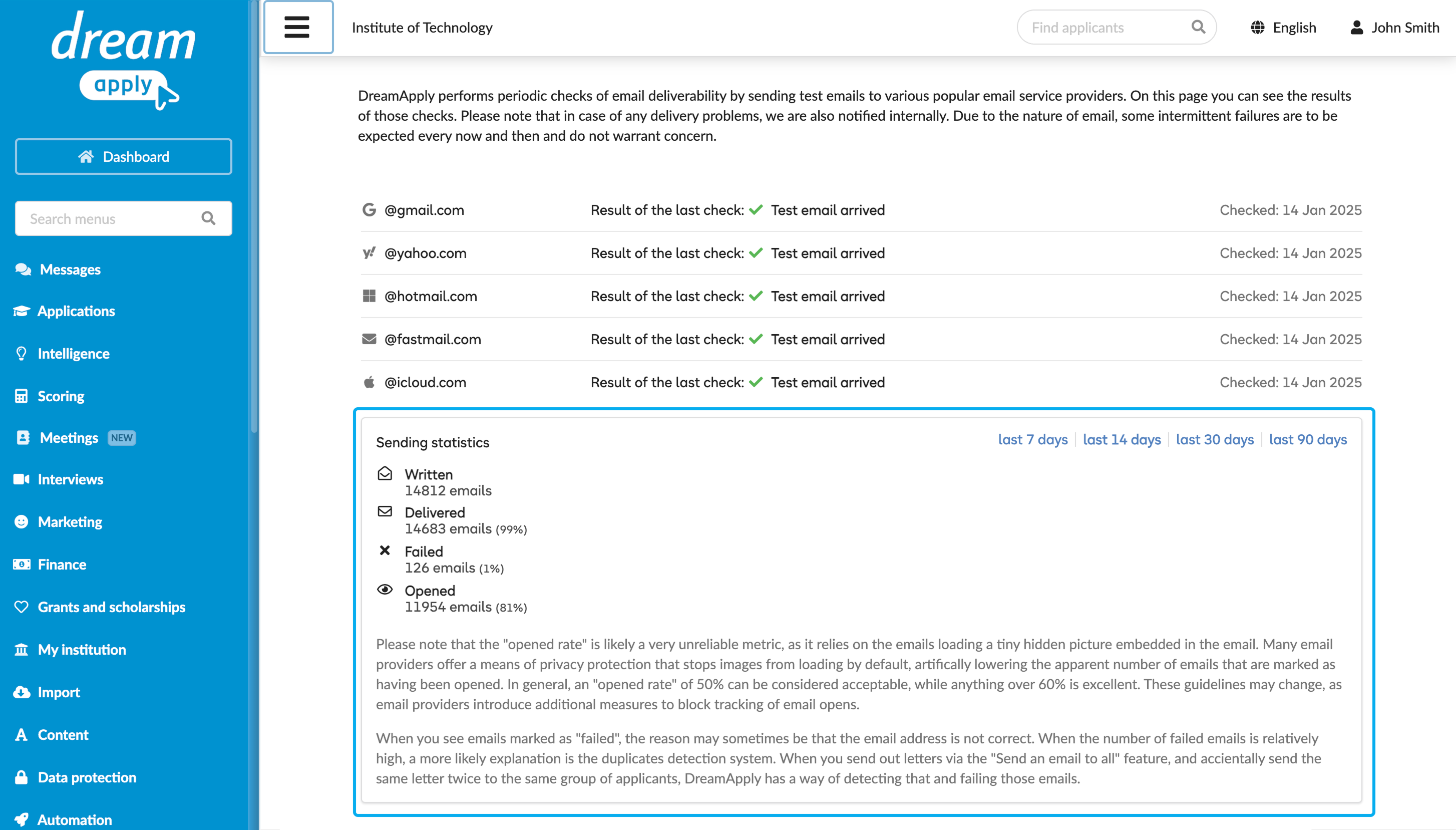
You can use the Sending statistics and Topic statistics sections to drill down into each individual email topic.