Unsubscribe from emails
If applicants no longer want to receive notifications from DreamApply, they can unsubscribe from transactional emails.
DreamApply offers several ways to unsubscribe:
- Visit the Unsubscribe link: Transactional emails sent by DreamApply include an Unsubscribe link at the bottom of emails. When applicants click the link, they will be directed to a page where they can adjust their email settings.
- Use the Unsubscribe button in the email: DreamApply includes the list-unsubscribe header in its emails. Some email clients such as Gmail or Apple Mail display the Unsubscribe button at the top of the email. Applicants can click the button, and the email client will automatically process the unsubscribe request using its native tools.
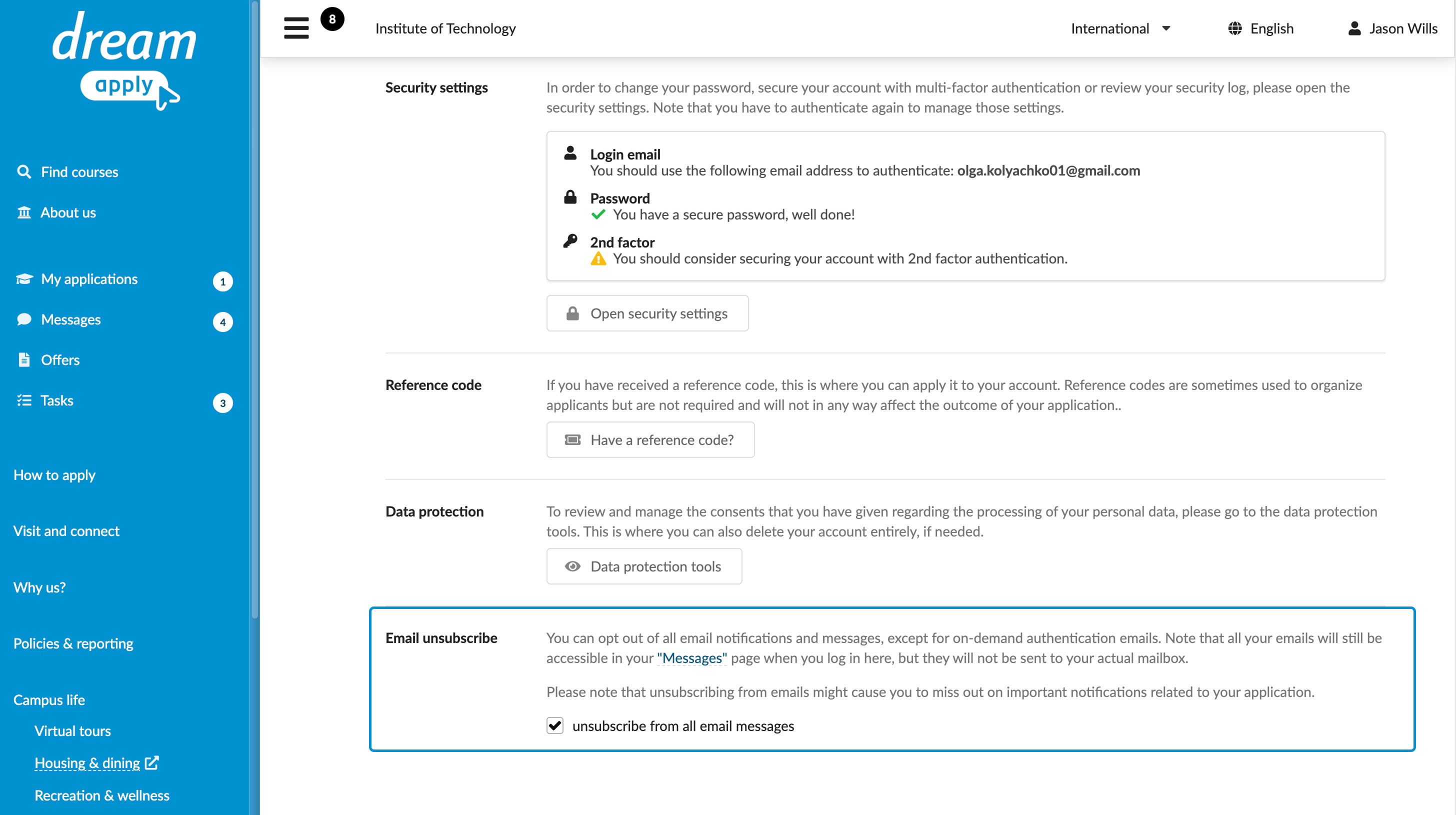
- Adjust profile settings: Applicants can use the Email unsubscribe option in the My profile settings in the Applicant portal. If they decide to resume receiving notifications, they can disable this option again later.
Mind the following:
Unsubscribing stops transactional emails sent to applicants. Applicants will still receive emails they have requested explicitly, for example, when logging in with a one-time link.
After unsubscribing, applicants will receive authentication-related emails to log them in or maintain the account security.
When the Unsubscribe option is enabled, DreamApply generates emails but does not deliver them to the applicant’s inbox. Applicants can view these messages in the Messages section in the Applicant portal.