Invite to an interview
Roles
These roles reflect the default DreamApply setup.
You can define custom roles based on your
institution's needs. Learn more →:
You can define custom roles based on your
institution's needs. Learn more →
DreamApply offers several ways to invite applicants to interviews:
- Through automatic rules: You can create a rule that will automatically invite applicants matching a specific criteria
- Using bulk invitations: You can select several applicants and send invitations in a batch
- Using individual invitations: You can invite specific applicants as needed
Before you begin
- To set up automatic rules, your account must have the
Superuserrole or therulespermissions. - To invite applicants in bulk or individually, your account must have the
Superuser,Admissions administrator,Academic supervisororAcademic consultantrole or theapplications-viewpermissions.
Invite applicants using rules
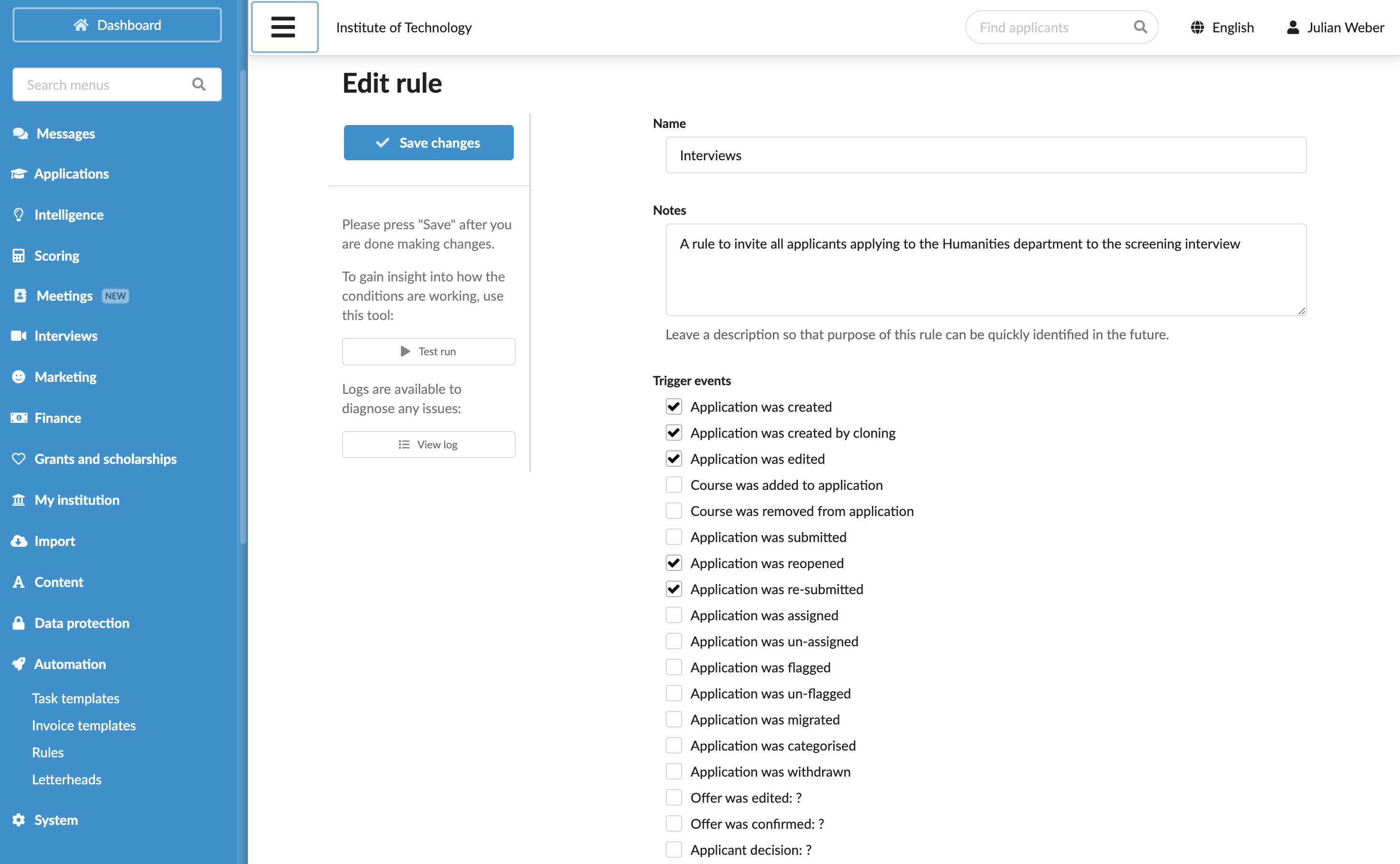
You can set up DreamApply to automatically invite applicants that match specific criteria. For example, you may want to automatically invite international applicants who require additional screening or applicants who have successfully submitted their documents using tasks.
To invite applicants using rules:
- In the main menu, under Automation, select Rules.
- At the bottom of the rule list, click New rule and specify the rule name.
- In the Trigger events section, select events that must activate the rule. For example, you can choose to invite an applicant who has resolved a task with a specific status.
- In the Conditions section, specify granular conditions for the rule. For example, you can select the Application has a task with the following task class and status combination condition and specify the required task name and its status.
- In the Action section, select the Invite the application to a video interview check box and choose an appropriate interview or interviews.
- At the top of the form, click Save changes.
- In the list of rules, set the rule status to Active.
Invite applicants in bulk
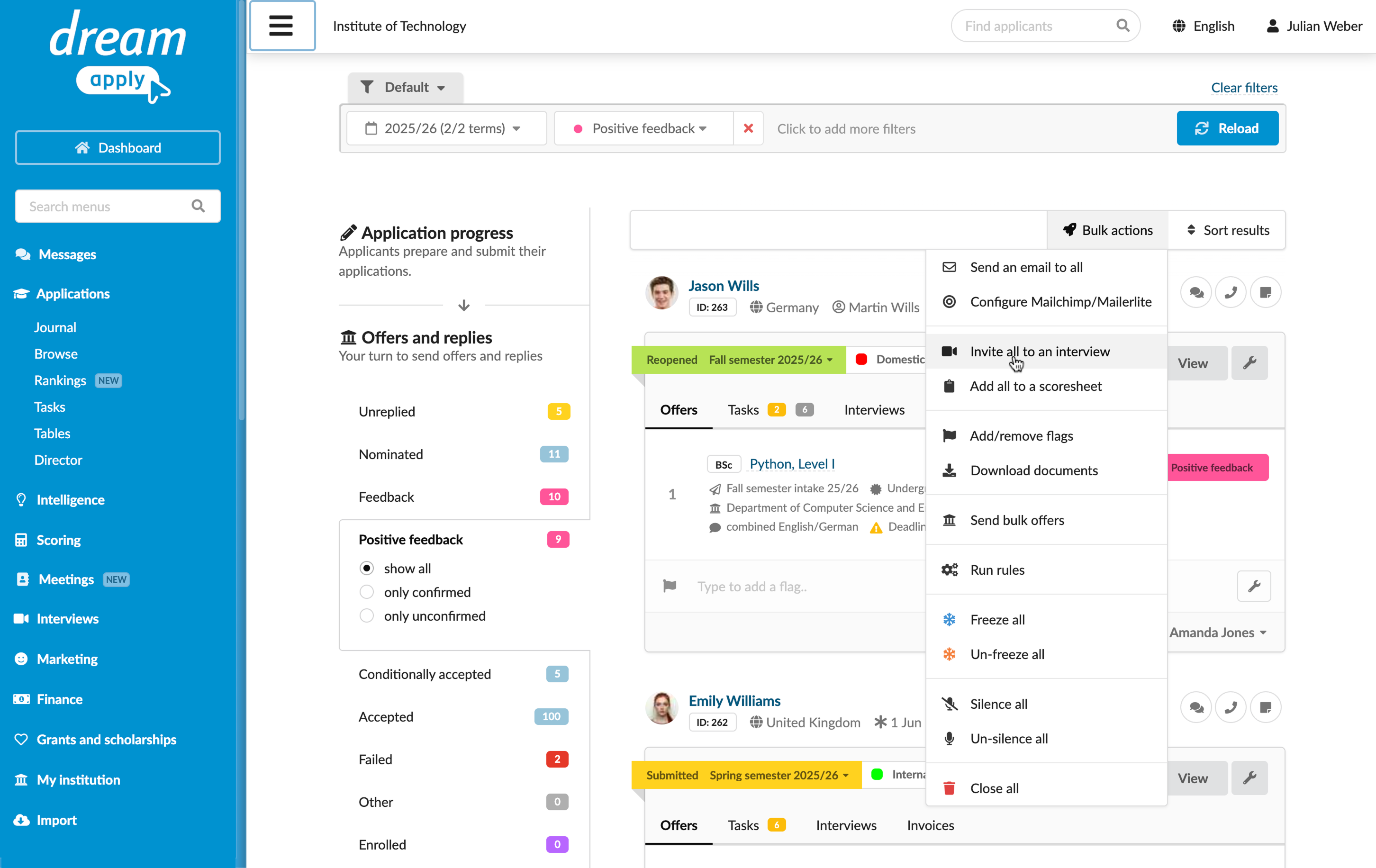
You can select a group of applicants and send an invitation to an interview to the entire group.
To invite applicants in bulk:
- In the main menu, under Applications, select Browse.
- Use filters at the top to select a group of applicants that match specific criteria.
- From the Bulk actions list, select Invite all to an interview and choose an interview to which applicants must be invited.
Invite individual applicants
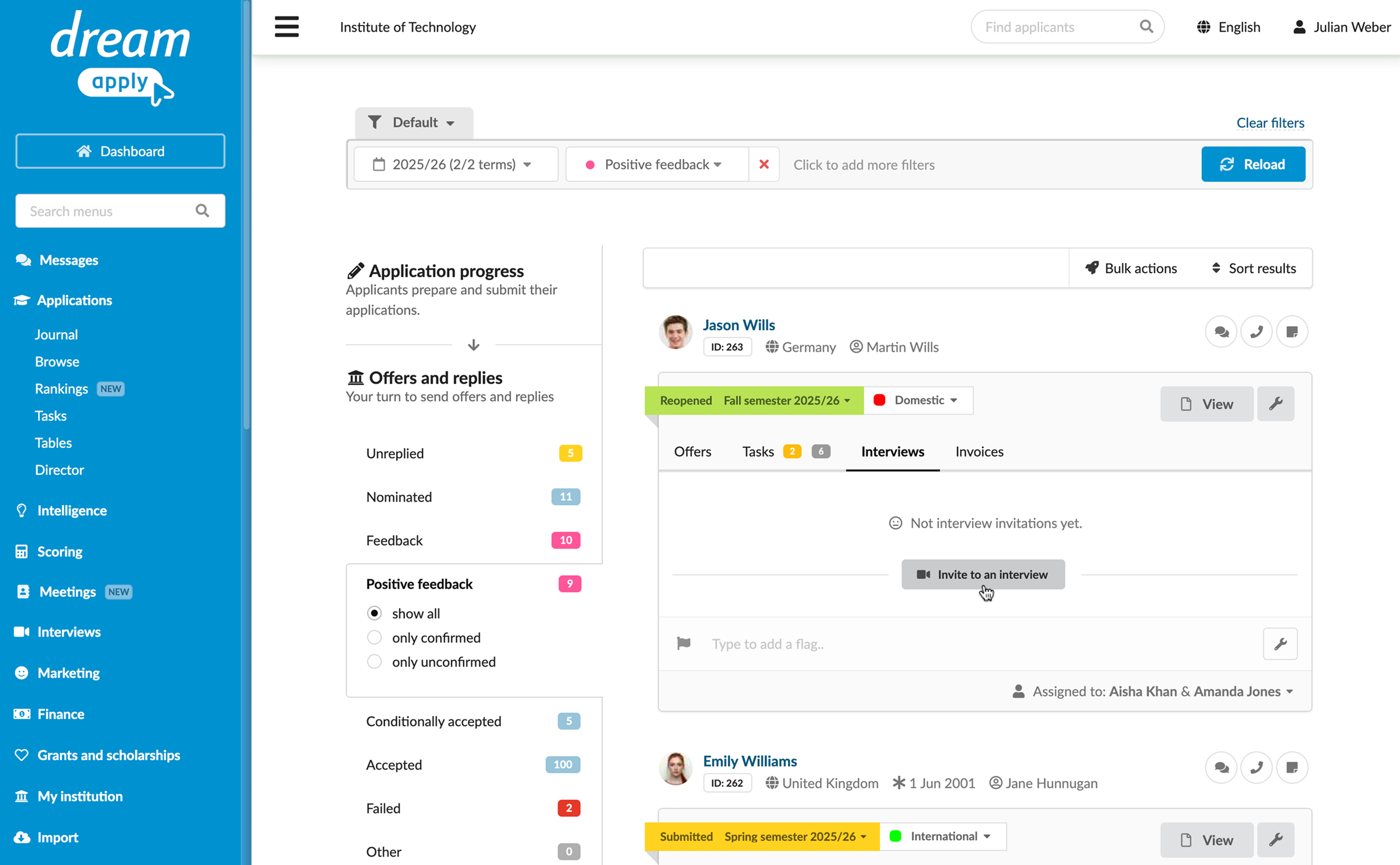
You can invite applicants to interviews manually for special cases, for example, if an applicant needs further evaluation for final selection.
To send an invitation to an individual applicant:
- In the main menu, under Applications, select Browse.
- Use filters at the top to find an applicant.
- In the application card, open the Interviews tab, click Invite to an interview and select the interview.