Watch interviews
Roles
These roles reflect the default DreamApply setup.
You can define custom roles based on your
institution's needs. Learn more →:
You can define custom roles based on your
institution's needs. Learn more →
All interview sessions recorded and submitted by applicants are securely stored in the DreamApply system. You can access these recordings at any time for review.
Before you begin
- To watch and manage interviews, your account must have the
SuperuserorAdmissions administratorrole or theinterviewspermission. - To subscribe to journal events, your account must have the
SuperuserorAdmissions administratorrole or thejournal-viewandjournal-editpermissions.
Review and manage recordings
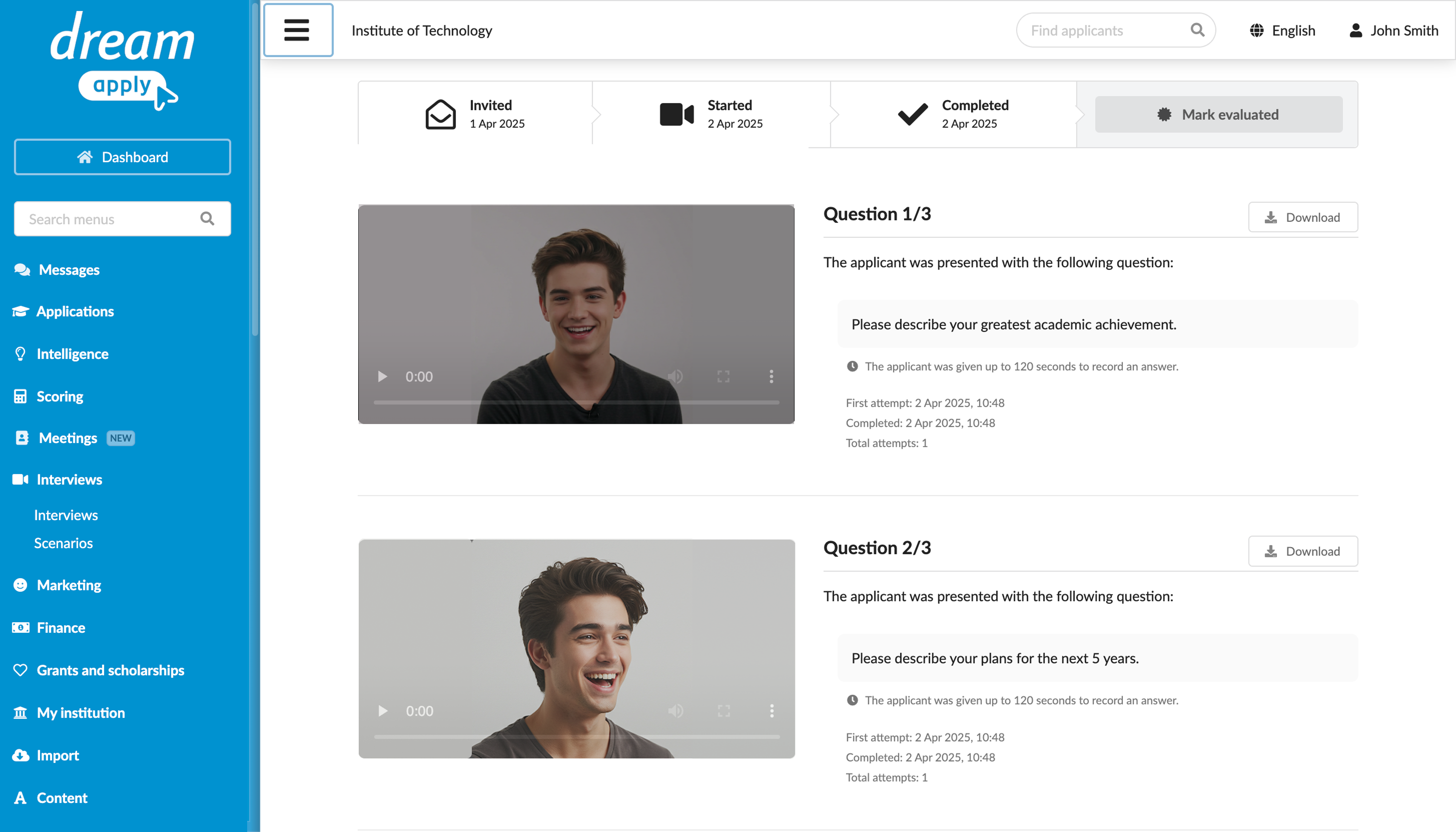
To review submitted recordings:
In the main menu, under Interviews, select Interviews.
To the right of the applicant’s name, click Watch.
To mark an interview as evaluated, click Mark evaluated and leave a comment if needed. The evaluation note is displayed in the application card on the Interviews tab for the applicant.
To manage interview recordings, click the wrench icon and select the necessary option:
- Unblock: If an applicant reloads the DreamApply portal during an answer or a connection is lost, the interview may become blocked. Use this option to restore access to the interview for the applicant. The applicant will be able to resume from the last question before the interview was blocked.
- Reset: Use this option to restore an interview to its initial state and allow an applicant to complete it again.
- Delete: Use this option to remove a recording from the DreamApply portal for both Administrators and an applicant if it is no longer needed.
Use the Journal events
DreamApply records the following interview events in the journal:
- Interview was started
- Interview was completed
- Interview was evaluated
To track these events, subscribe to them using the Video interviews event group.