Customize meeting notifications
Roles
These roles reflect the default DreamApply setup.
You can define custom roles based on your
institution's needs. Learn more →:
You can define custom roles based on your
institution's needs. Learn more →
DreamApply automatically sends notifications with meeting details when participants register for simple registration or scheduled slot meetings or unregister from them. These notifications are accessible in the Messages view of the Applicant portal and delivered as emails to participants.
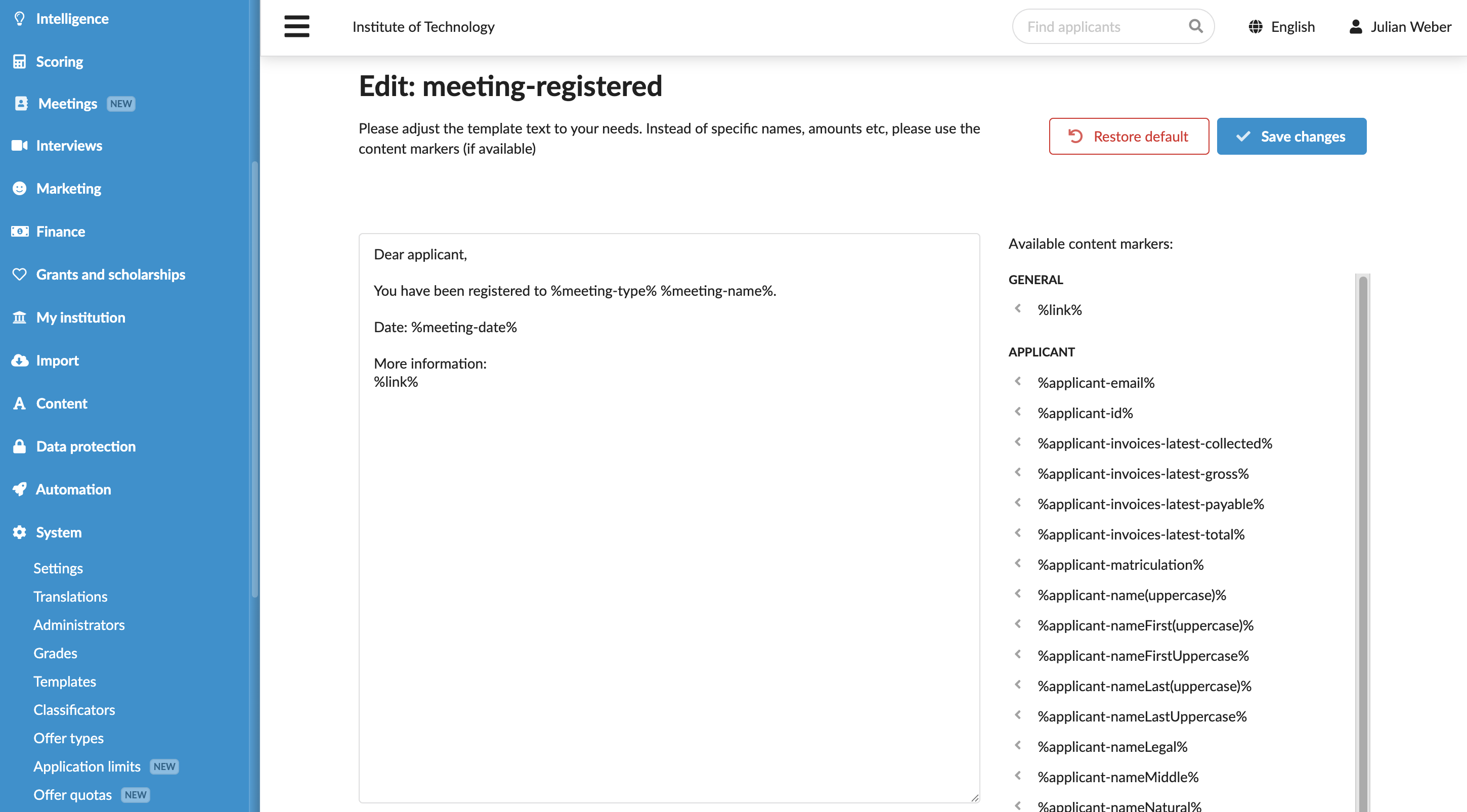
You can customize these messages through templates to tailor the content to your tone and specific requirements. Message templates can include personalized details such as the participant’s name and event-specific details, ensuring clear and professional communication.
Before you begin
To customize message templates, your account must have the Superuser role or the templates permission.
Edit the registration message templates
To edit registration message templates:
- In the main menu, under System, select Templates.
- In the templates list, select to edit the meeting-registered or meeting-unregistered template.
- Adjust the template content as needed. You can use content markers to personalize the message and the Textile markup to format and structure the text.
- At the top of the form, click Save changes.