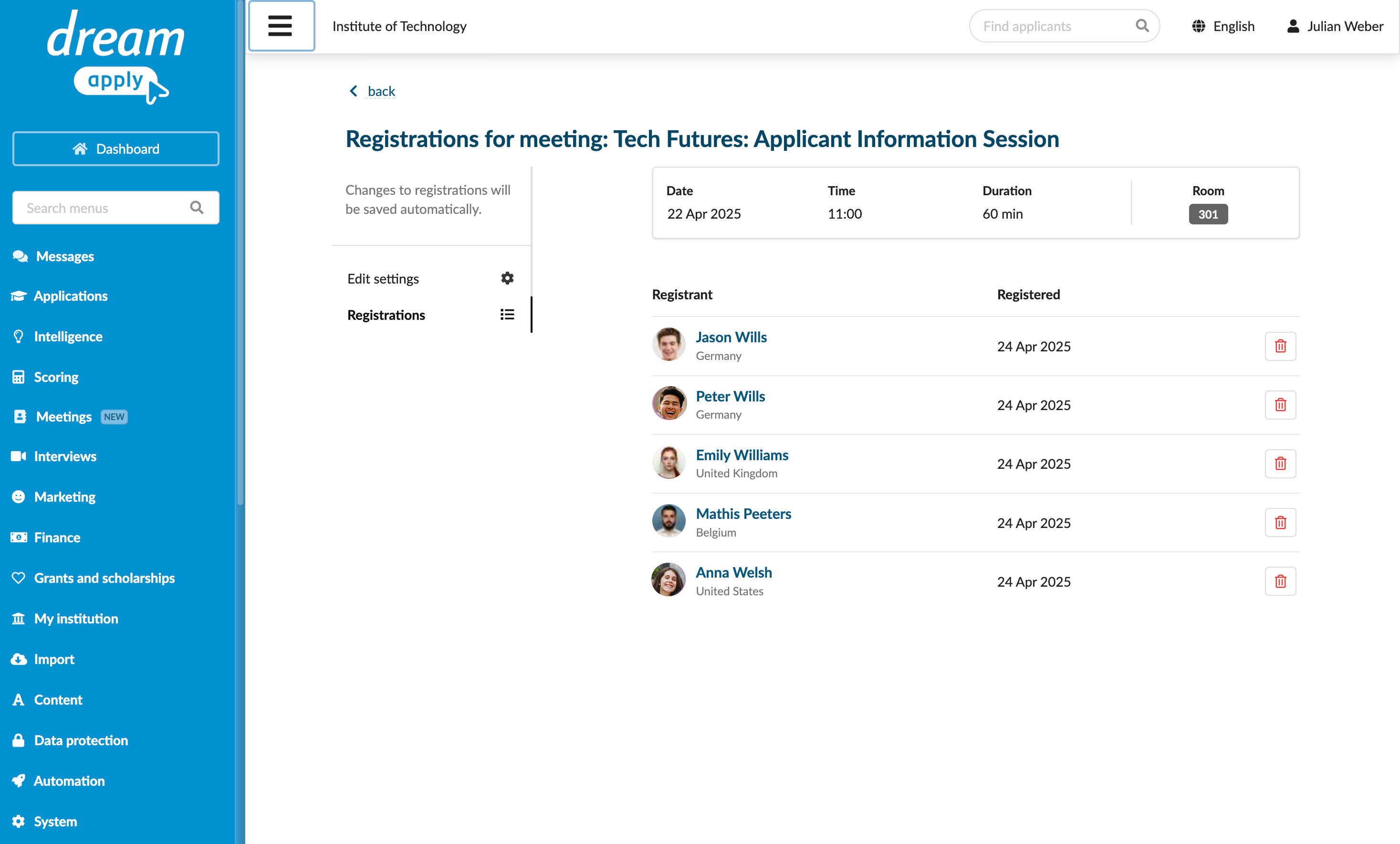
Manage meeting registrations
Roles
These roles reflect the default DreamApply setup.
You can define custom roles based on your
institution's needs. Learn more →:
You can define custom roles based on your
institution's needs. Learn more →
DreamApply offers two options for registering to meetings:
- Simple registration
- Scheduled slots
Administrators can view and manage participant registrations: change the time slot or remove participants from the meeting. This capability can be helpful for managing high-demand meetings and events.
Before you begin
To view and manage meeting registrations, your account must have the Superuser role or the meetings-view, meetings-registrations-view and meetings-registrations-edit permissions.
Edit meeting registrations
To edit registrations for a meeting:
- In the main menu, select Meetings.
- In the calendar, click the meeting and select View registrations.
- Edit the registration settings: change the time slot or delete participants from the meeting.