System-wide notices
Roles
These roles reflect the default DreamApply setup.
You can define custom roles based on your
institution's needs. Learn more →:
You can define custom roles based on your
institution's needs. Learn more →
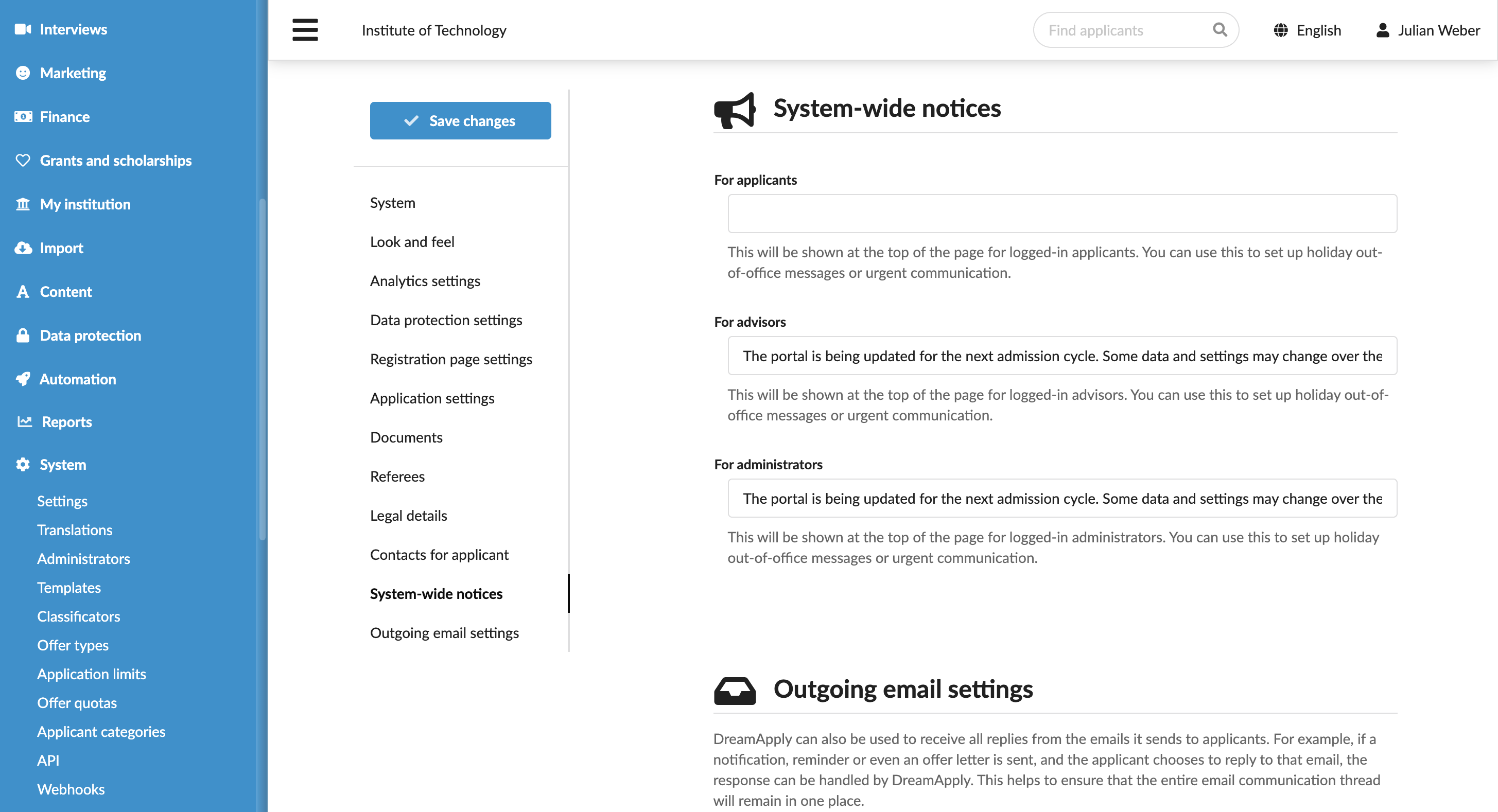
You can set up system-wide notices in the DreamApply portal. System-wide notices provide a way to broadcast important updates, system changes and operational alerts that need to be clearly visible to all relevant users.
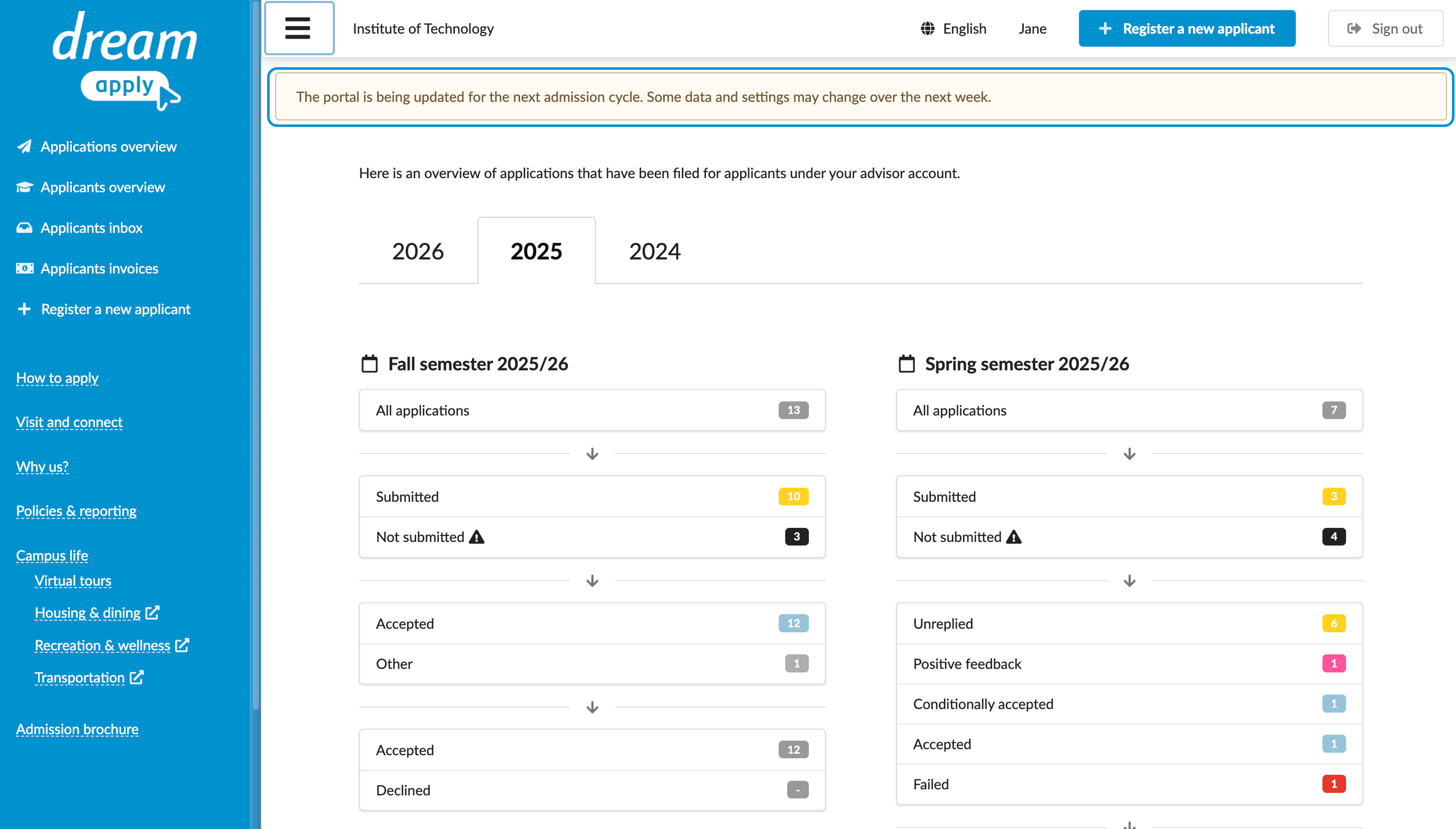
System-wide notices can be targeted at specific user roles, such as Administrators, Advisors or applicants. When enabled, a notice appears as a warning bar at the top of the portal and is displayed to users when they log in.
Before you begin
To set up system-wide notices, your account must have the Superuser role or the instance permission.
Set system-wide notices
To set up a system-wide notice:
- In the main menu, under System, select Settings.
- In the System-wide notices section, define a message to be communicated to a specific user role: Administrators, Advisors or applicants.