Delete applicant accounts
Roles
These roles reflect the default DreamApply setup.
You can define custom roles based on your
institution's needs. Learn more →:
You can define custom roles based on your
institution's needs. Learn more →
Applicants or Administrators may want to remove applicant accounts from DreamApply. This can happen when:
- An applicant wants to withdraw from all of their applications
- An applicant wants remove their account but still wants to keep their DreamID for possible future use
- An Administrator needs to remove an applicant account on behalf of the applicant
When an applicant account is deleted, DreamApply removes all data and resources for that account. This includes:
- Applicant account and its metadata
- Application data and uploaded documents
- System resources that DreamApply creates to support application management, such as priorities, offers and interviews
DreamApply does not remove invoices that an applicant has received. They remain in the system to comply with bookkeeping regulations.
If the same DreamID is linked to multiple accounts (for example, a personal account and a child account), DreamApply removes only the selected account. The DreamID and other accounts linked to it remain in the system.
Before you begin
To delete applicant accounts, your account must have the Superuser or Admissions administrator role or the applicants-view and applicants-edit permissions.
Delete applicant accounts (Administrators)
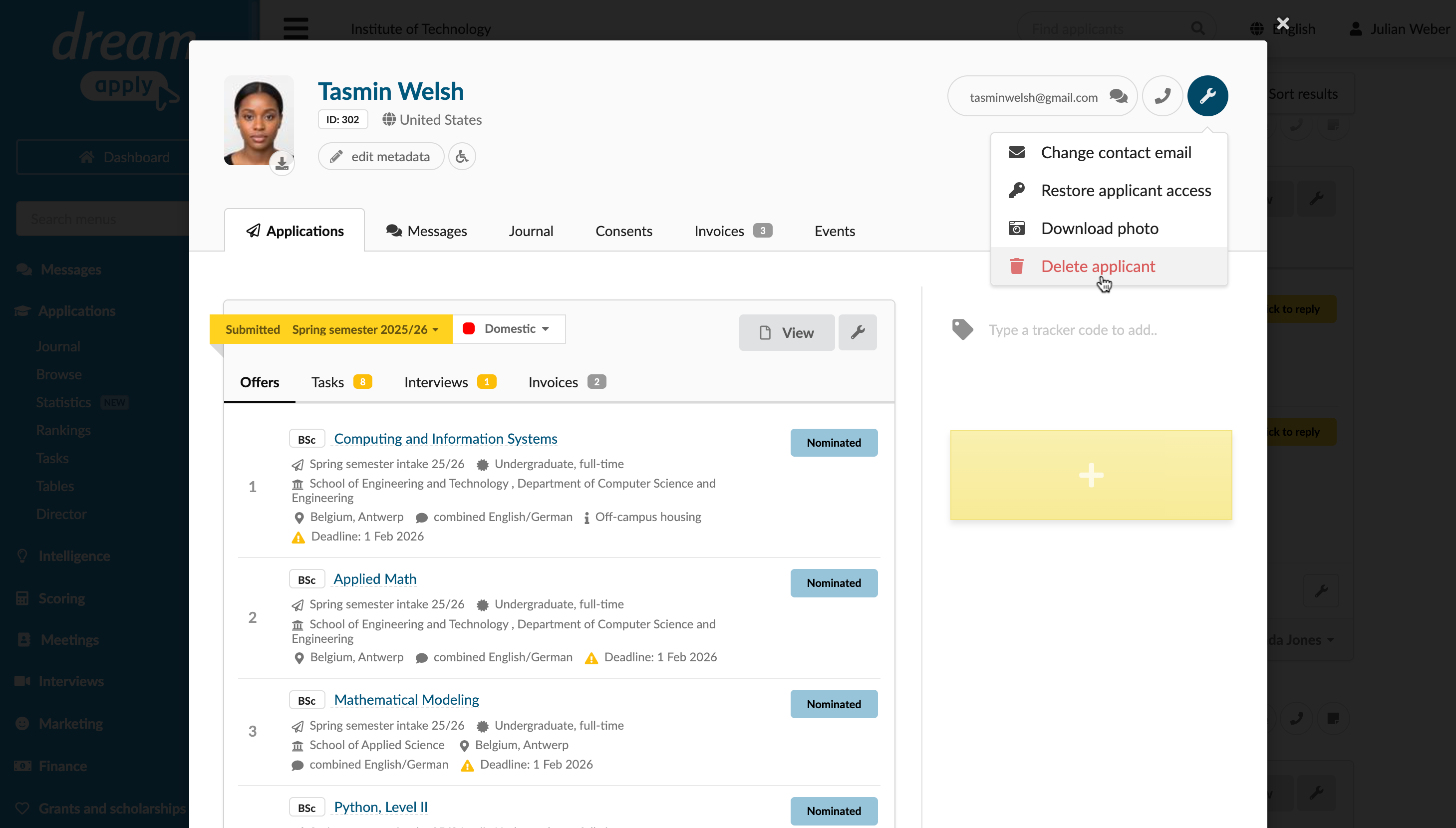
To delete an applicant account:
- In the main menu, under Applications, click Browse.
- Click the applicant’s name to open the applicant card.
- In the top right corner, click the wrench icon and select Delete applicant.
Request account deletion (applicants)
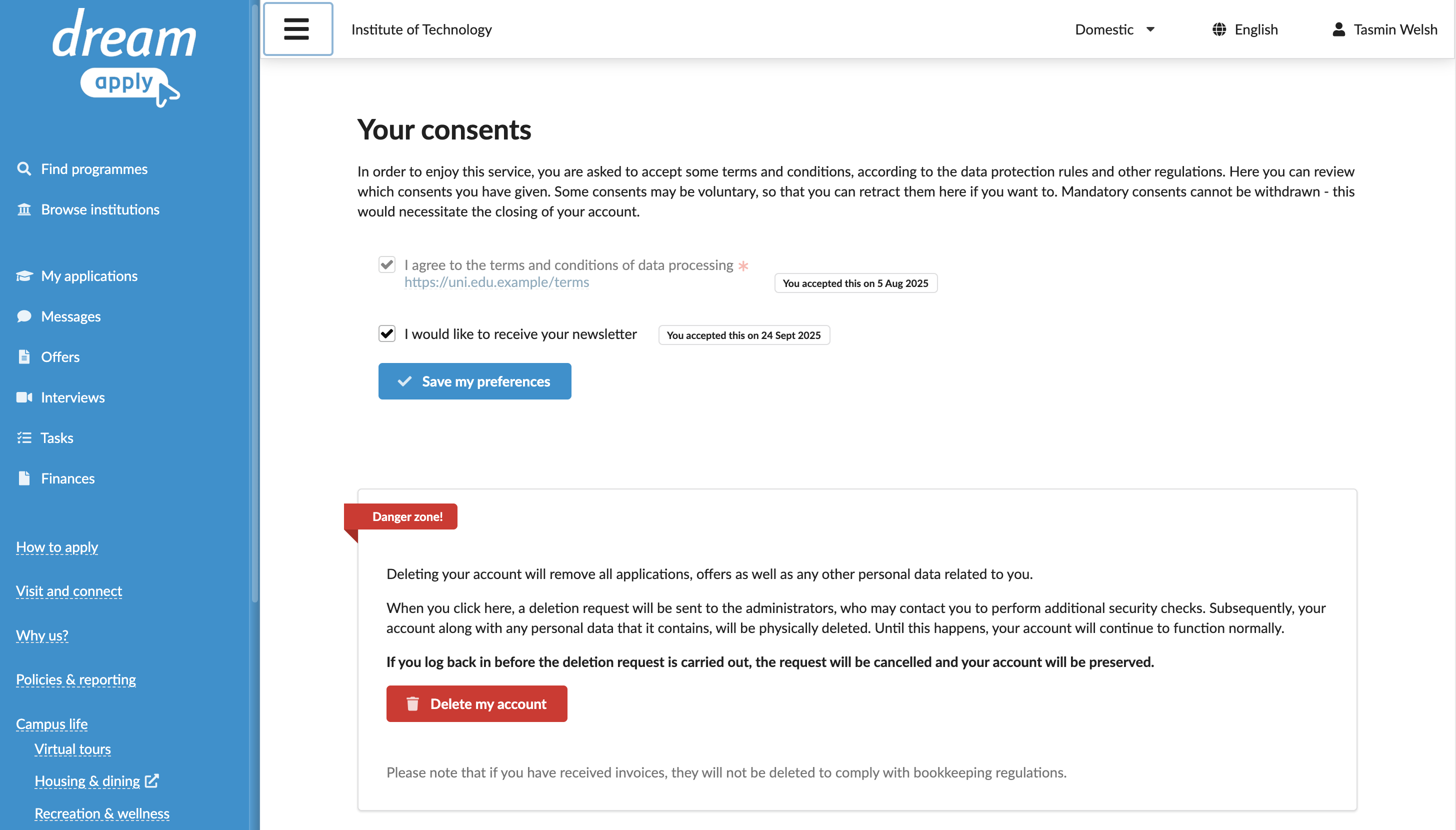
To request account deletion:
- In the top right corner of the DreamApply portal, click the profile icon and select Data protection.
- In the Danger zone section, click Delete my account.
Next steps
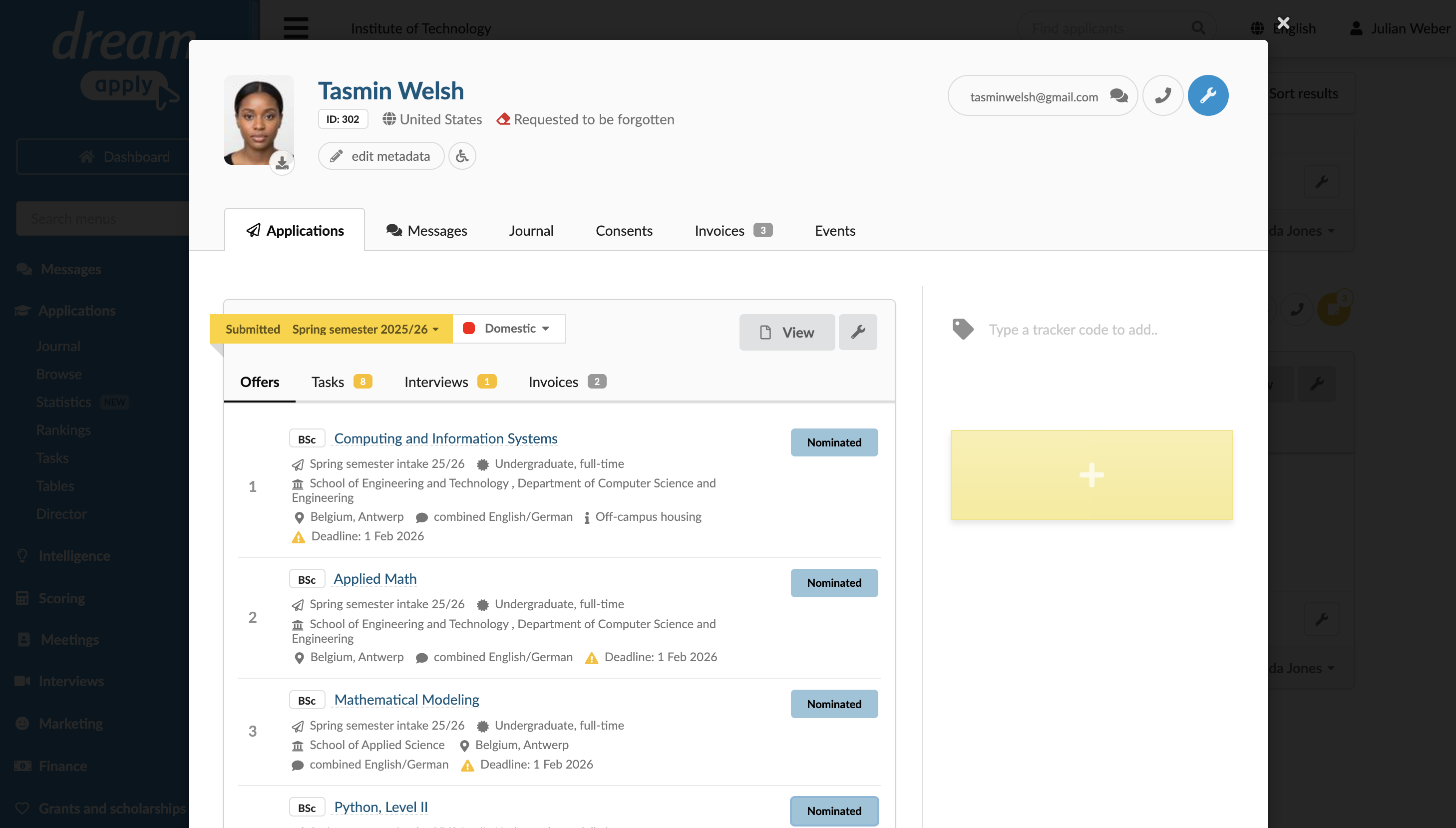
When an applicant account is deleted, DreamApply takes the following actions:
- Creates an account deletion request that must be reviewed and confirmed by Administrators.
- Flags the account as Requested to be forgotten.
From this point, DreamApply offers the following options:
Roll back deletion: To roll back account deletion, an applicant can log in to the DreamApply portal before the account deletion request is confirmed. DreamApply will:
- Cancel the account deletion request
- Remove the deletion flag from the application
- Fully restore the account, all associated data and resources
A rollback option is only available if an Administrator has not yet confirmed the right to be forgotten.Confirm deletion: An Administrator can confirm the request, and DreamApply will permanently remove the account and all associated data within 24 hours. For details, see Confirm the right to be forgotten.