Purge applications
Roles
These roles reflect the default DreamApply setup.
You can define custom roles based on your
institution's needs. Learn more →:
You can define custom roles based on your
institution's needs. Learn more →
To keep application data clean and organized, you can use the Data purging option. Data purging allows Administrators to remove outdated applications and data that are no longer needed. This option can be especially helpful to prepare the system for new submissions when the previous academic term ends and a new term begins.
Data purging is performed per academic term. DreamApply deletes all applications within the term as well as system resources linked to them, such as offers, priorities and interviews. Applicant accounts and DreamID records remain in the system, so applicants can use them to submit new applications for upcoming terms.
Before you begin
To purge application data, your account must have the Superuser role or the data-protection permission.
Purge application data
To purge application data:
- In the main menu, under Data protection, select Data purging.
- At the top of the page, click Unlock page and enter your password or use a one-time link to re-log in to the system.
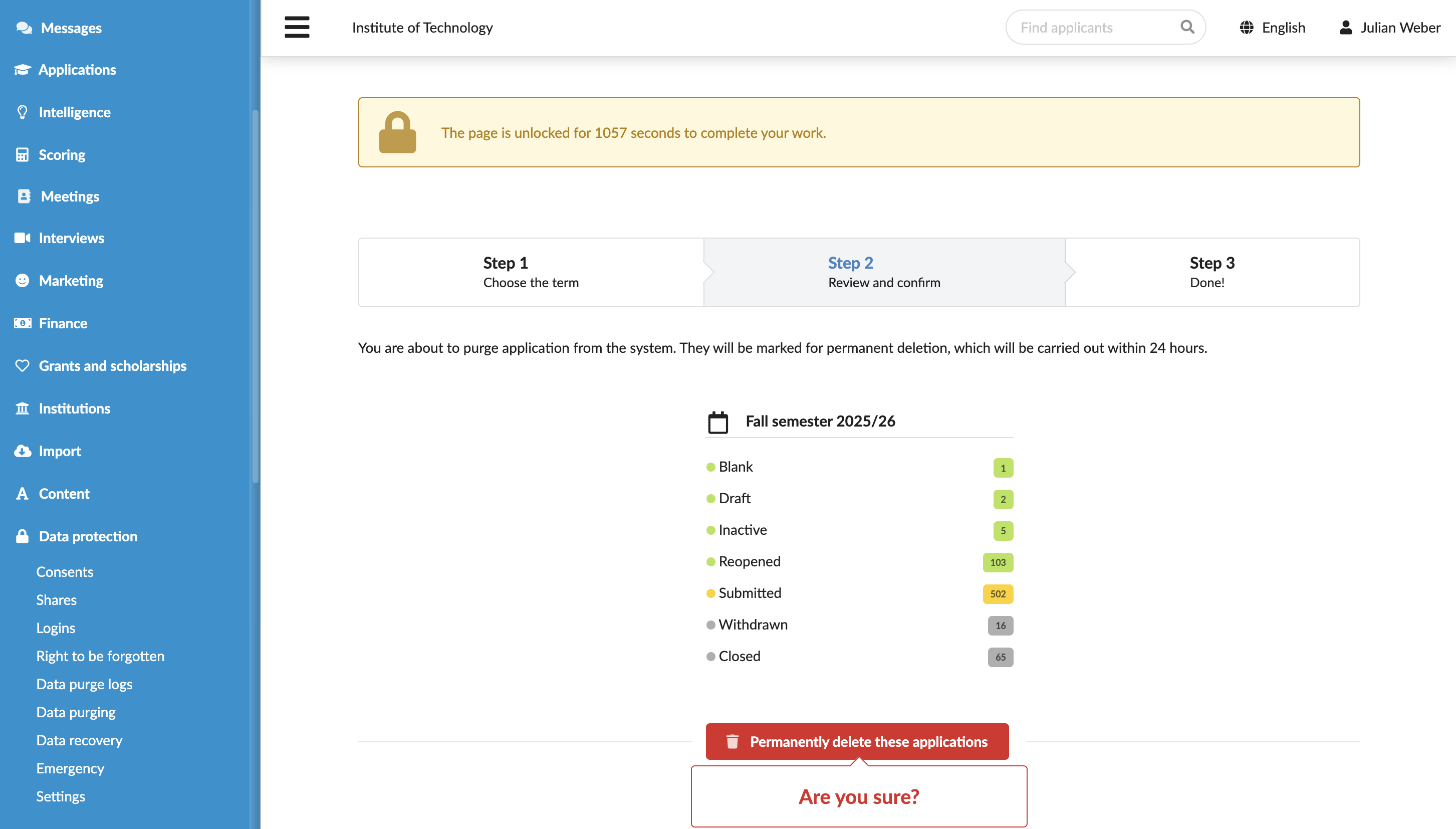
- Select the term whose application you want to delete and click Continue.
- Review the selected applications and click Permanently delete these applications.
DreamApply schedules data deletion and permanently removes data within 24 hours during an overnight cleanup process. Before the cleanup process begins, Administrators can recover applications. For details, see Recover data.