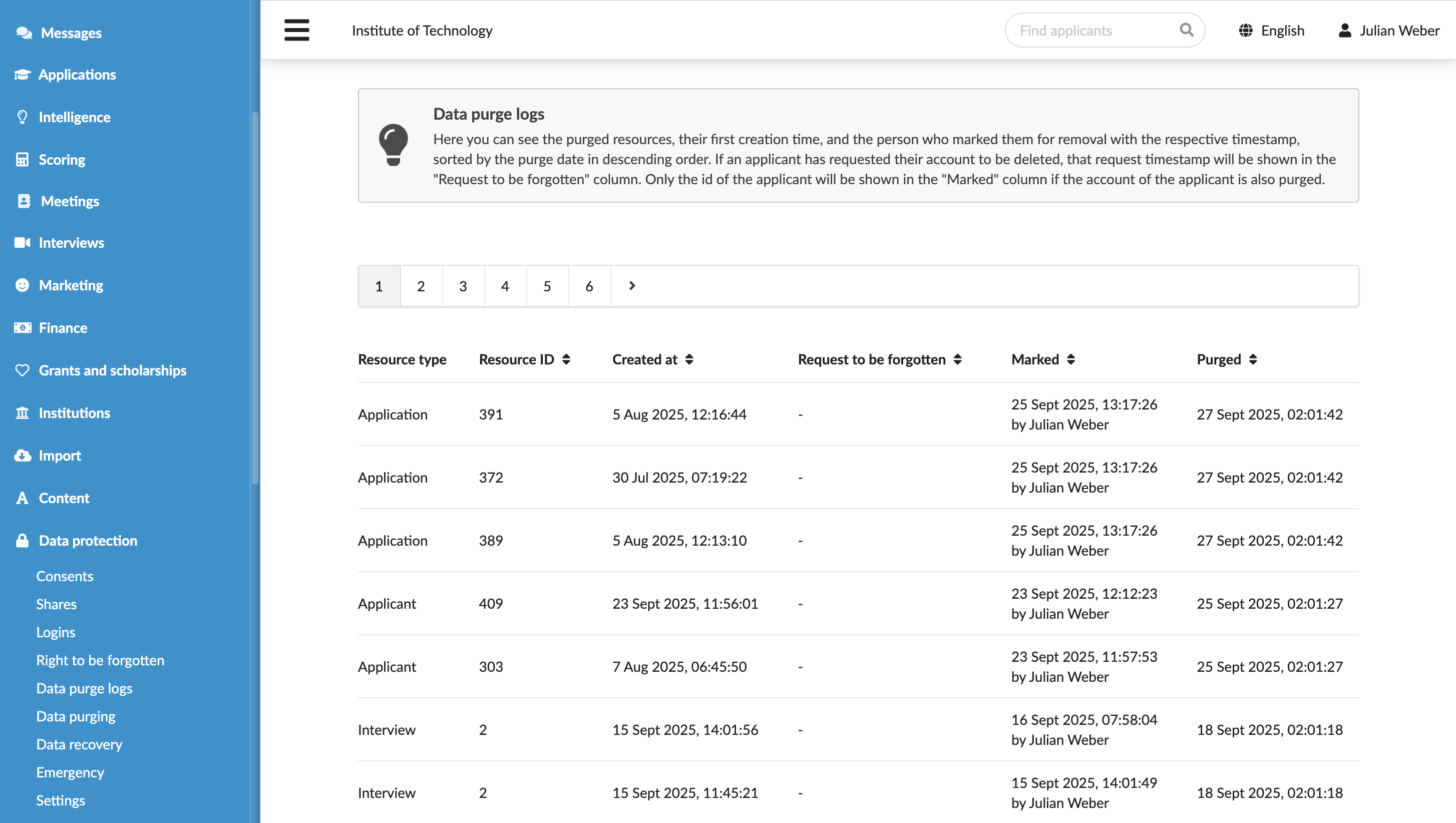
View purge logs
Roles
These roles reflect the default DreamApply setup.
You can define custom roles based on your
institution's needs. Learn more →:
You can define custom roles based on your
institution's needs. Learn more →
To support system audits and internal accountability, DreamApply provides data purge logs. Purge logs allow you to monitor who initiated a data removal action and track details of each deletion, including:
- Purged resource
- ID and creation date
- Deletion request and actual data deletion dates
Before you begin
To view purge logs, your account must have the Superuser role or the data-protection permission.
Access logs
To view purge logs, under Data protection, select Data purge logs.