Calculate the ranking score
Roles
These roles reflect the default DreamApply setup.
You can define custom roles based on your
institution's needs. Learn more →:
You can define custom roles based on your
institution's needs. Learn more →
The Score column in the Rankings view displays the ranking score calculated for each offer. To calculate ranking scores, DreamApply uses scores from scoresheets that are further processed using the rules defined in the evaluation criteria.
When analyzing ranking scores, you can:
Before you begin
To work with ranking scores, your account must have the Superuser, Admissions administrator or Academic supervisor role or the offers-scoring permission.
View the calculation breakdown
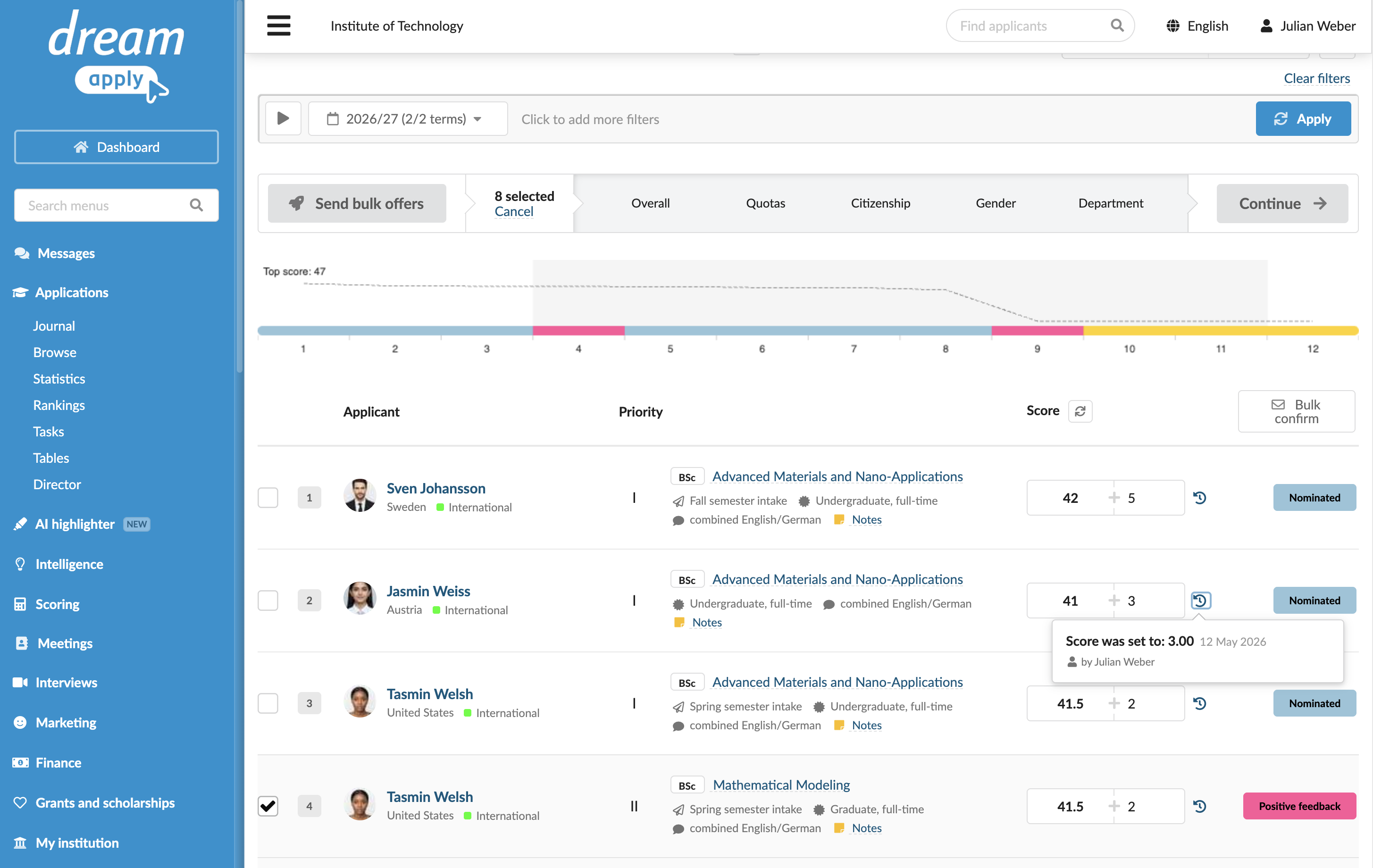
When you click the ranking score for an offer in the Rankings view, you can drill down to view the complete calculation breakdown and see the logic DreamApply used.

Additionally, you can click the History icon to view the edit history for the score and understand how it changed over time.
Add extra points
You can manually add extra points to ranking scores for offers. Extra points help reflect special circumstances that are not captured by the standard scoring process. You can award extra points for special achievements, if an applicant belongs to a priority group or to support institution-specific rules.
To add extra points:
- In the main menu, under Applications, select Rankings.
- In the Score column of the ranking list, add extra points next to the automatically calculated ranking score.
- Refresh the page to re-arrange the ranking list according to the entered points.

Recalculate ranking scores
Typically, when Administrators or evaluators enter new scores in scoresheets or update them, DreamApply automatically re-calculates ranking scores and updates the ranking list. However, if the calculation logic itself is changed, for example, a new evaluation formula is introduced, DreamApply does not trigger recalculation for previously processed applications. Only new applications will use the revised logic.
To guarantee ranking consistency, click the Re-calculate all scores icon to the right of the Score column label. You have the following options:
- Make a dry run: Find discrepancies in the current ranking. In this mode, DreamApply does not update the existing ranking scores, it only informs about any discrepancies found.
- Re-calculate all or selected offers: Perform a fresh calculation of the scores.
You can also perform a fresh calculation for a specific score in the list. To do this, click the ranking score and select Re-calculate the score at the bottom of the window.