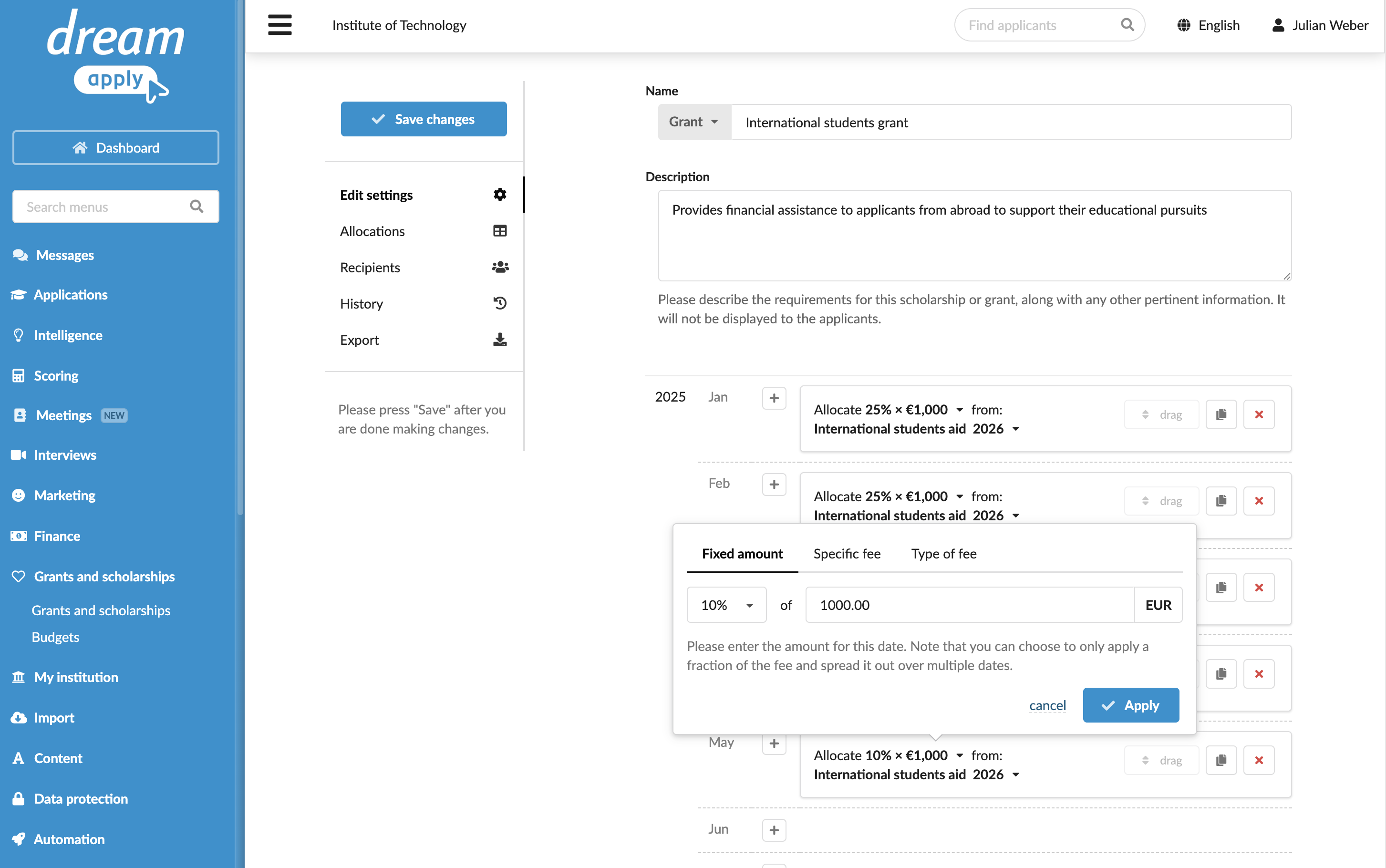
Set up grants and scholarships
To plan and model how funds can be allocated to applicants, you need to set up grants and scholarships in DreamApply.
Each grant or scholarship is defined as a set of proportional values paid during the year. You can choose from several payment types:
- Fixed amount: For example, for monthly stipends.
- Specific fee: To cover a portion of a particular fee such as partial tuition.
- Specific fee type coverage: To cover a portion of all fees within a certain category such as examination fees.
In DreamApply, the distinction between grants and scholarships mainly serves for categorization and does not affect how funds are awarded to applicants.
Before you begin
To set up grants and scholarships, your account must have the Superuser role or the grants permission.
Add grants and scholarships
To add a grant or scholarship:
- In the main menu, under Grants and scholarships, select Grants and scholarships.
- At the bottom of the list, click Add a new grant/scholarship.
- Specify the financial aid type: grant or scholarship, name and description.
- Use the year sections to define the budget from which funds must be drawn, the payment type and how the amounts must be paid out throughout the year.
- At the top of the form, click Save changes.