View AI processing statistics
Roles
These roles reflect the default DreamApply setup.
You can define custom roles based on your
institution's needs. Learn more →:
You can define custom roles based on your
institution's needs. Learn more →
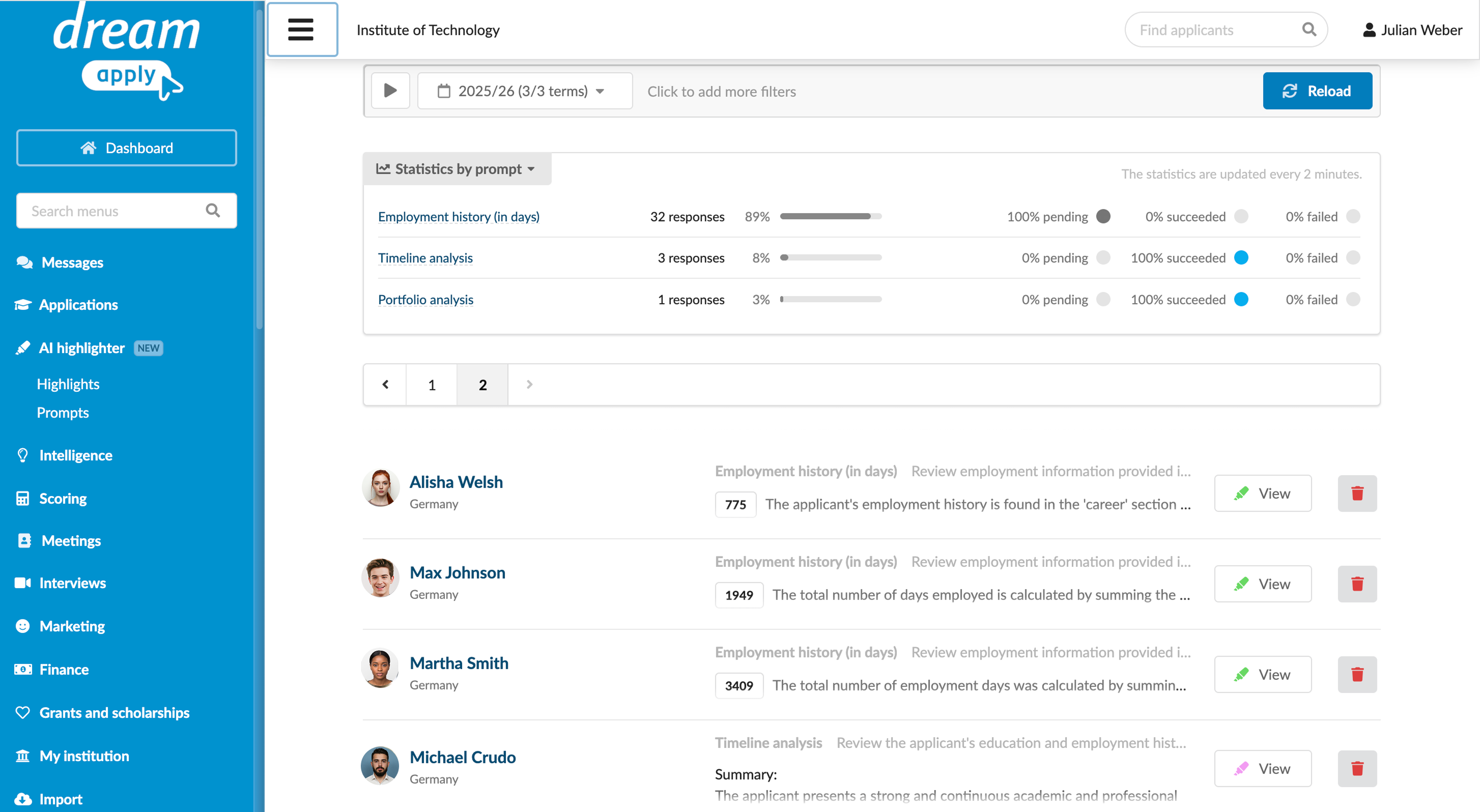
AI Highlighter logs all AI responses and processing activities. You can:
- Track AI processing statistics
- Review AI outputs
- Detect errors that occurred during AI data processing
To view the AI statistics, in the main menu, under AI highlighter, select Highlights.
AI Highlighter automatically detects and logs several types of errors that may occur during AI data processing:
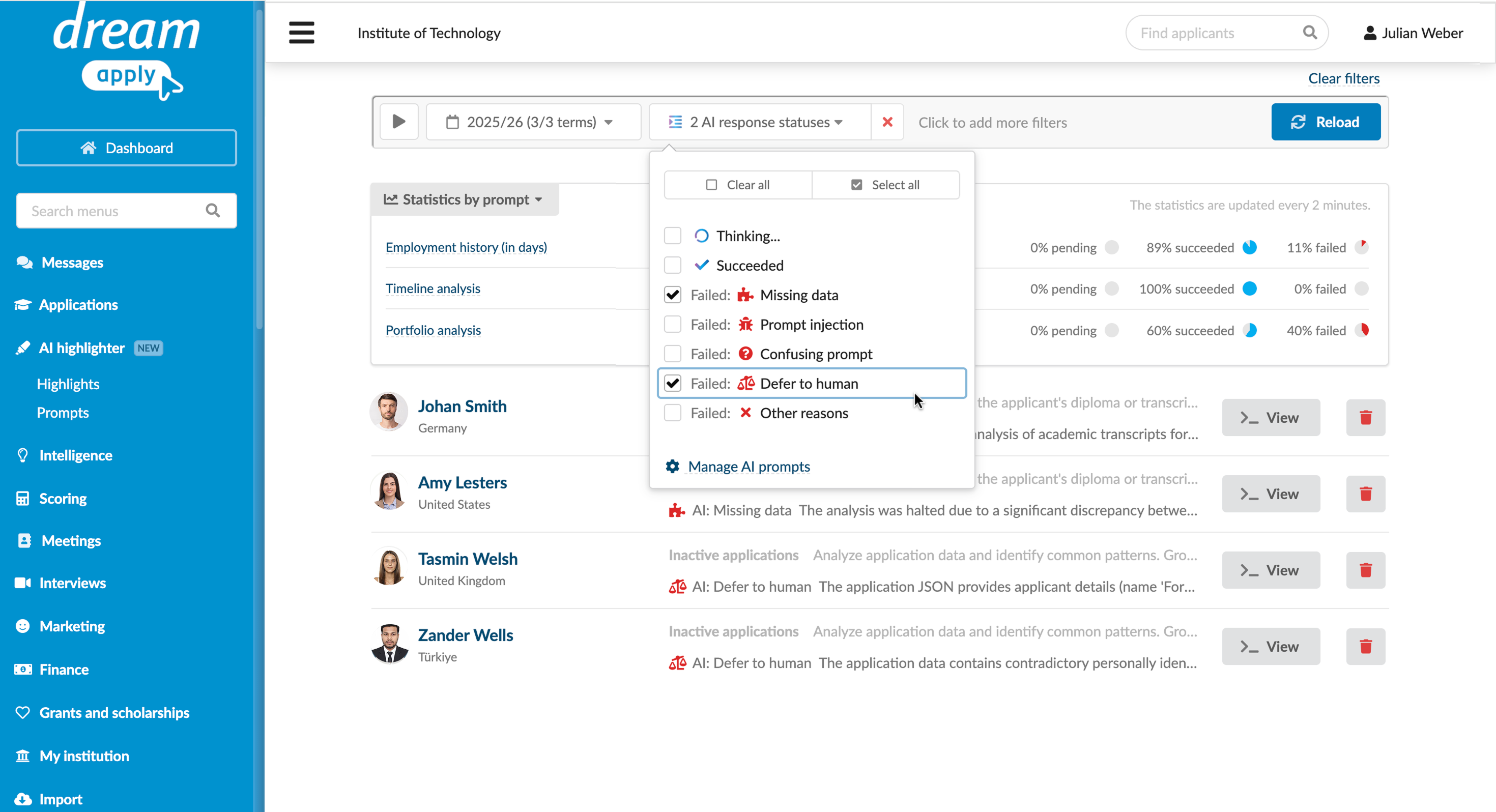
- Missing data: The LLM was unable to generate a response due to insufficient information in the provided context materials
- Prompt injection: A request was blocked because the prompt attempted to override the initial instructions (a security measure, may occur if a third-party attacker tried to inject malicious instructions into the prompt)
- Confusing prompt: The instructions provided in the prompt were contradictory or unclear
- Defer to human: The prompt task violated ethical policies or core AI directives; the response requires human review
- Other reasons: A generic processing error occurred
To view a list of errors, use the AI highlighter > Statuses category in filters.