Integrate with Matomo Tag Manager
Roles
These roles reflect the default DreamApply setup.
You can define custom roles based on your
institution's needs. Learn more →:
You can define custom roles based on your
institution's needs. Learn more →
Matomo Tag Manager is a free, open-source tag management system that allows you to manage and deploy tracking codes, scripts and marketing tags on the monitored website without modifying it. Unlike Google Tag Manager, Matomo Tag Manager is privacy-focused and can be fully self-hosted, which gives organizations full control over their data and does not require them to share it with third parties.
To integrate with Matomo Tag Manager, perform the following tasks:
Before you begin
- Make sure you have set up a Matomo instance in the cloud or on-premise.
- To integrate with DreamApply, your account must have the
Superuserrole or theinstancepermission.
Get the Matomo Tag Manager details
To connect to Matomo Tag Manager, you need to obtain a Matomo URL and tag container ID.
The Matomo URL is the address where your Matomo instance is hosted.
- If you are using Matomo Cloud, you choose the subdomain during registration. The cloud URL looks like:
https://your-name.matomo.cloud. - If you are self-hosting Matomo, you define your own URL when you deploy the Matomo instance.
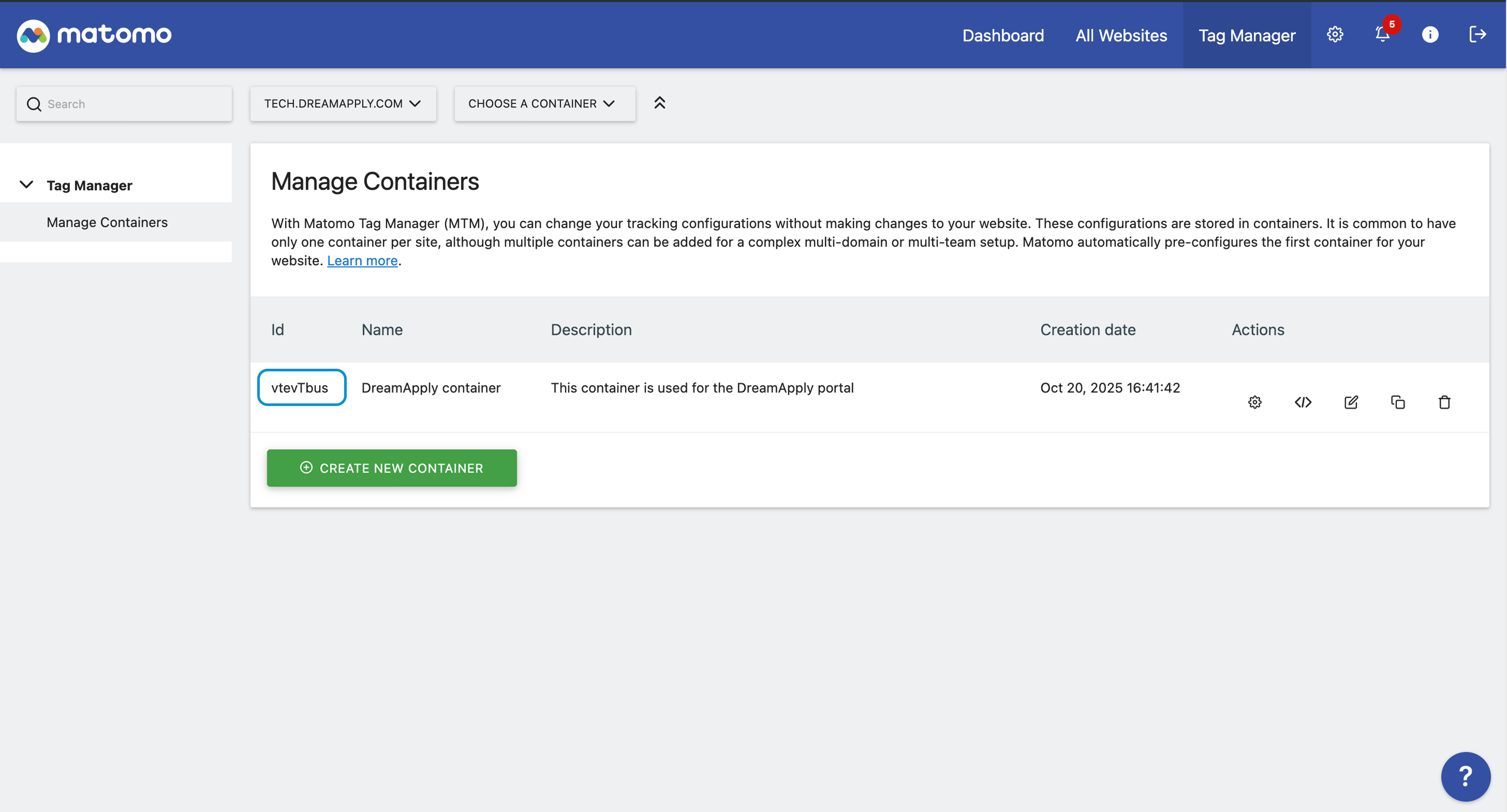
The tag container ID identifies a container in which you set up and store the tracking logic for the DreamApply portal.
- At the top of the Matomo portal, click Tag Manager.
- In the left menu, under Tag Manager, click Manage Containers.
- Select to create a new tag container or use an existing one. Make note of and copy the container ID.
Configure integration settings
To connect to Matomo Tag Manager in DreamApply:
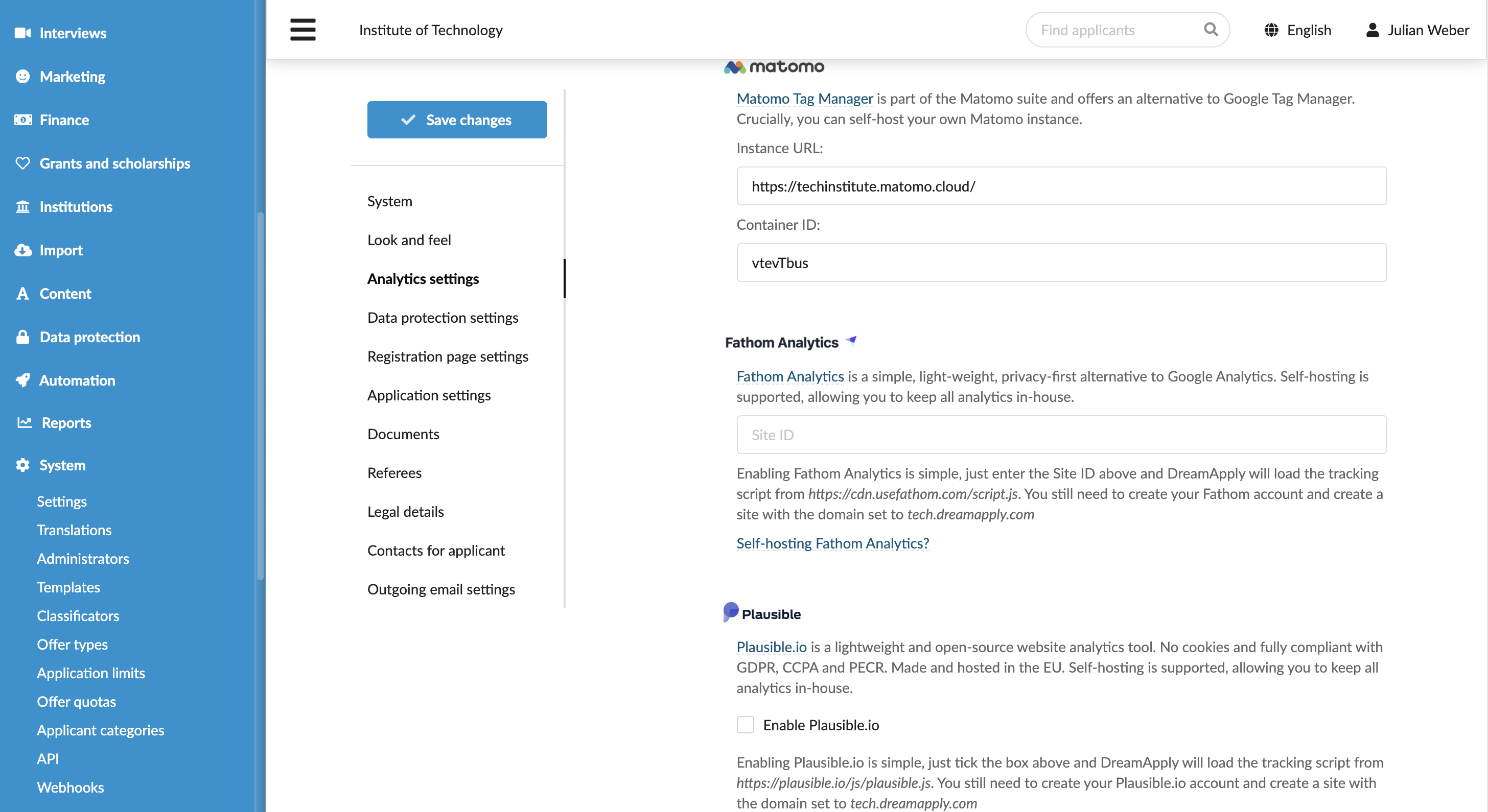
- In the main menu, under System, select Settings.
- In the Analytics settings section, under Matomo Tag Manager, specify the Matomo instance URL and ID of the tag container.
- At the top of the form, click Save changes.
What you do next
Once the integration is set up, you can begin configuring tags in Matomo Tag Manager to collect and send data to the Matomo Analytics portal.