Simple Analytics
Roles
These roles reflect the default DreamApply setup.
You can define custom roles based on your
institution's needs. Learn more →:
You can define custom roles based on your
institution's needs. Learn more →
Simple Analytics is a privacy-first analytics platform based and hosted in the EU.
To integrate with Simple Analytics, perform the following tasks:
DreamApply does not require user consent to send data to Simple Analytics. Simple Analytics does not use cookies and collects aggregated, anonymous data that does not identify individual users.
Before you begin
To integrate with DreamApply, your account must have the Superuser role or the instance permission.
Create a Simple Analytics site
To integrate DreamApply with Simple Analytics, you need to create a new Simple Analytics site for the DreamApply portal.
- Log in to your Simple Analytics portal.
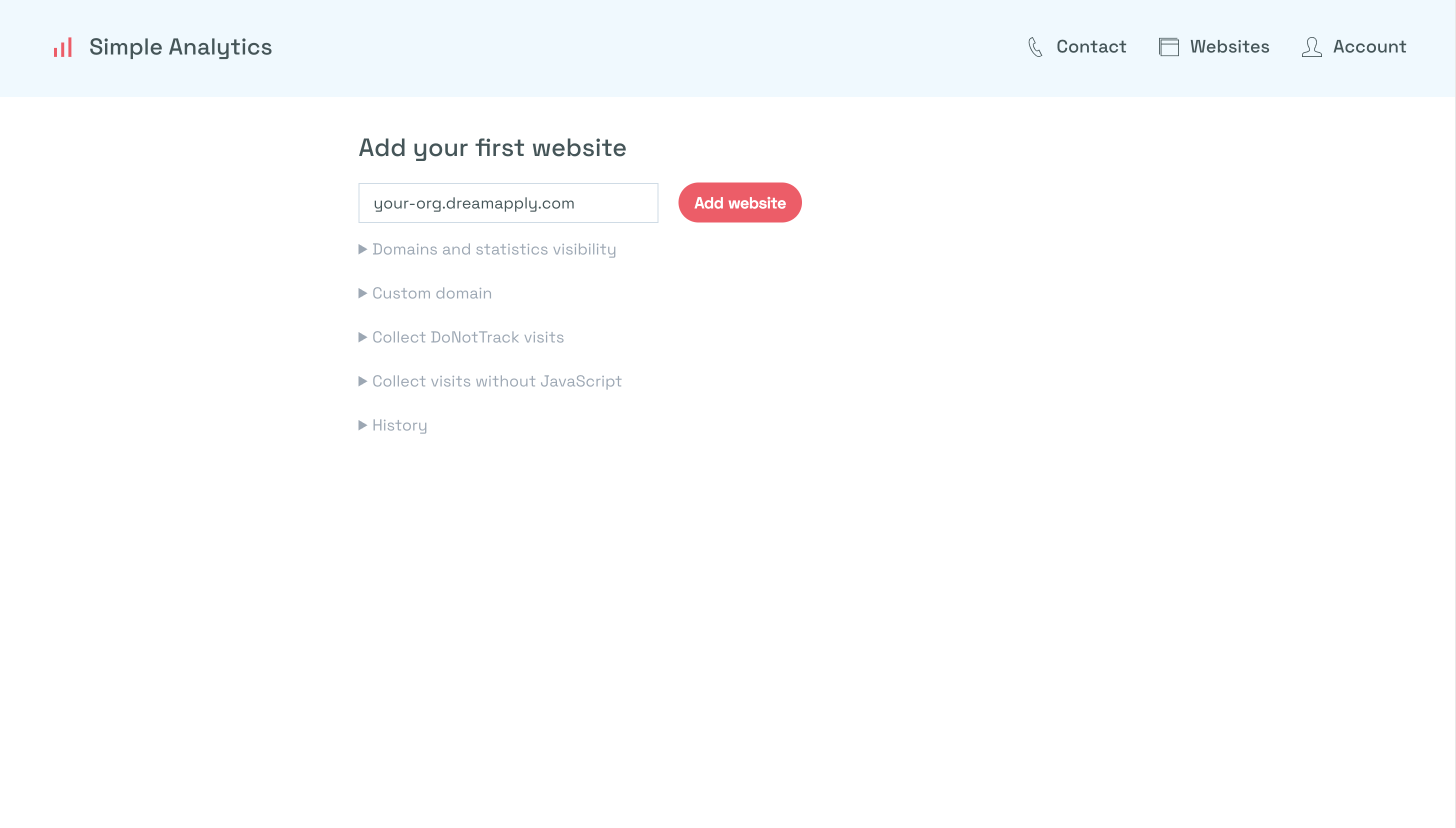
- Click Add website.
- Specify the domain of your DreamApply portal, for example,
your-org.dreamapply.comand click Add website.
Configure integration settings
To connect to Simple Analytics:
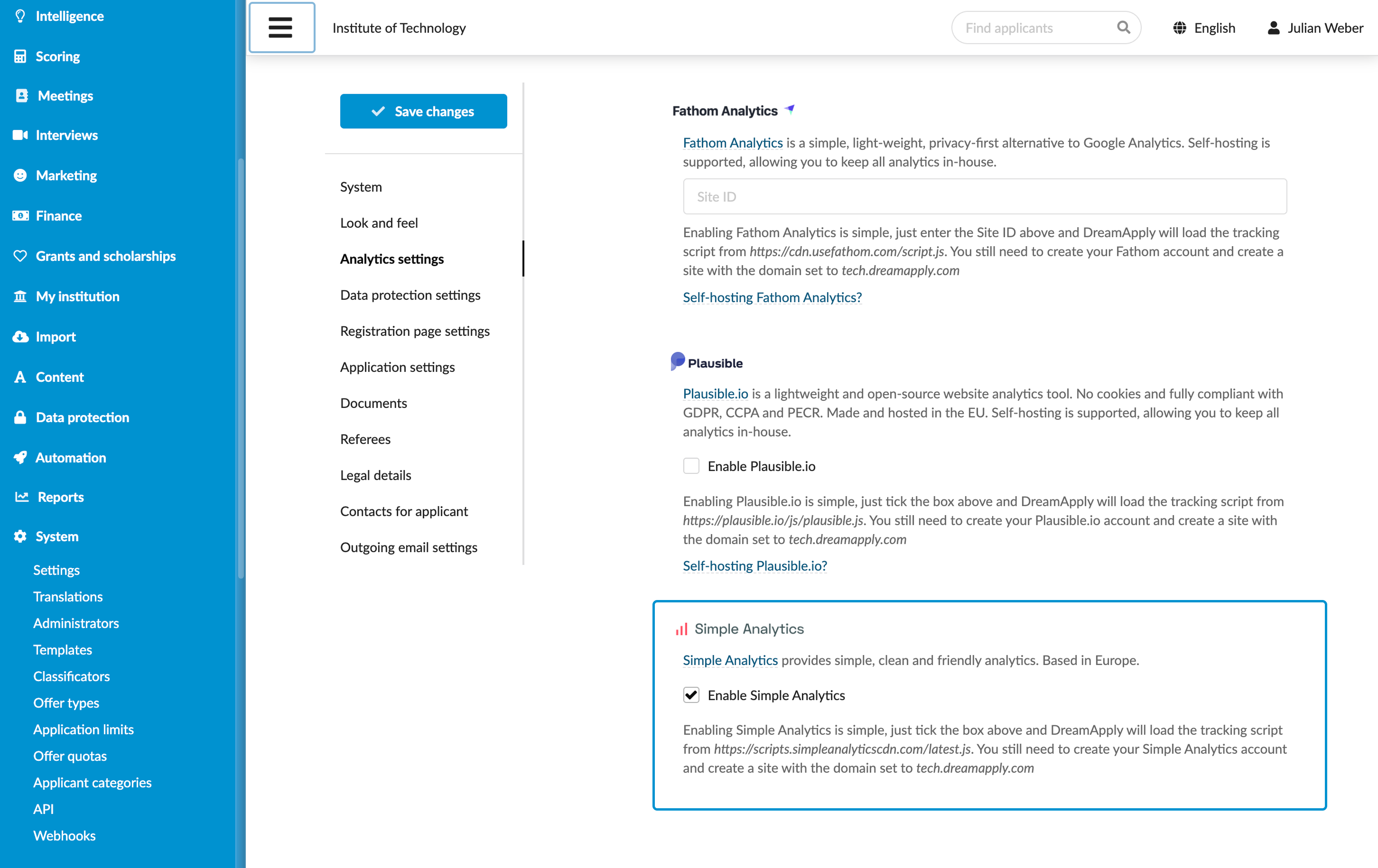
- In the main menu, under System, select Settings.
- In the Analytics settings section, under Simple Analytics, select the Enable Simple Analytics check box.
- At the top of the form, click Save changes.
View reports
Once the integration is set up, you can view reports in Simple Analytics to monitor key metrics such as user traffic, engagement and pageviews.