Monitor data export
Roles
These roles reflect the default DreamApply setup.
You can define custom roles based on your
institution's needs. Learn more →:
You can define custom roles based on your
institution's needs. Learn more →
When you initiate data export, DreamApply creates a separate job for each applicant record to process. You can monitor the export progress and check for any failures.
- To view the list of created jobs, in the integrations list, to the right of the integration gateway, click the wrench icon and select Jobs.
- To view the list of failures and their details, in the integrations list, to the right of the integration gateway, click the wrench icon and select Failures.
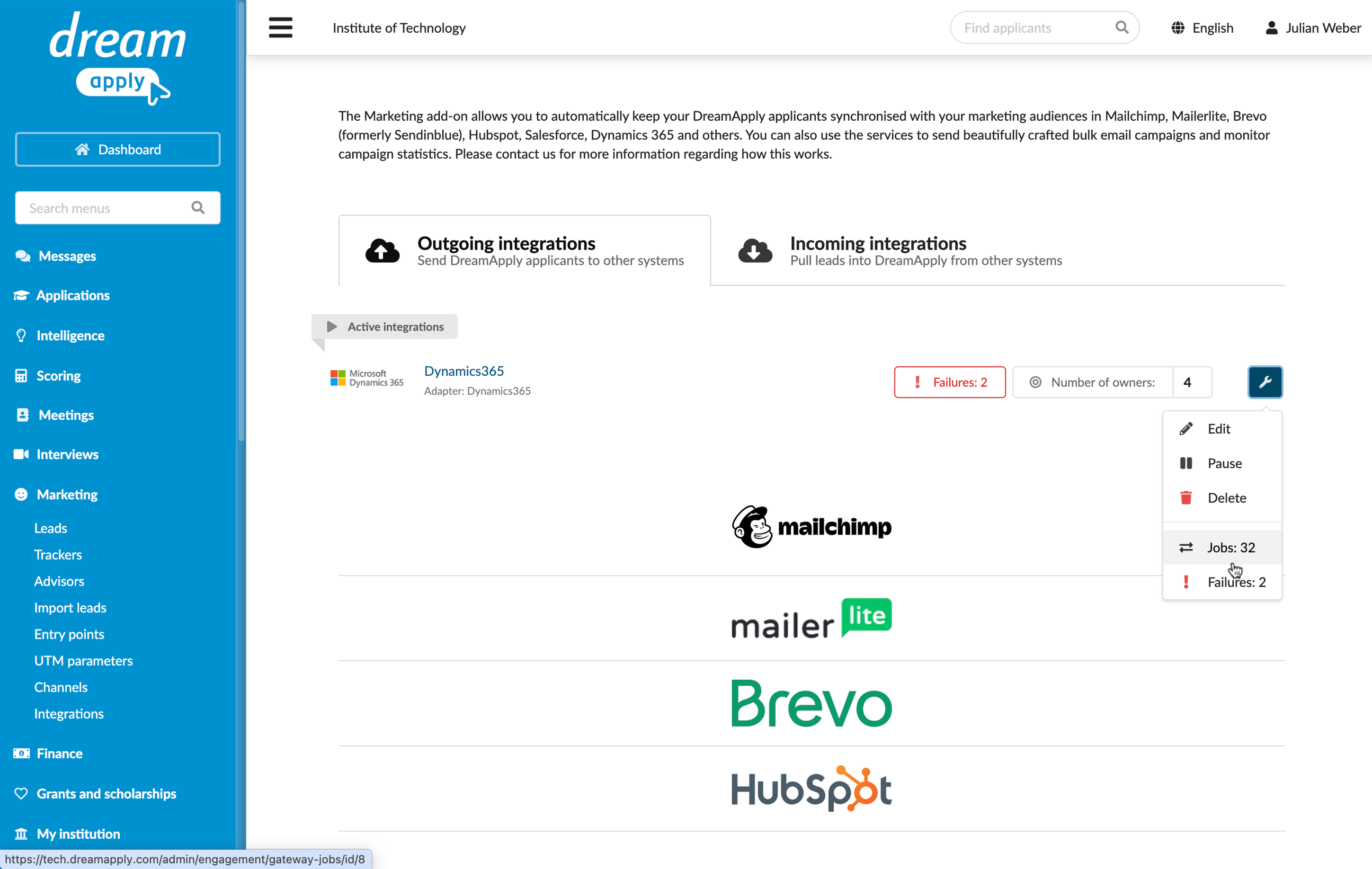
Failure types
DreamApply can report two types of failures during data transfer:
Recoverable failures: Minor issues that can be resolved or do not stop the data transfer process. For example, a recoverable failure may occur if:
- An applicant is missing an email address
- A duplicate email address is detected in the connected system
- There is no data to send for a specific applicant
Irrecoverable failures: Serious issues that prevent DreamApply from sending data or creating records in the connected system. For example, an irrecoverable failure may occur if:
- The required contact owner, group or audience does not exist
- The API key has expired or was deleted
If DreamApply encounters more than 20 irrecoverable failures within an hour, it automatically pauses the integration gateway. This usually means the connected system is misconfigured and needs to be addressed by an administrator.