How gateway payments work
When an applicant clicks the payment button on a financial document in DreamApply, the following actions are performed:
DreamApply collects the necessary information to initiate the transaction such as the payment amount, description and securely redirects an applicant to the external payment portal.
An applicant selects a preferred payment method offered by the payment gateway.
DreamApply sends a payment request to the payment gateway.
The payment gateway initiates a transaction based on the selected payment method and processes the payment. As part of this process, it generates an external ID to track the transaction.
DreamApply polls the payment gateway and retrieves the current status of the transaction.
Once the payment is processed, DreamApply collects the transaction details from the gateway. It then updates the payment status in the system and displays it next the corresponding financial document in the system.
The payment processing and confirmation times depend on the mode used by the payment gateway. These factors are controlled by the gateway itself. For more information, refer to the corresponding payment gateway section below and the documentation of the payment platform.
External transaction IDs
When a payment is initiated, the payment gateway generates an external ID that serves as a reference code. The external transaction ID can be used to:
- Track the status of the transaction on the gateway side
- Cross-reference DreamApply records with the payment gateway reports
- Provide support in case of any issues
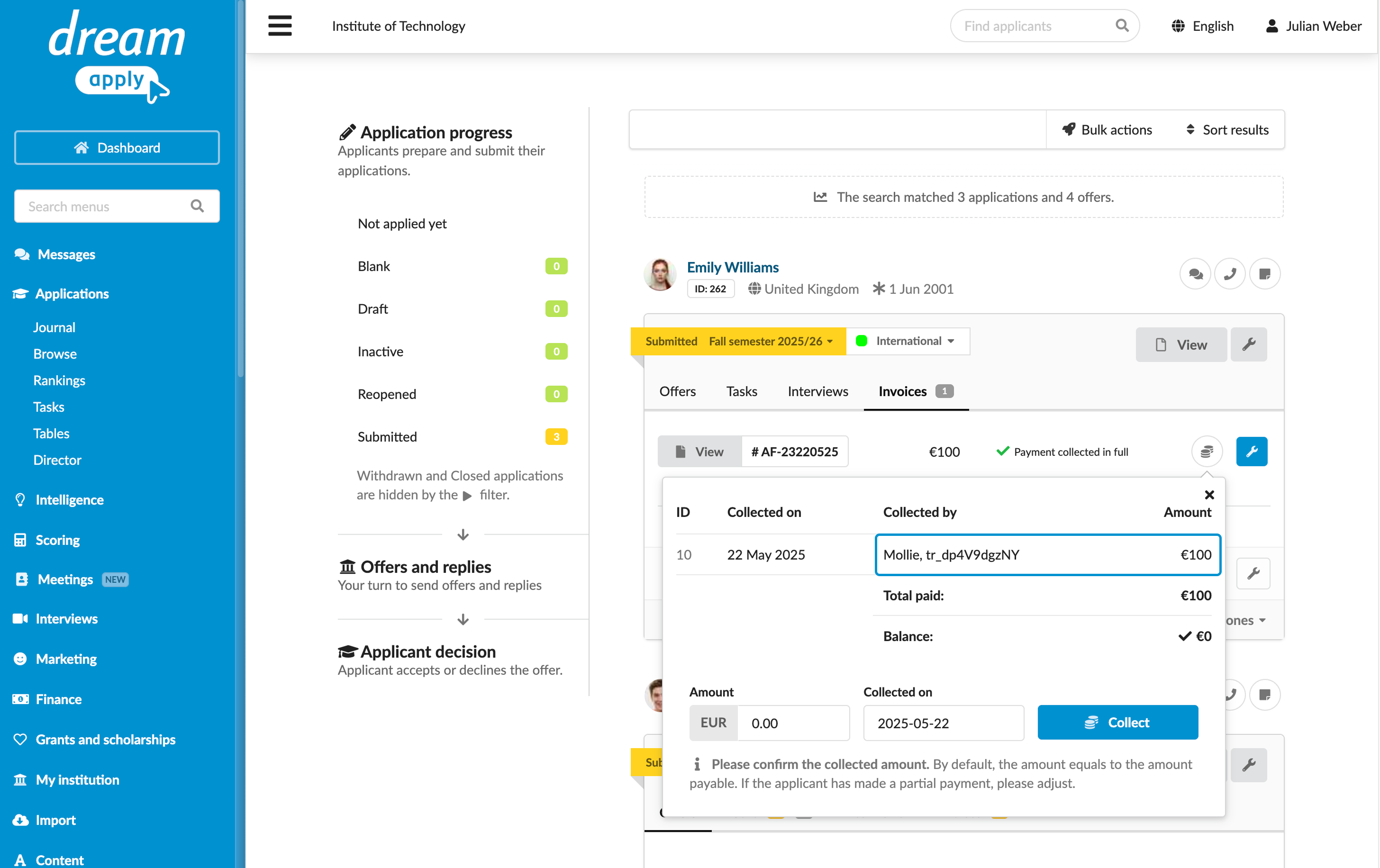
DreamApply stores external IDs generated by payment gateways for record keeping and reference. To get an external ID for a payment, on the Invoices tab, click the coins icon and check the Collected by field.