Integrate with Mollie
Roles
These roles reflect the default DreamApply setup.
You can define custom roles based on your
institution's needs. Learn more →:
You can define custom roles based on your
institution's needs. Learn more →
Mollie is an online payment service provider that allows businesses to accept a wide variety of online payment methods. It supports companies located in the European Union, European Economic Area and the United Kingdom.
In DreamApply, Mollie can only be used to process payments in Euros.
Before you begin
- To obtain your Mollie API key, set up an account in the Mollie portal.
- To integrate with DreamApply, your account must have the
Superuserrole or theaccounting-gatewayspermission.
Obtain the Mollie API key
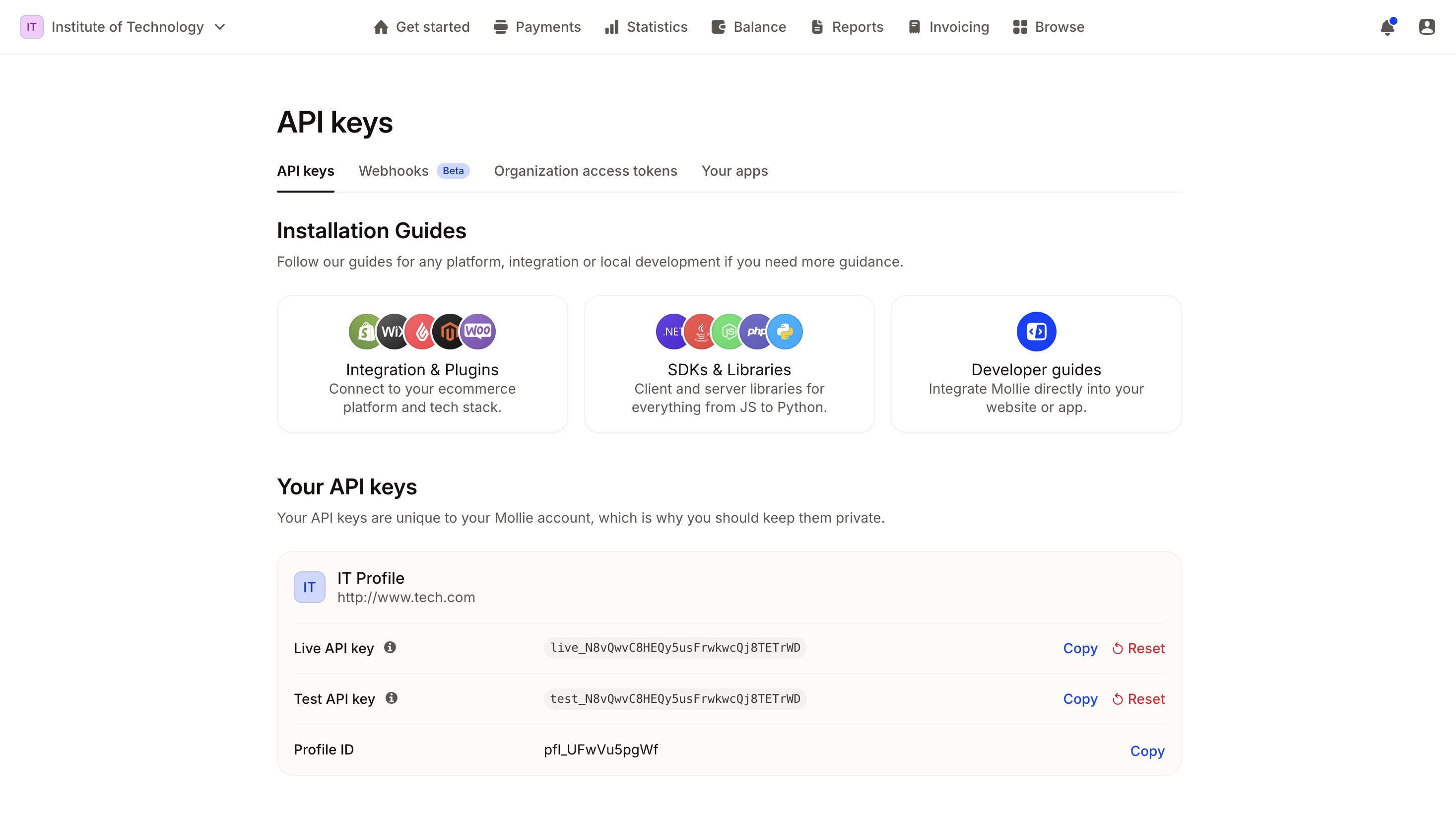
To connect DreamApply with Mollie, you need to set up a website profile and get an API key in the Mollie portal. For detailed instructions, see the Mollie documentation.
Once you have set up a website profile, make note of and copy the API key.
Ensure the API key you use is for the production (live) environment. Sandbox (test) credentials cannot be used for live payment transactions in DreamApply.
Configure the Mollie gateway
To configure a Mollie payment gateway in DreamApply:
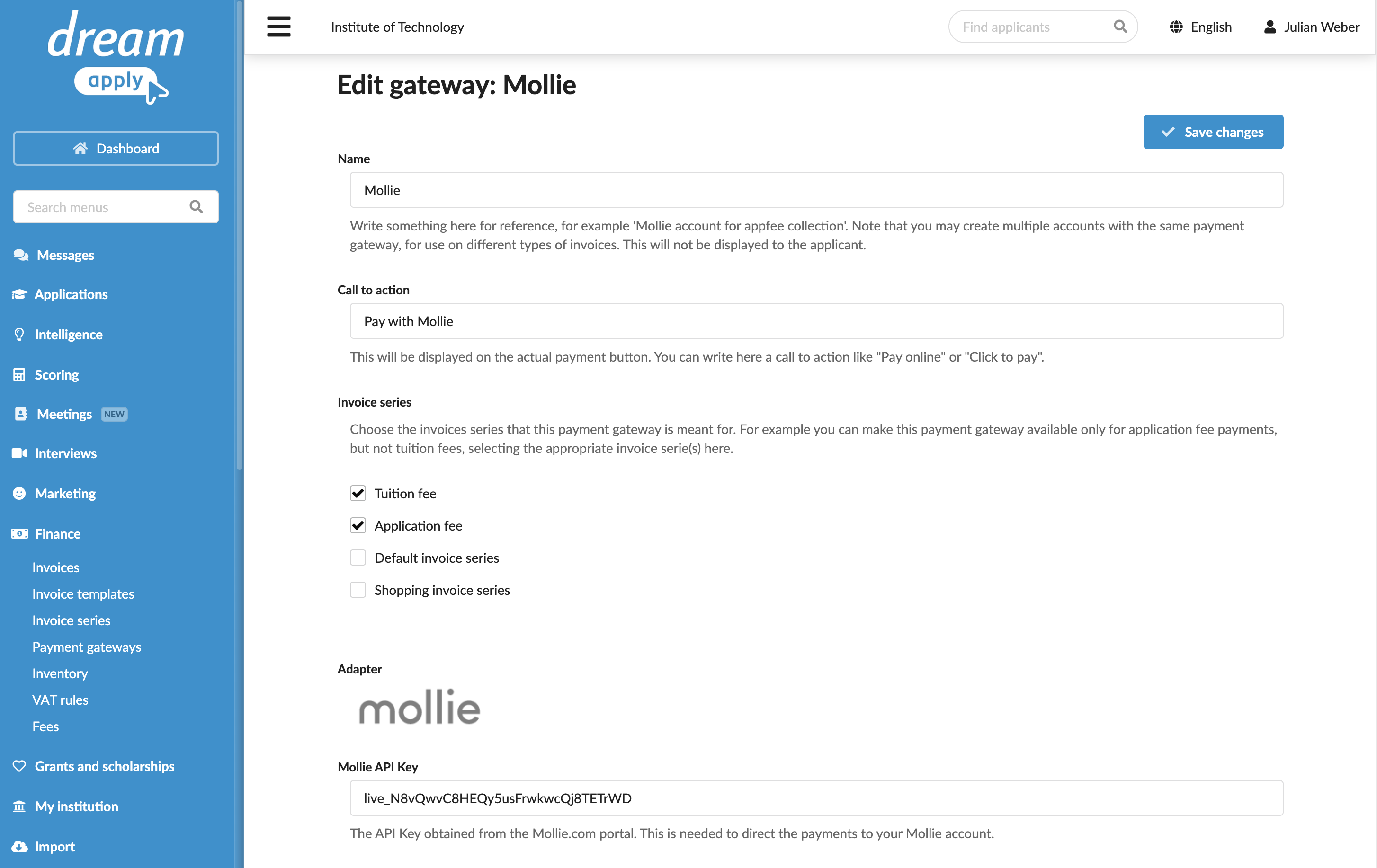
In the main menu, under Finance, select Payment gateways.
In the gateway list, select Mollie.
Specify the gateway settings:
In the Name field, specify the gateway name. This name will be used for internal reference only and will not be displayed to applicants.
In the Call to action field, specify the text to display on the payment button on financial documents, for example, Pay with Mollie.
In the Invoice series section, select check boxes next to the invoice series that must be processed through the Mollie gateway. If a specific series is not selected, DreamApply will not display the payment button on documents that use this series.
You can link the same invoice series to several payment gateways to allow applicants to choose their preferred payment option.
In the Partial payments section, select the Allow making partial payments check box to enable partial payments through the gateway.
In the Mollie API Key field, specify the API key obtained from the Mollie portal.
At the top of the form, click Save changes.
Process payments
Mollie supports multiple payment methods, including paying with debit and credit cards and online banking systems. You can activate the required payment methods in your Mollie portal. For detailed instructions, see the Mollie documentation.