Integrate with PayPal
Roles
These roles reflect the default DreamApply setup.
You can define custom roles based on your
institution's needs. Learn more →:
You can define custom roles based on your
institution's needs. Learn more →
PayPal is a widely used online payment system that enables individuals and businesses to manage money securely across the globe. Applicants can use PayPal to complete their payment using their:
- PayPal accounts
- Credit or debit cards
DreamApply uses the Classic API method employing the NVP (Name-Value Pair) and SOAP protocols to integrate with PayPal.
To enable payments using PayPal, perform the following tasks:
Before you begin
- To obtain your PayPal API credentials, set up a PayPal business account.
- To integrate with DreamApply, your account must have the
Superuserrole or theaccounting-gatewayspermission.
Obtain PayPay API credentials
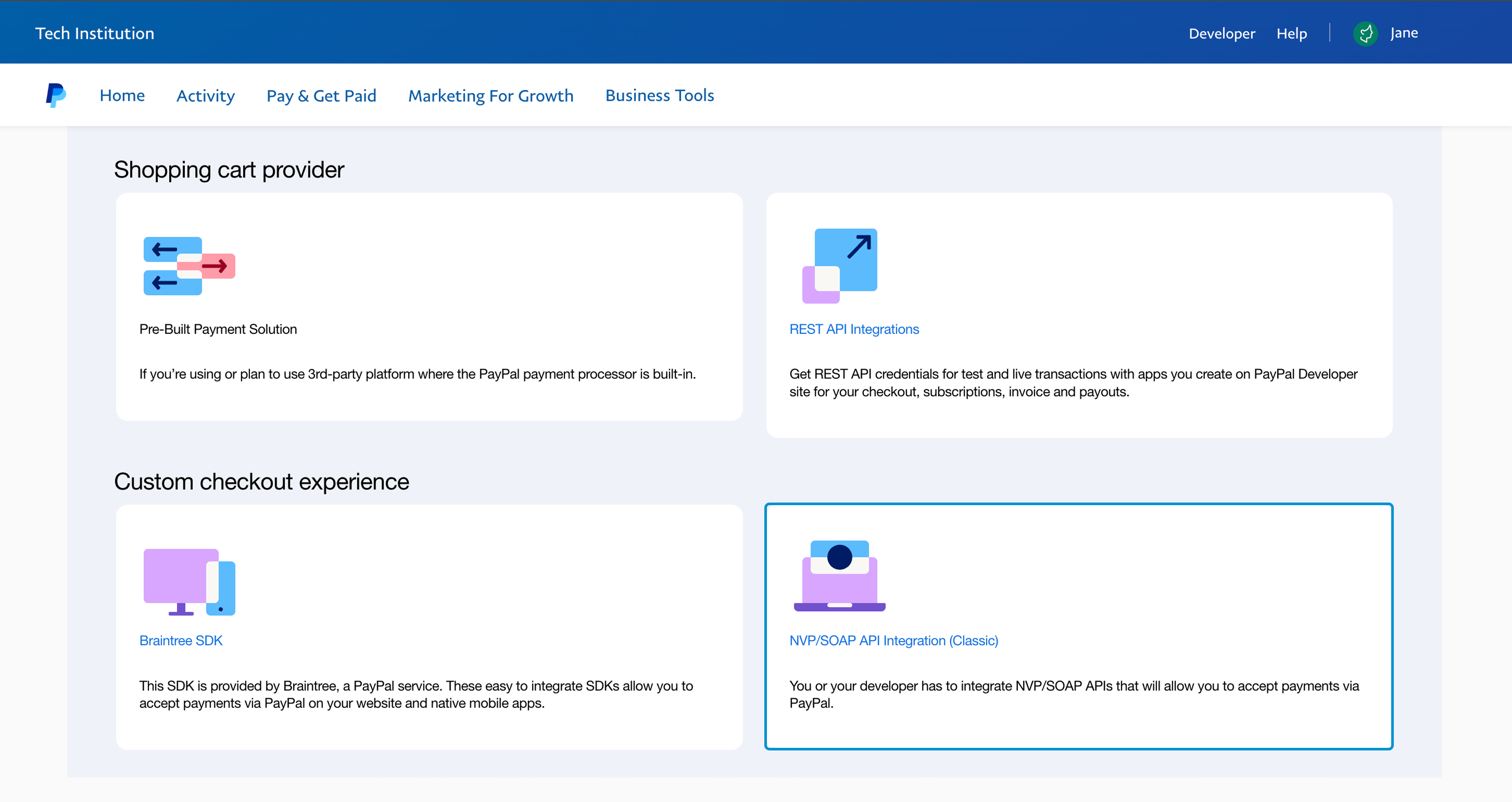
To connect DreamApply with PayPal, you need to generate NVP/SOAP API credentials within your PayPal Business account portal. For detailed instructions, see the PayPal documentation.
Once you have generated the API credentials, make note of and copy the following information:
- API username
- API password
- Signature
Configure the PayPal gateway
To configure a PayPal payment gateway in DreamApply:
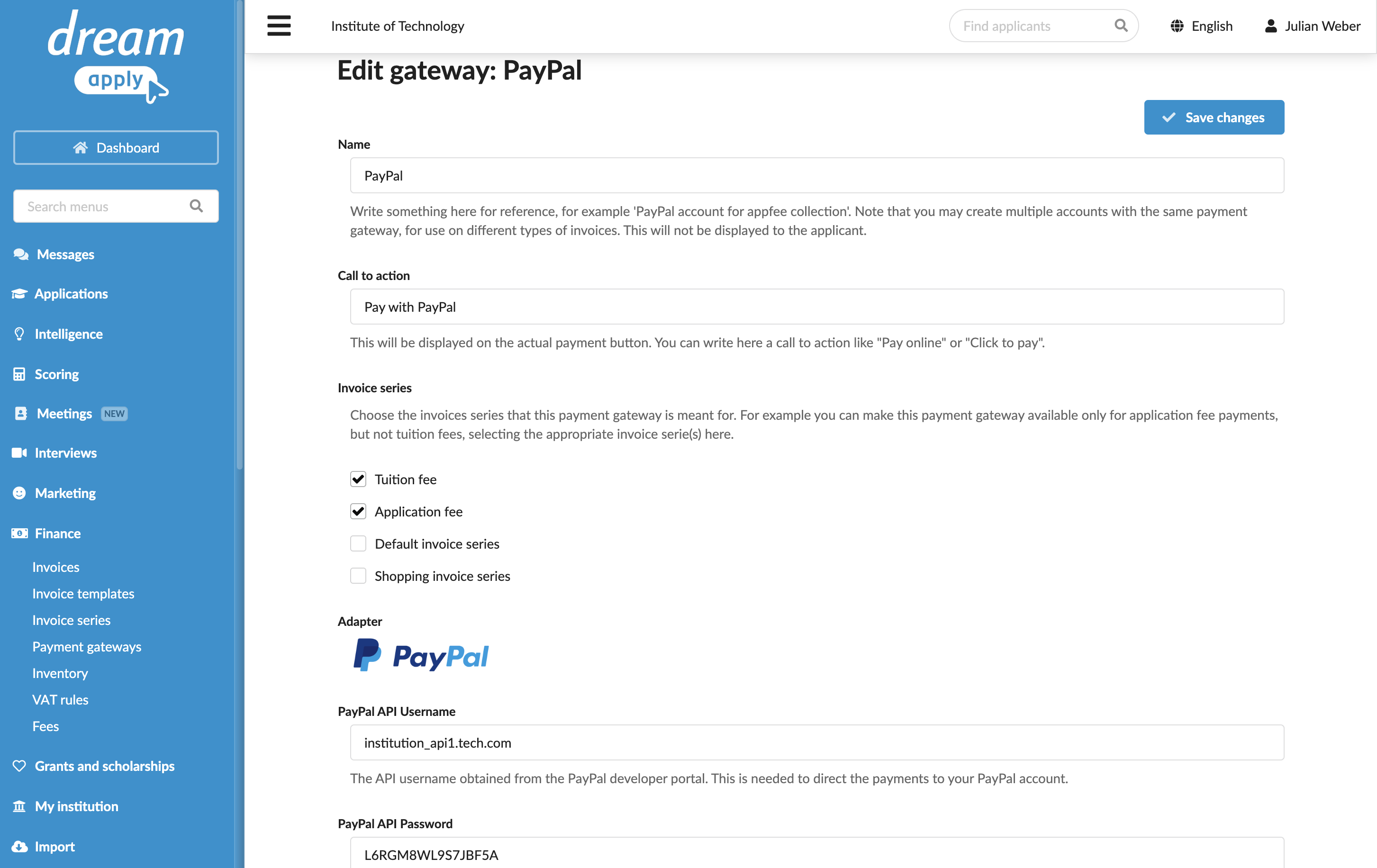
In the main menu, under Finance, select Payment gateways.
In the gateway list, select PayPal.
Specify the gateway settings:
In the Name field, specify the gateway name. This name will be used for internal reference only and will not be displayed to applicants.
In the Call to action field, specify the text to display on the payment button on financial documents, for example, Pay with PayPal.
In the Invoice series section, select check boxes next to the invoice series that must be processed through the PayPal gateway. If a specific series is not selected, DreamApply will not display the payment button on documents that use this series.
You can link the same invoice series to several payment gateways to allow applicants to choose their preferred payment option.
In the Partial payments section, select the Allow making partial payments check box to enable partial payments through the gateway.
In the PayPal API Username, PayPal API Password and PayPal API Signature fields, specify the API credentials obtained from the PayPal business account.
At the top of the form, click Save changes.
Define payment methods
DreamApply supports payments made through a PayPal account, with credit or debit cards.
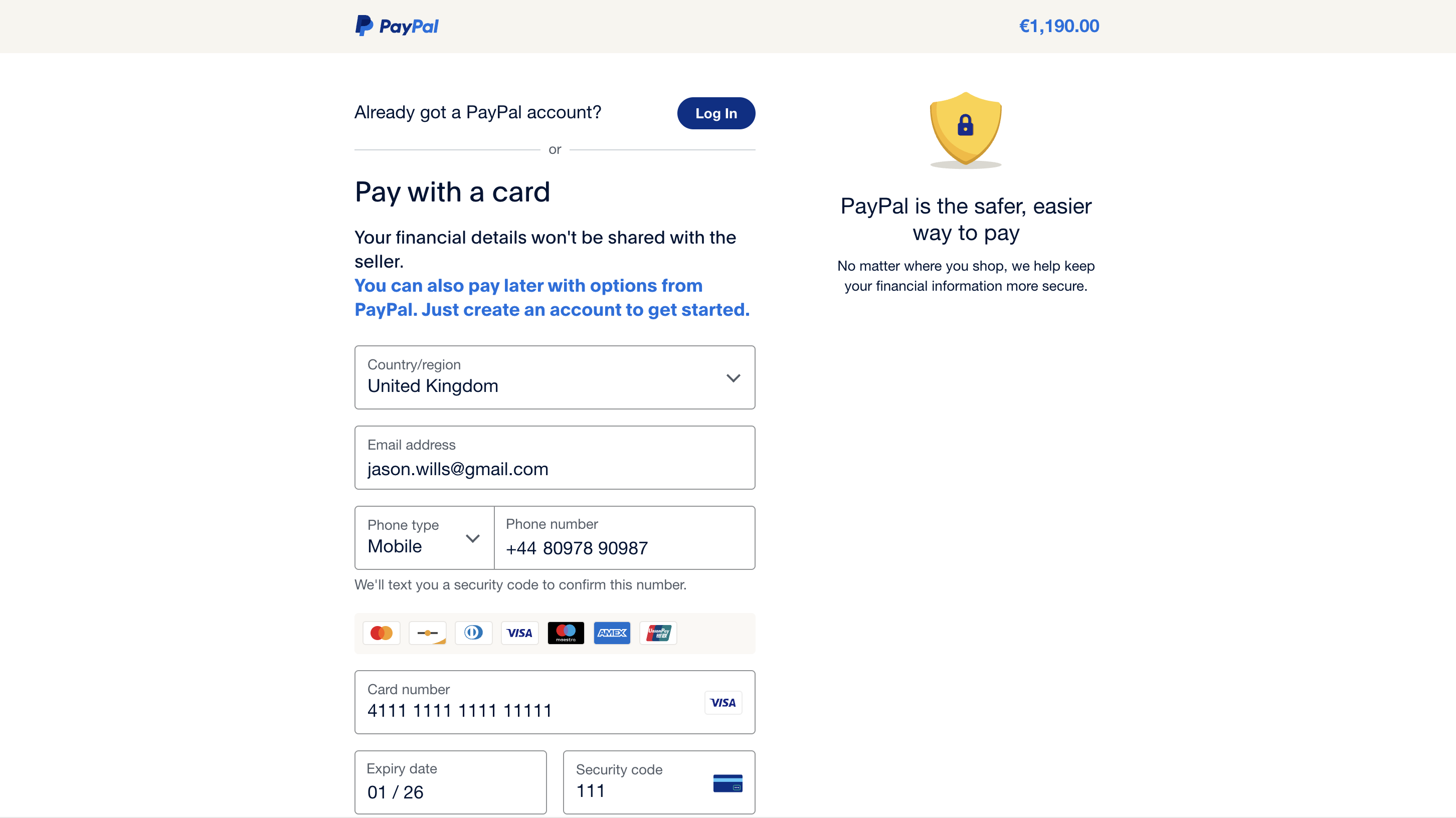
To enable payments using credit or debit cards through PayPal, you need to activate the PayPal Account Optional option in your PayPal business account. This setting allows applicants to pay directly with their cards without the need to log in to the PayPal account. The payment page presented to applicants will include two options:
- Log in to the PayPal account
- Check out as a guest
Mind the following:
- The availability of the guest checkout option can depend on the applicant’s country. In some regions, PayPal may require applicants to create an account to complete their payments.
- PayPal may suppress the guest checkout option based on their internal security policies or the applicant’s previous activity in PayPal.
Payment processing
PayPal follows a synchronous payment processing model. When an applicant completes the payment, PayPal immediately sends a confirmation back to DreamApply, and DreamApply updates the payment status in real time.