Resend events
Roles
These roles reflect the default DreamApply setup.
You can define custom roles based on your
institution's needs. Learn more →:
You can define custom roles based on your
institution's needs. Learn more →
DreamApply allows you to resend events to the webhook endpoint. Resending events can be useful in the following scenarios:
- Some events were not delivered due to temporary failures
- The webhook endpoint was unavailable
- The webhook was paused and needs to catch up
You have the following options to resend events:
- Rewind webhook events (for active webhooks)
- Resume event sending (for paused webhooks)
Before you begin
To manage webhooks, your account must have the Superuser role or the journal-edit, journal-view and api permissions.
Rewind webhook events
If a webhook is active, but some events were not delivered, you can resend them.
To resend events:
In the main menu, under System, select Webhooks.
At the top of the page, click Unlock page and enter your password or use a one-time link to re-log in to the system.
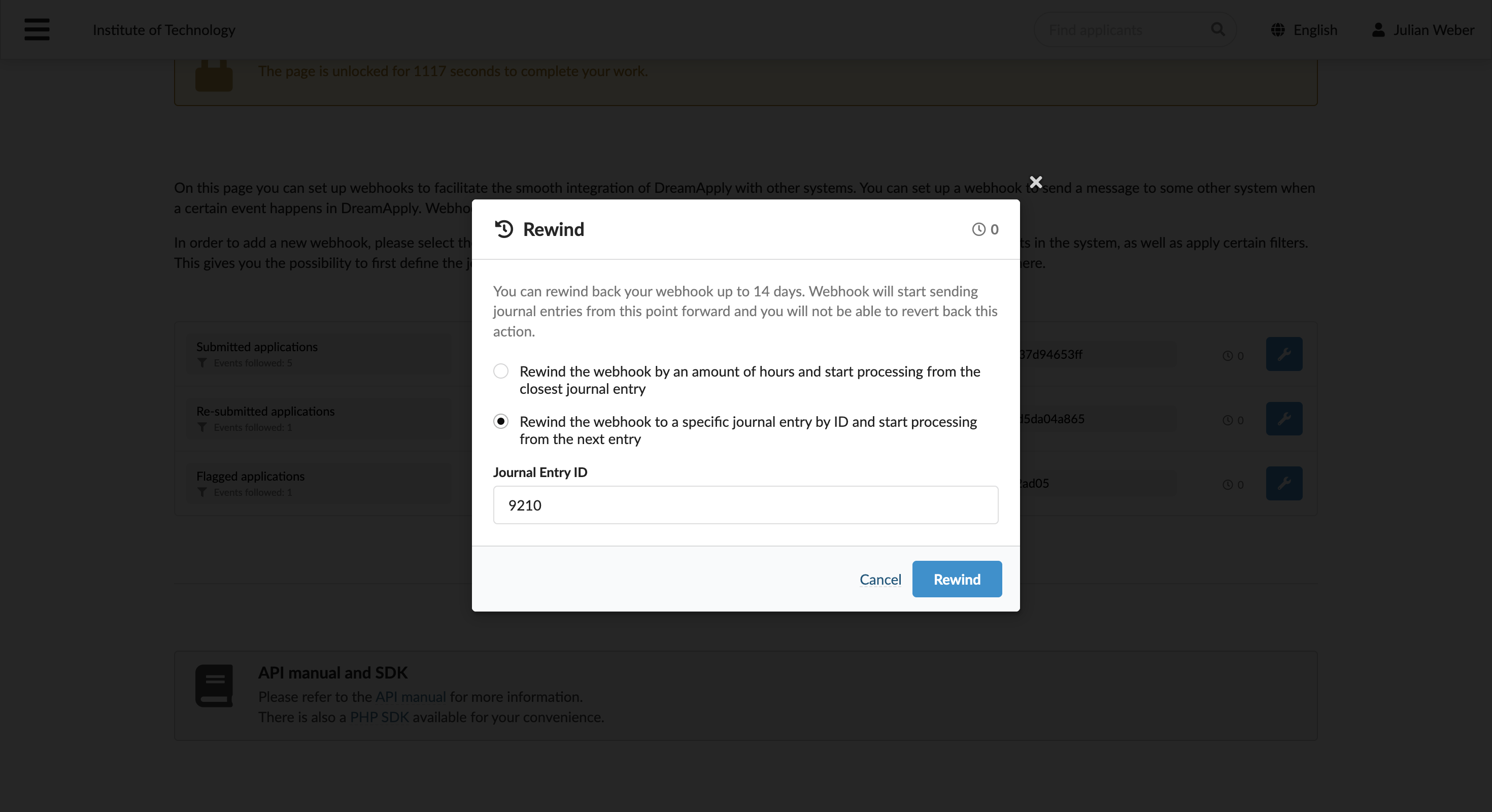
To the right of the webhook, click the wrench icon and select Rewind. Then choose the rewind option:
- Rewind by time: Specify the number of hours to look back
- Rewind by event ID: Specify the starting event ID
DreamApply resends events generated after the specified ID. For example, if you enter event ID
100, the system resends events starting from101.Click Rewind. DreamApply will display an indicator showing the number of events to be resent next to the webhook.
Resume event sending
If you paused a webhook, you can re-activate it and choose how to resume event delivery.
To re-activate a paused webhook:
In the main menu, under System, select Webhooks.
At the top of the page, click Unlock page and enter your password or use a one-time link to re-log in to the system.
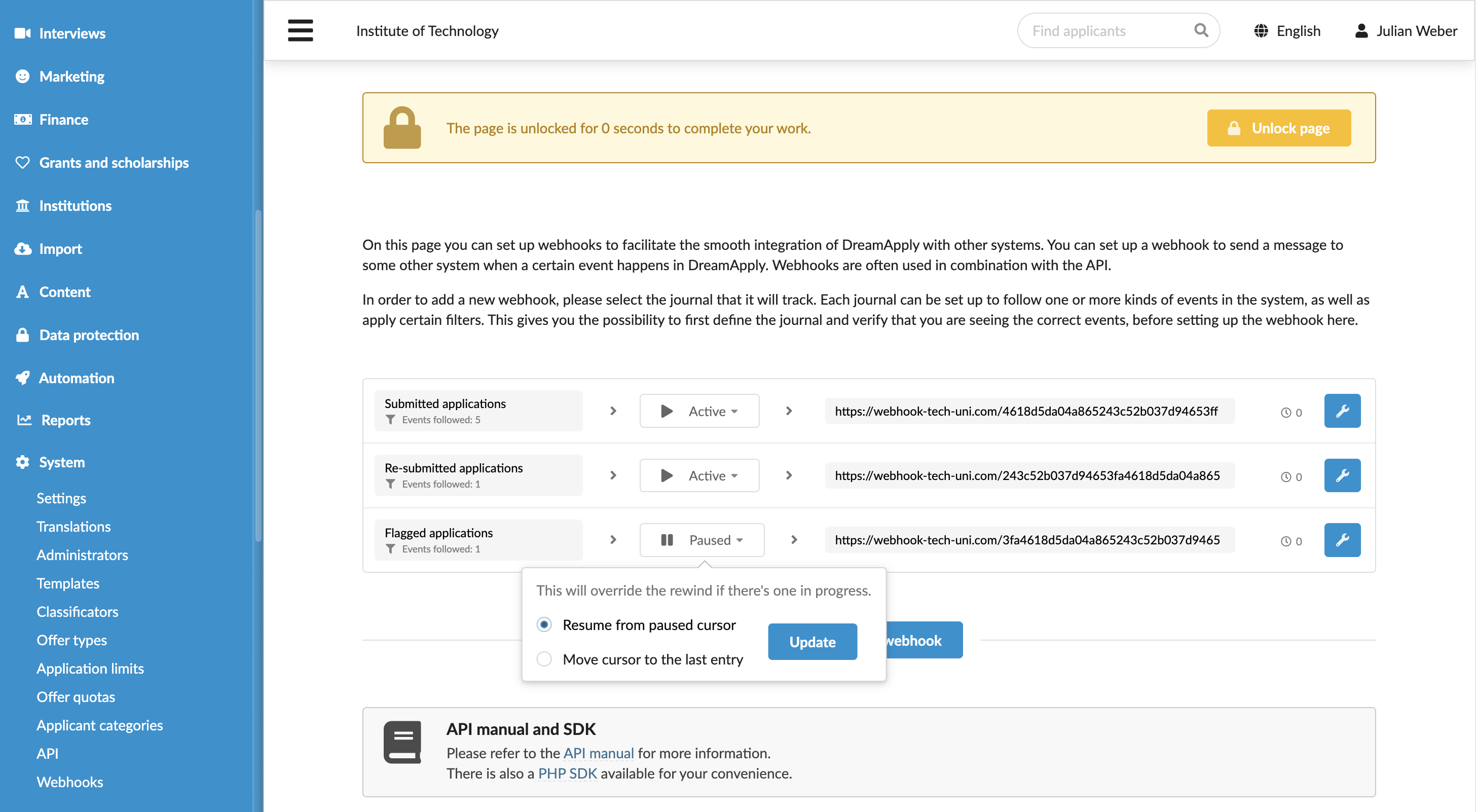
Next to the webhook, click Paused > Set to active and select one of the following options:
- Resume from paused cursor: DreamApply will send all events generated while the webhook was paused.
- Move cursor to the last entry: DreamApply will not perform event replay; only new events generated after resuming will be sent.
Click Update. If you resume from the paused cursor, DreamApply will display an indicator showing the number of events to be resent next to the webhook.