Subscribe to updates
Roles
These roles reflect the default DreamApply setup.
You can define custom roles based on your
institution's needs. Learn more →:
You can define custom roles based on your
institution's needs. Learn more →
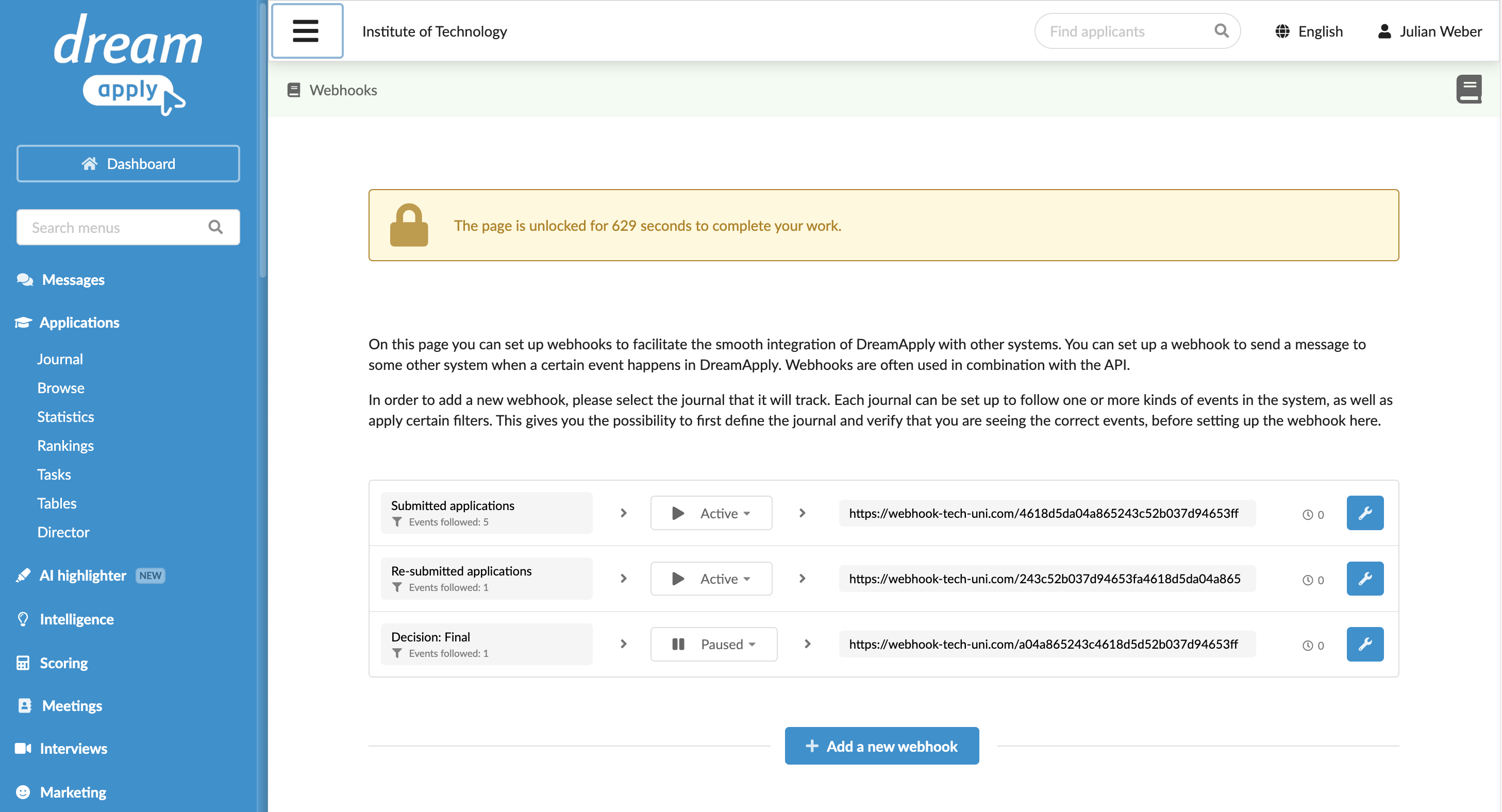
To set up a webhook, you must create a journal, subscribe to the desired events and configure a webhook for that journal.
Before you begin
To set up webhooks, your account must have the Superuser role or the journal-edit, journal-view and api permissions.
Set up a webhook
To set up a webhook in DreamApply:
In the main menu, under Applications, select Journal.
At the bottom of the journal list, click New journal.
At the top of the event list on the right, click Edit events to follow and choose the events you want to subscribe to.
At the top of the form, click Save changes.
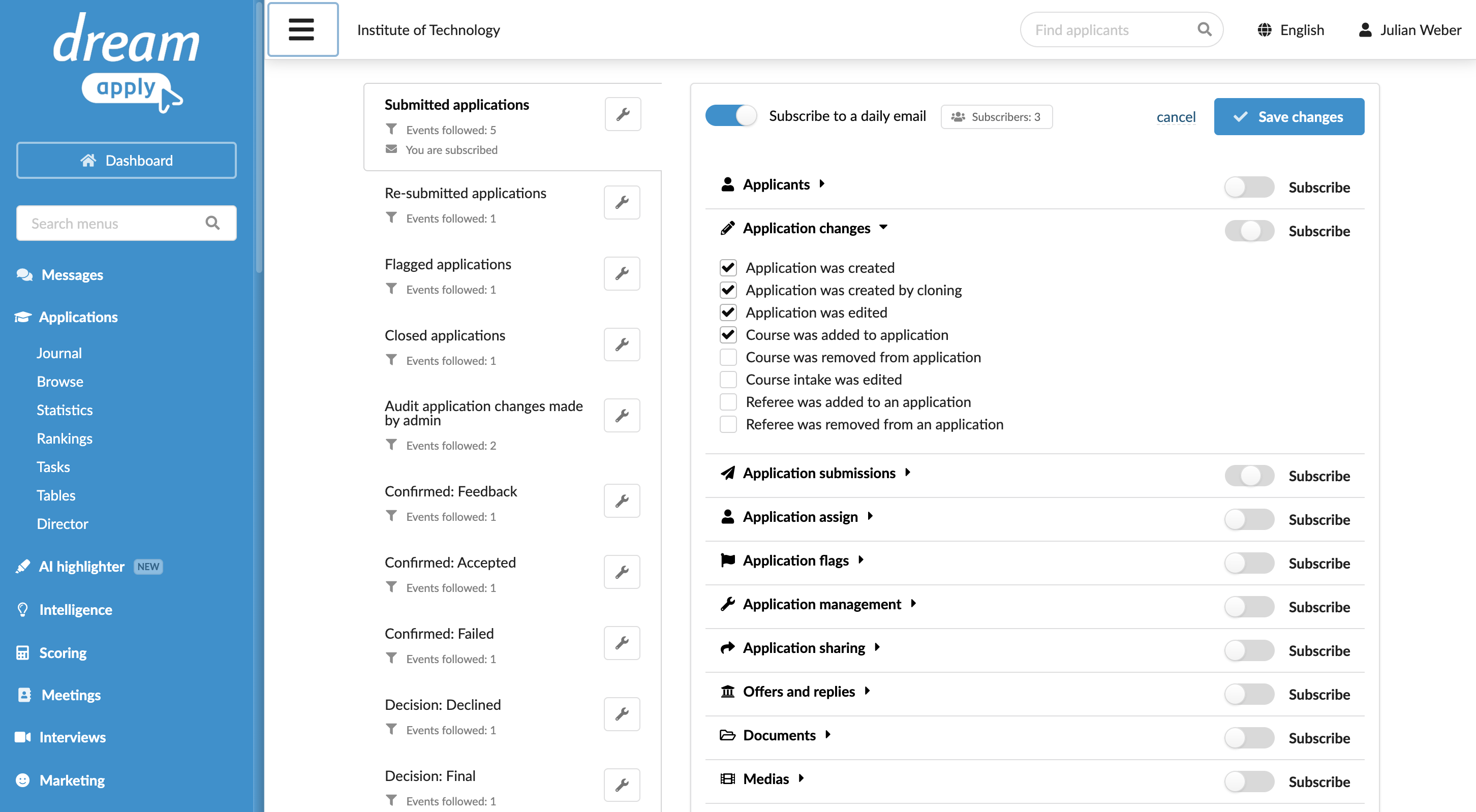
To the right of the journal name, click the wrench icon and select Create a webhook.
Enter your password or use a one-time link to re-log in to the system to confirm the webhook setup.
Specify the webhook endpoint URL, select the API version you want to use and specify the
Authorizationheader value if needed.At the top of the form, click Save changes.
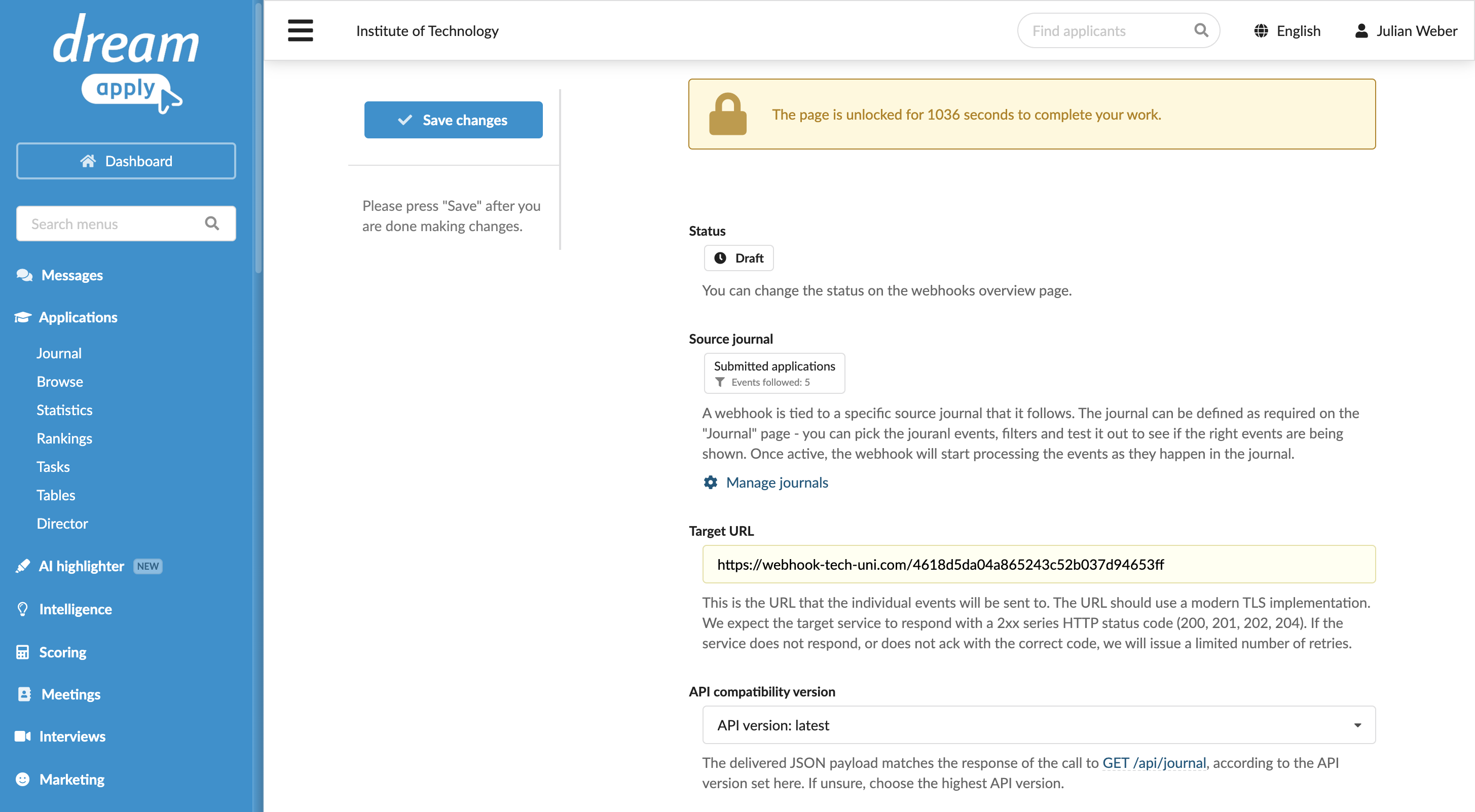
At the top of the page, click Back. Alternatively, in the main menu, under System, select Webhooks.
Set the webhook to Active to start receiving notifications for the subscribed events.