Manage access to programmes
Roles
These roles reflect the default DreamApply setup.
You can define custom roles based on your
institution's needs. Learn more →:
You can define custom roles based on your
institution's needs. Learn more →
To let Administrators efficiently work with the programme catalog, you must assign roles and permissions to them and grant them access to specific programmes.
Before you begin
To manage access to programmes, your account must have the Superuser role or the administrators permission.
Assign roles and permissions
Administrators require the Courses administrator role to work with programmes. This role grants a full set of permissions to set up the programme catalog and gives access to all related resources, including:
- Institutions
- Academic terms
- Intakes
- Appforms
- Programme fees
We recommend that you grant the Courses administrator role to all Administrators responsible for programme catalog setup. This approach ensures comprehensive access to all required resources and reduces complexity. However, if your institution needs to assign specific tasks to different Administrators, you can use the following permissions:
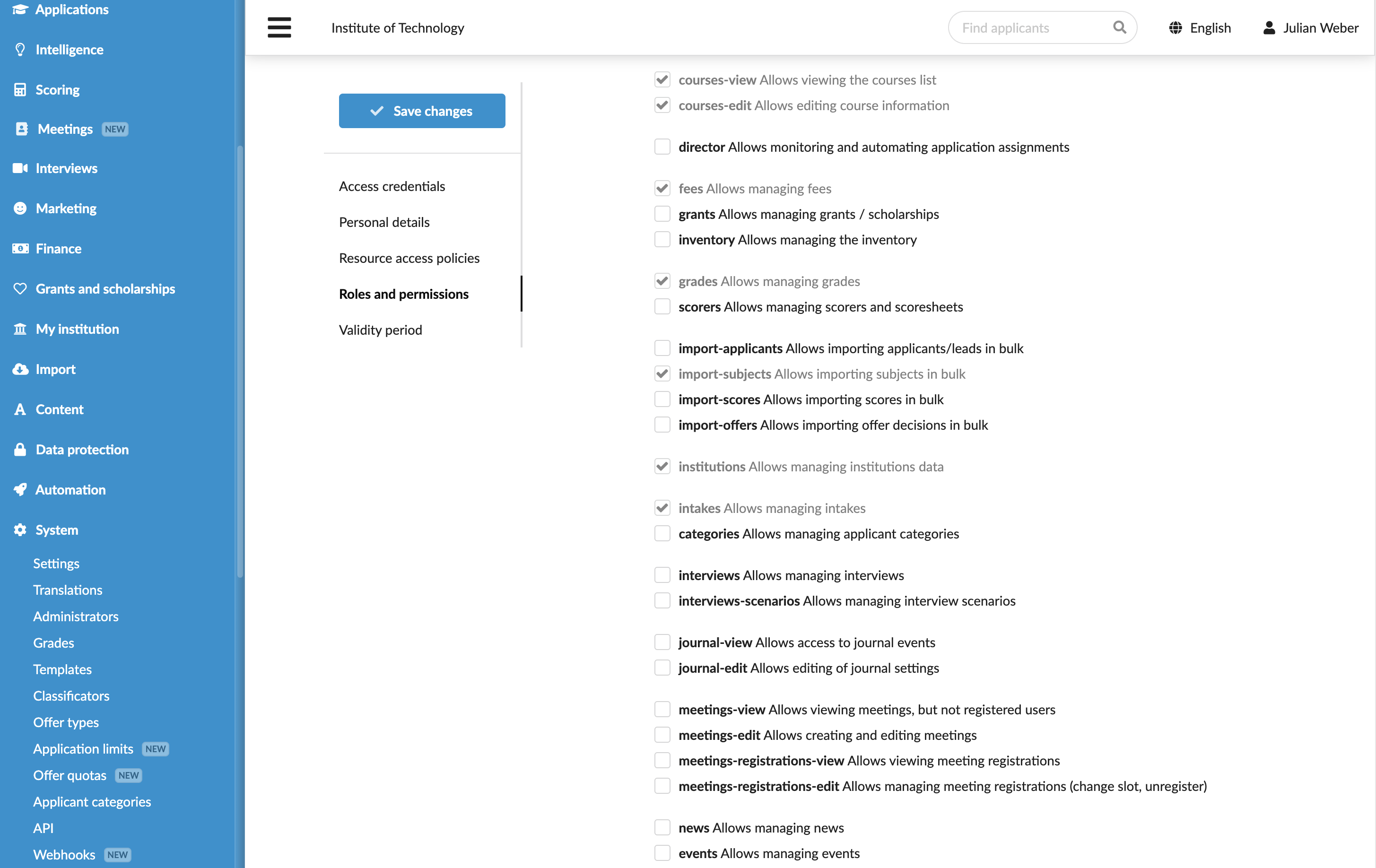
courses-view: Allows Administrators to view programmescourses-edit: Allows Administrators to set up programmes and change their statusesacademic-terms: Allows Administrators to manage academic termsappformsandappforms-extras: Allows Administrators to set up main and additional appforms and link them to programmesfees: Allows Administrators to set up fees and link them to programmesinstitutions: Allows Administrators to edit the institutional informationintakes: Allows Administrators to set up intakes and link them to programmes
To assign roles and permissions to Administrators:
- In the main menu, under System, select Administrators.
- Create a new Administrator account or select to edit an existing account.
- In the Roles and permissions section, choose the role that must be granted to the Administrator.
- If necessary, select the Add additional permissions check box and choose the permissions that must be granted to the Administrator.
- At the top of the form, click Save changes.
You can grant permissions individually or create new roles with required permissions and assign them to Administrators. For details, see Create Administrator roles.
Grant access to programmes
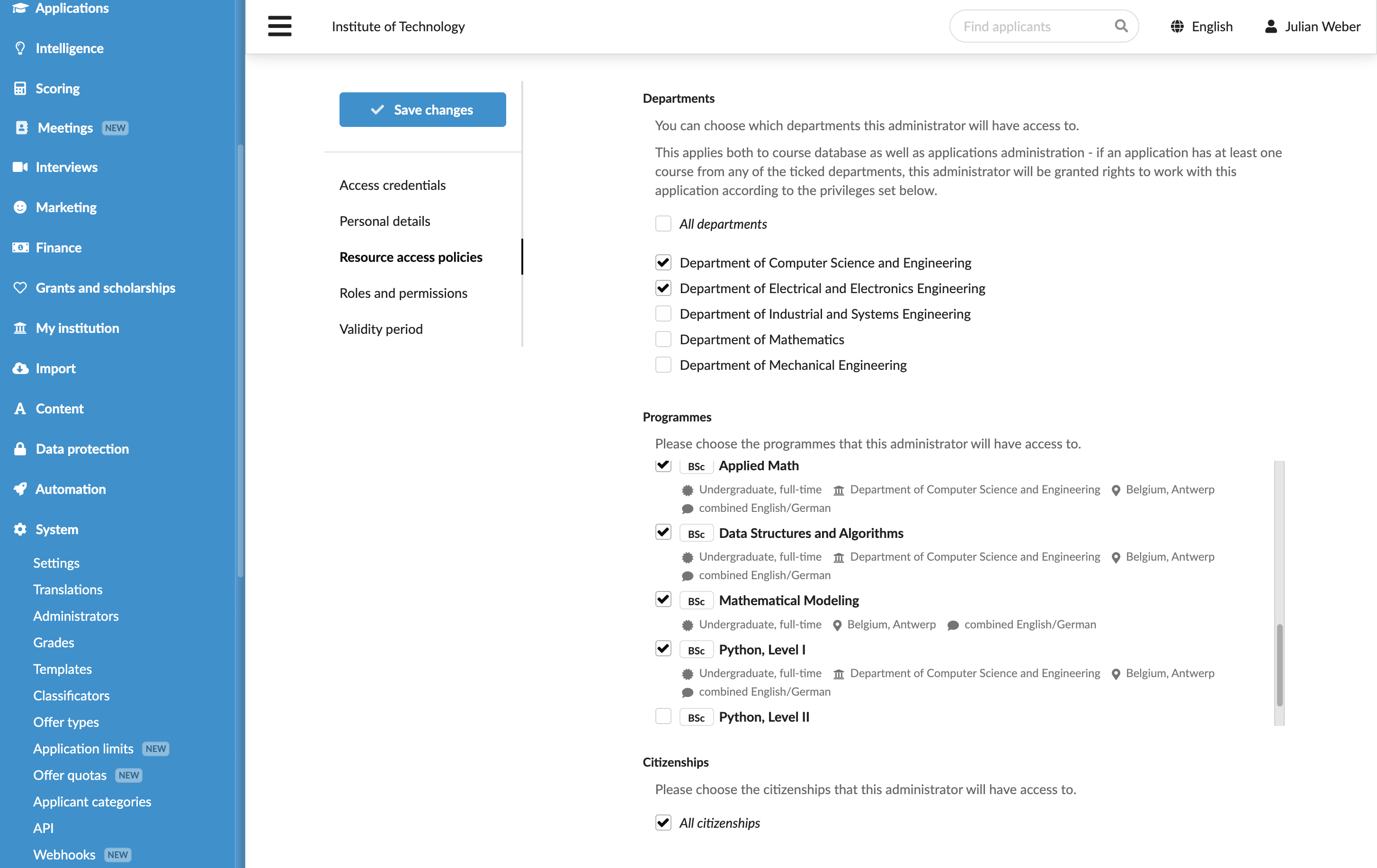
In addition to controlling what Administrators can do, you can define which institutions/departments and programmes they can access.
To grant access to specific institutions/departments and programmes:
In the main menu, under System, select Administrators.
Create a new Administrator account or select to edit an existing account.
In the Resource access policies section, choose the resources to which the Administrator must have access:
- For a multi-institution setup, under Institutions, clear the All institutions check box and choose the institutions and departments to which the Administrator must have access.
- For a single-institution setup, under Departments and Programmes, clear the All departments and All programmes check boxes and choose the resources to which the Administrator must have access.
At the top of the form, click Save changes.