Remove programmes from the catalog
Roles
These roles reflect the default DreamApply setup.
You can define custom roles based on your
institution's needs. Learn more →:
You can define custom roles based on your
institution's needs. Learn more →
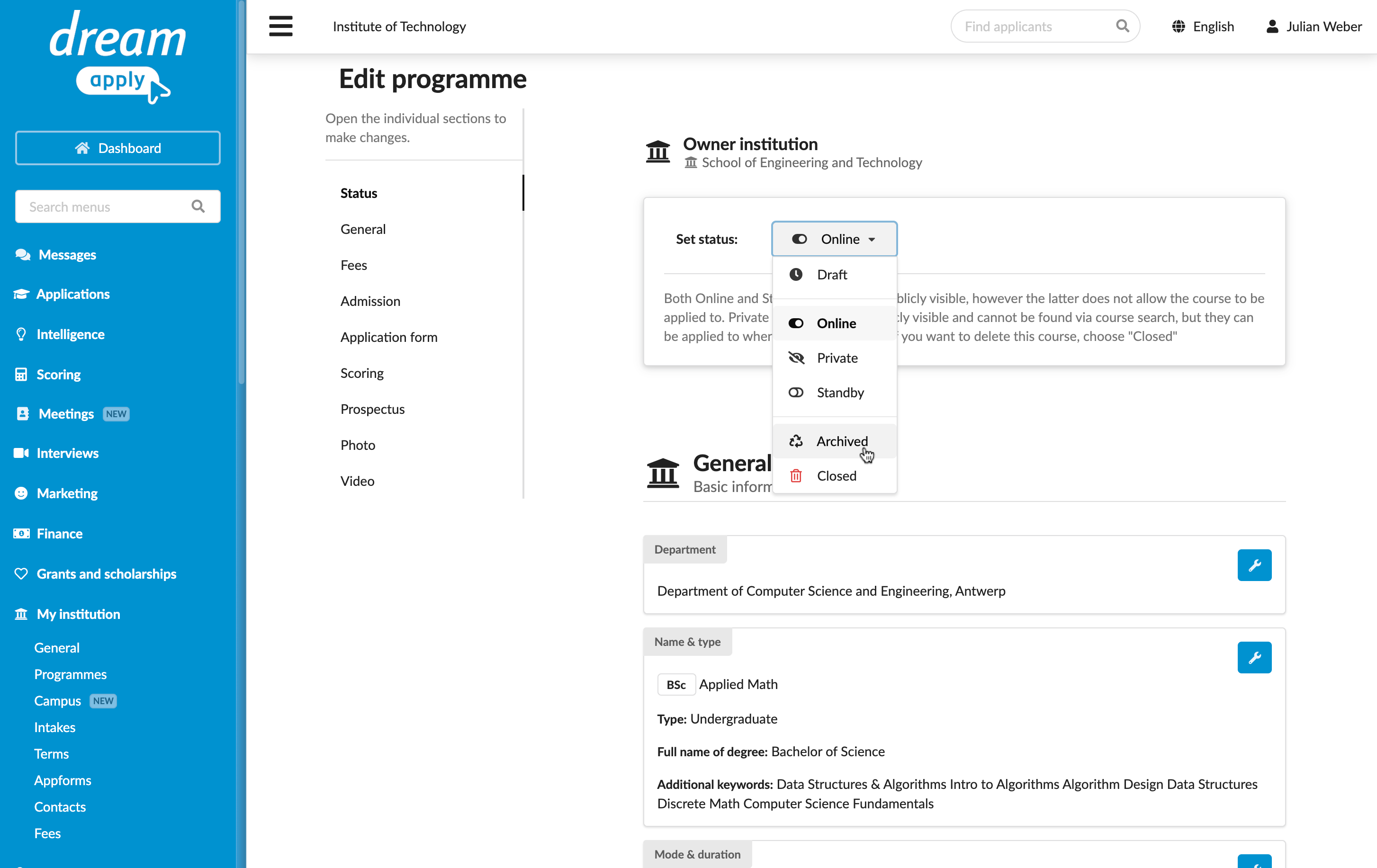
To remove a programme from the catalog, you can change its status to:
- Archived: The programme is inactive but kept for historical records
- Closed: The programme is no longer accepting applications
To maintain data accuracy, DreamApply keeps all programme data, even after a programme is archived or closed. Closed programmes are not deleted from the catalog. Institutions can re-open and update them at any time.
Before you begin
To change the programme status, your account must have the Superuser or Courses administrator role or the courses-view and courses-edit permissions.
Archive and close programmes
To archive or remove programmes:
- In the main menu, under Institutions/My institution, select Programmes.
- Click to edit an existing programme.
- At the top of the form, in the Set status section, specify the programme status.