Alignment and indentation
You can align and indent text blocks to structure content, visually separate sections and improve readability.
Alignment and indentation can be applied to block-level elements:
Align elements
To align elements, add an alignment character right before the period . that denotes the block type, such as heading or paragraph.
You can use the following alignment characters:
<to left-align the content block>to right-align the content block=to center the content block
Element alignment
Textile
h1=. Centered heading

p>. This is a right-aligned paragraph.

p<. This is a left-aligned paragraph.

pre>.. This is a right-aligned pre-formatted text block.

And another line of the pre-formatted text block.
Element alignment
HTML
<h1 style="text-align: center">Centered heading</h1>

<p style="text-align: right">This is a right-aligned paragraph.</p>

<p style="text-align: left">This is a left-aligned paragraph.</p>

<pre style="text-align: right">This is a right-aligned pre-formatted text block.

And another line of the pre-formatted text block.</pre>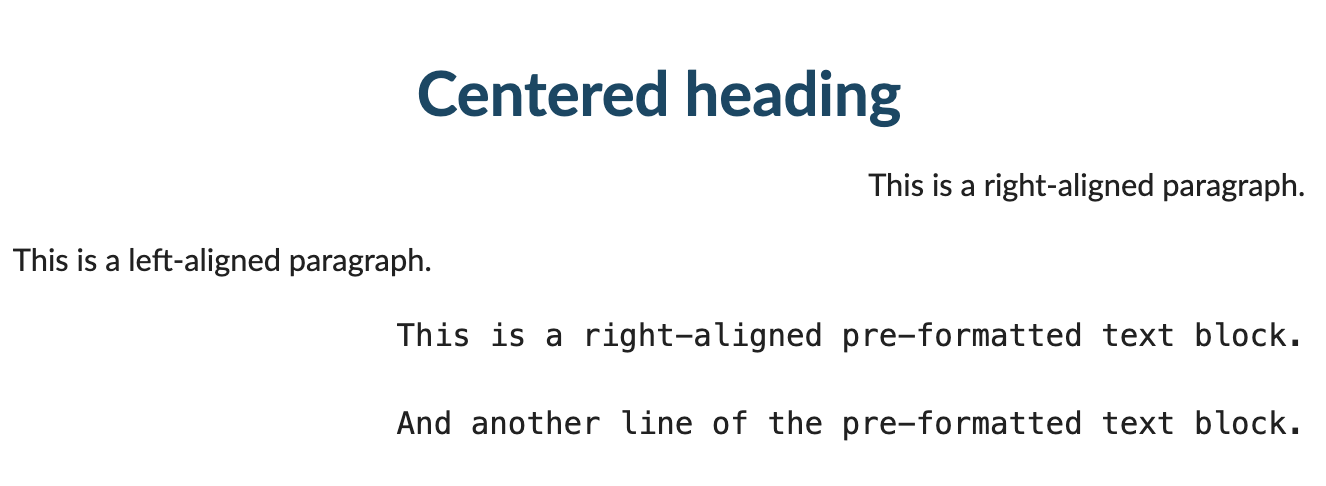
Indent elements
To indent elements, add an indentation character (or characters) right before the period . that denotes the block type, such as heading or paragraph.
You can use the following indentation characters:
(for left indents)>for right indents
Use an additional parenthesis for every 1em indent.
Element indentation
Textile
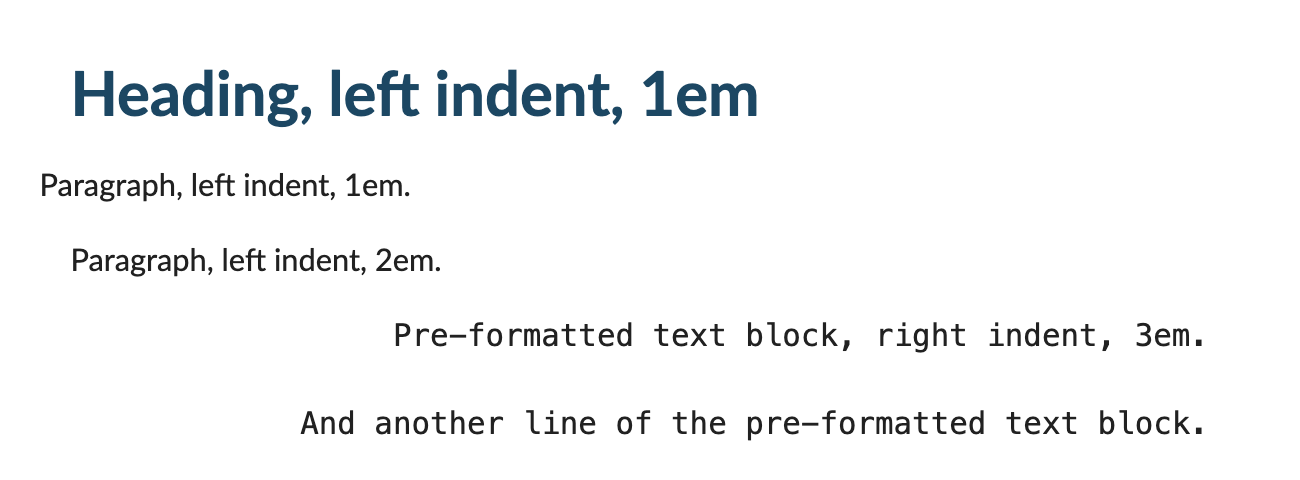
h1(. Heading, left indent, 1em

p(. Paragraph, left indent, 1em.

p((. Paragraph, left indent, 2em.

pre)))>.. Pre-formatted text block, right indent, 3em.

And another line of the pre-formatted text block.
Element indentation
HTML
<h1 style="padding-left:1em;">Heading, left indent, 1em</h1>

<p style="padding-left:1em;">Paragraph, left indent, 1em.</p>

<p style="padding-left:2em;">Paragraph, left indent, 2em.</p>

<pre style="padding-right:3em;text-align:right;">Pre-formatted text block, right indent, 3em.

And another line of the pre-formatted text block.</pre>