Perform access audit
Roles
These roles reflect the default DreamApply setup.
You can define custom roles based on your
institution's needs. Learn more →:
You can define custom roles based on your
institution's needs. Learn more →
To keep your DreamApply instance secure, it is important to regularly perform user access reviews. DreamApply offers several tools that can help you identify potential issues and prevent unauthorized access:
Before you begin
To perform access audit, your account must have the Superuser role or the data-protection permission.
Audit Administrator permissions
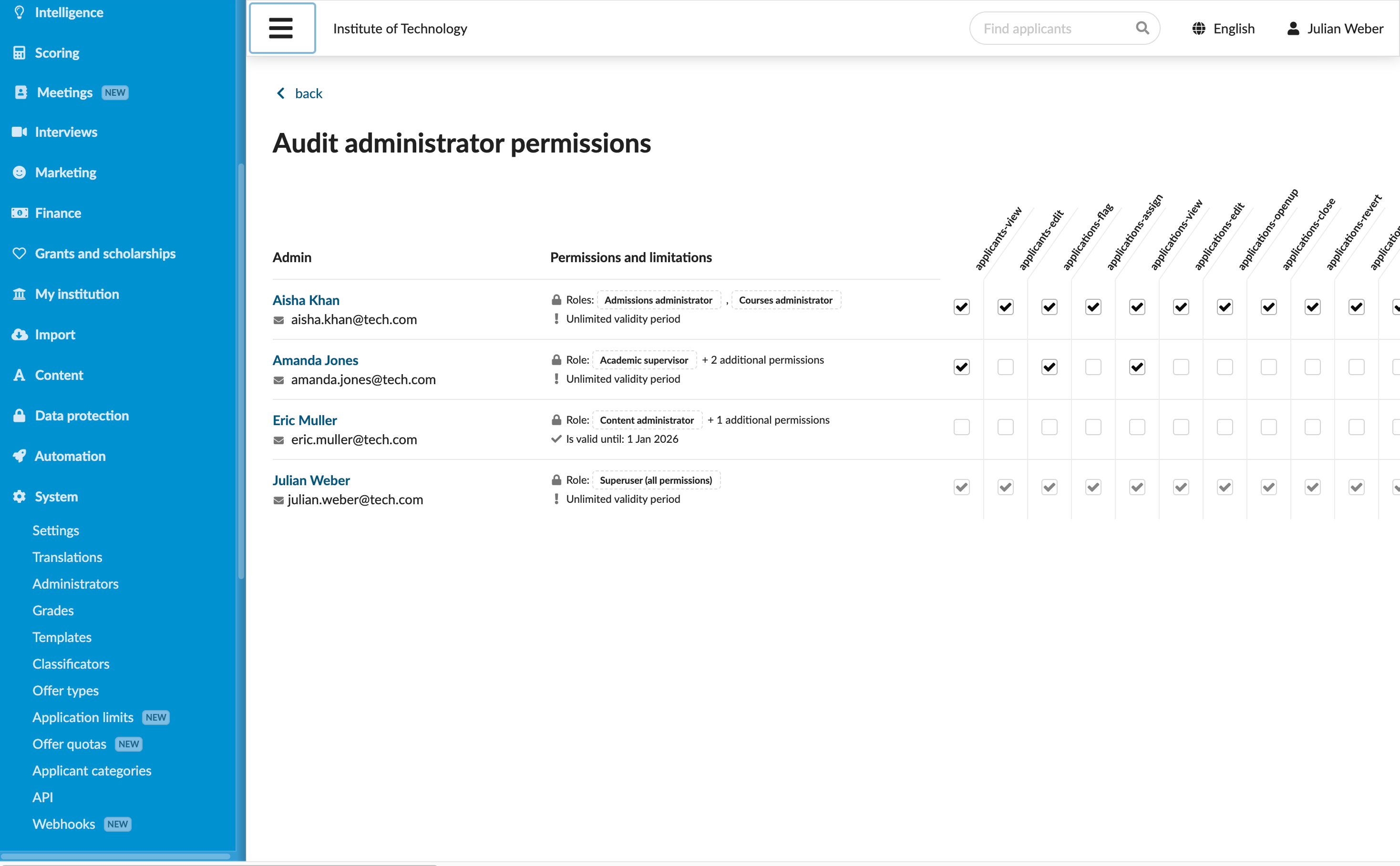
The Audit Administrator permissions tool allows you to quickly review all assigned permissions in a single, easy-to-read table. Use it to quickly identify any discrepancies and irregularities and adjust access levels as needed.
To perform permission audit:
- In the main menu, under System, select Administrators.
- At the top of the Administrators list, click Audit permissions and select Audit permissions online. You can also select to download a file describing assigned permissions for later review.
- Select or clear check boxes in the table to assign or remove permissions from Administrators.
Review Administrator logins
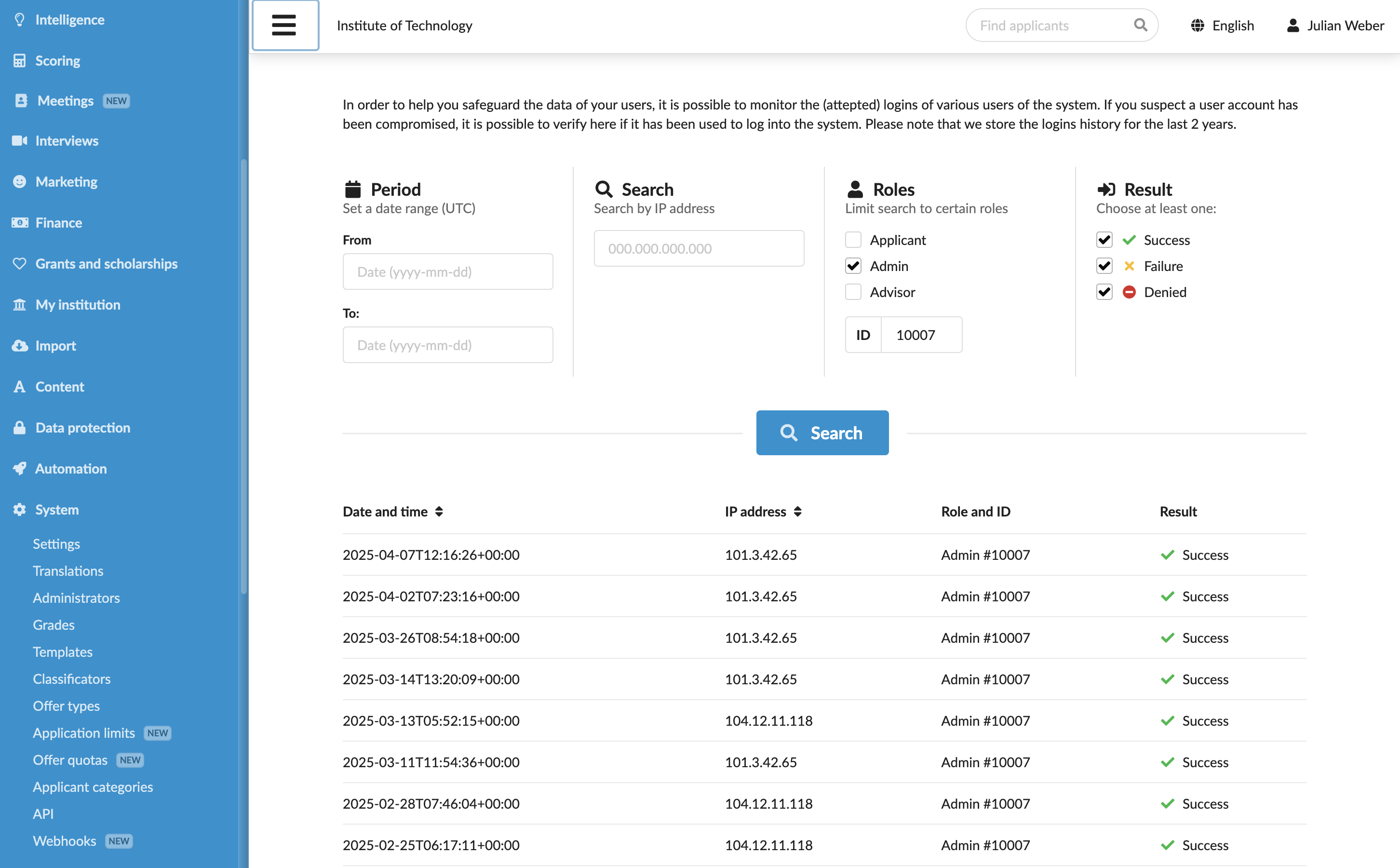
The Administrator logins tool allows you to monitor login activity and identify suspicious behavior. Use this tool to verify that all Administrators log in as expected and use their accounts appropriately.
To monitor login activity:
- In the main menu, under System, select Administrators.
- To the right of the Administrator account, click Audit logins.