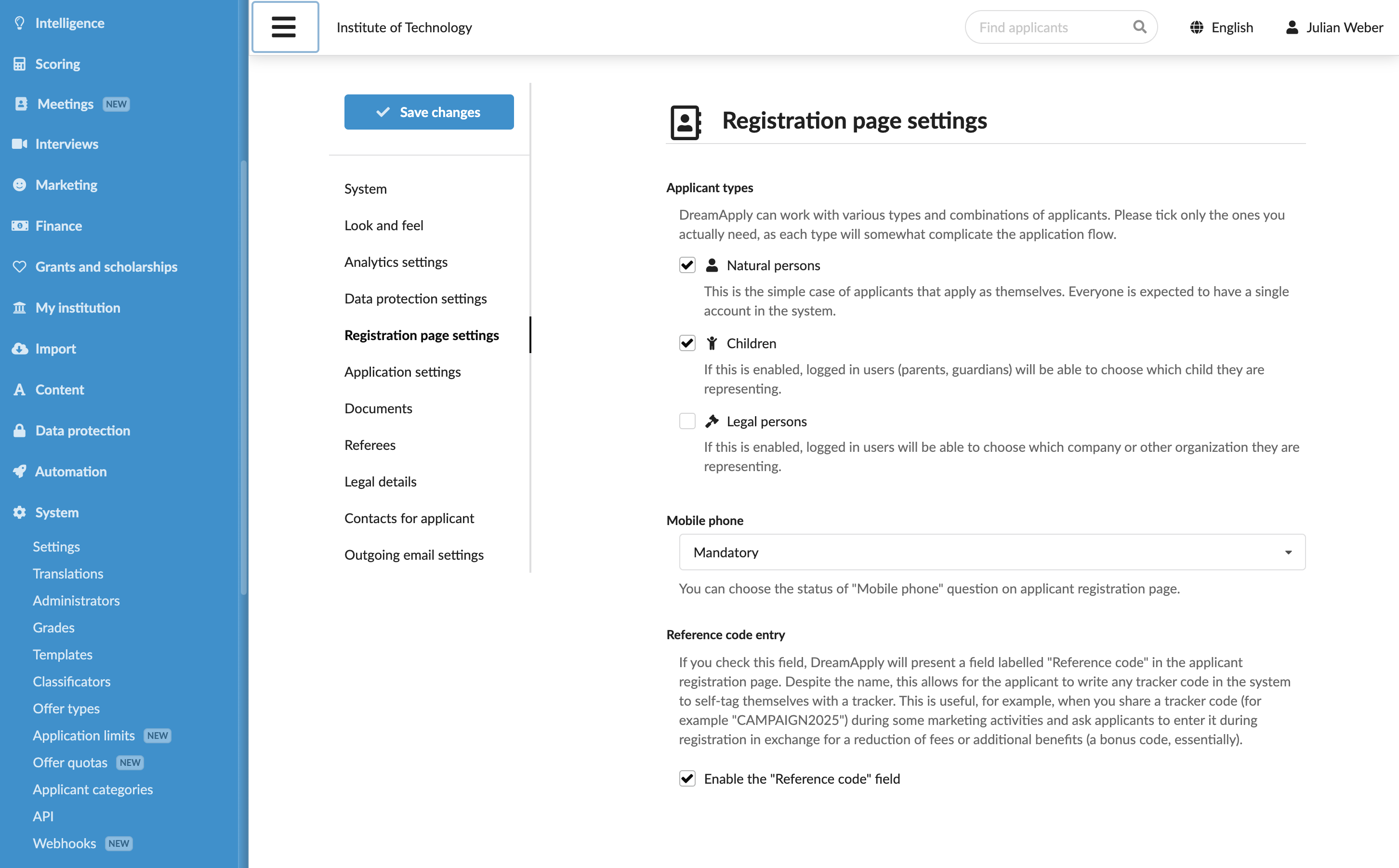
Define registration settings
Roles
These roles reflect the default DreamApply setup.
You can define custom roles based on your
institution's needs. Learn more →:
You can define custom roles based on your
institution's needs. Learn more →
You can customize the applicant registration process to make sure it meets the needs of your institution. In particular, you can allow applicants to define their types while registering and specify what information you want to collect.
Before you begin
To customize the registration settings, your account must have the Superuser role or the instance permission.
Adjust the registration page settings
To adjust the applicant registration process:
- In the main menu, under System, select Settings.
- In the Registration page settings section, under Applicants types, define the types applicants can choose while registering.
- Specify if you want to display the Mobile phone and Reference code fields on the registration page.
- At the top of the form, click Save changes.