Resource access policies
In DreamApply, Administrators can have full access to system resources or have their access restricted to specific ones. This type of access control is managed through resource access policies.
A resource access policy determines which system resources an Administrator can access and manage. Policies complement role- and permission-based access control. As a result, Administrators can efficiently perform their tasks without access to unrelated system resources.
Types of resources
DreamApply allows configuring access policies for the following types of resources:
Applications: Administrators can be assigned applications directly or get access to applications based on resource access filters.
Institutions/departments: Administrators can perform actions on data related to a specific institution. For example, they can edit programmes belonging to that institution or view applications with at least one priority (programme) from that institution.
Institution access policies apply only to multi-institution setups.
Departments and programmes: Administrators can perform actions on data related to a specific department or a programme. For example, they can edit particular programmes or view applications with at least one priority (programme) from a department they have access to.
Department access policies apply only to single-institution setups.
Citizenships: Administrators can perform actions on applicants having specific citizenships. For example, they can view applications submitted by such applicants.
Offer types: Administrators can set offers of specific types. For example, one Administrator may send only Feedback offers, while another may send only Enrolled offers.
Scoresheets: Administrators can access and enter scores in scoresheets available to them. They can also view applications added to those scoresheets.
Flags: Administrators can view applications with specific flags assigned to them. If an Administrator has access to multiple flags, an application will be accessible if it has at least one of those flags.
Resource access filters are configured at the level of the Administrator account.
Rules for granting access to resources
Resource access policies follow a cascading structure. That is, access to one resource depends on access to related resources. DreamApply evaluates policies starting from the most fundamental ones and gradually moves up to more complex ones at the top.
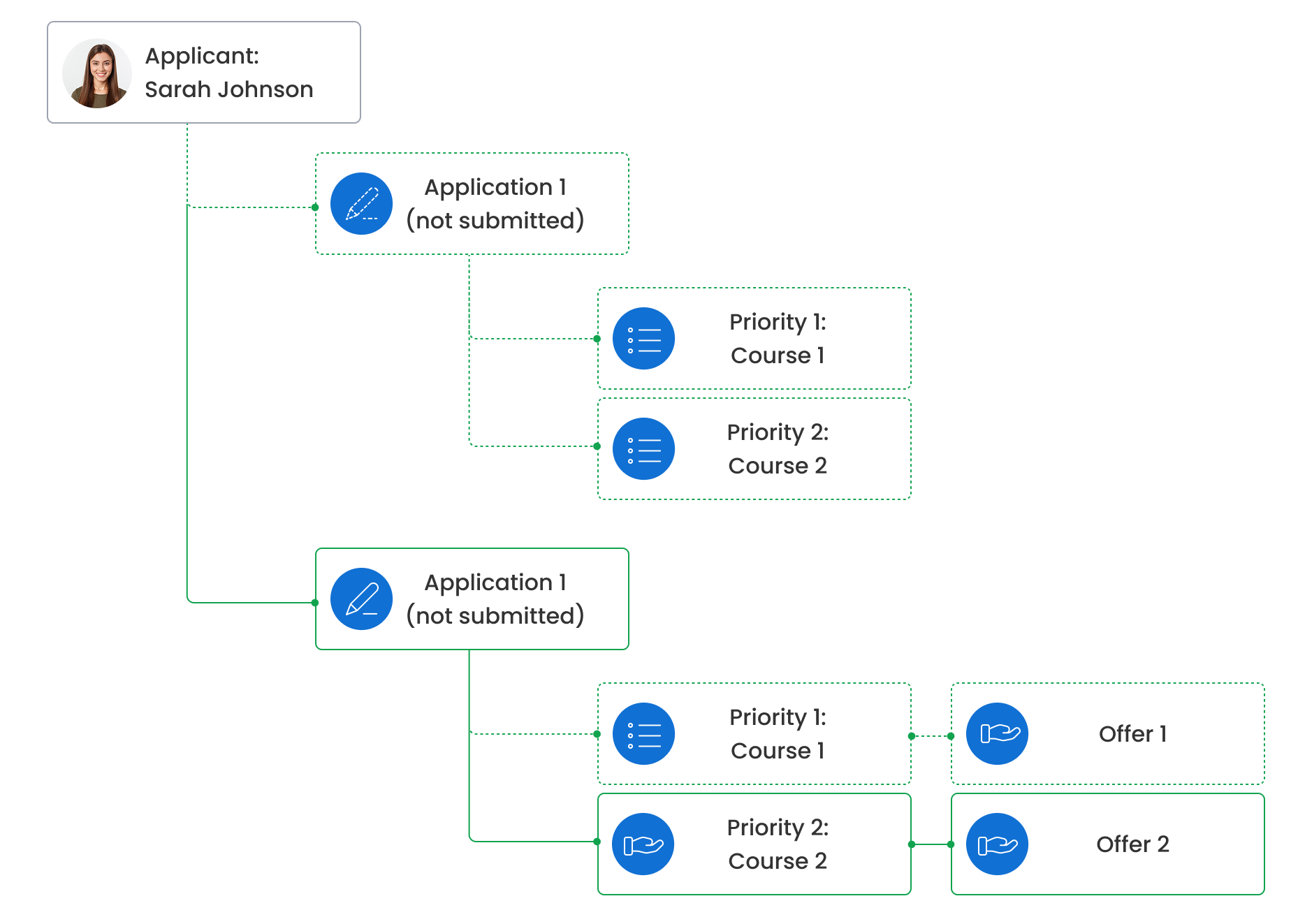
For example, to have access to an applicant, an Administrator must have access to at least one application submitted by this applicant. In its turn, to have access to an application, the Administrator must have access to at least one programme (priority) added to the application.
Use the schemes below to understand how DreamApply evaluates and applies access policies for different types of resources.
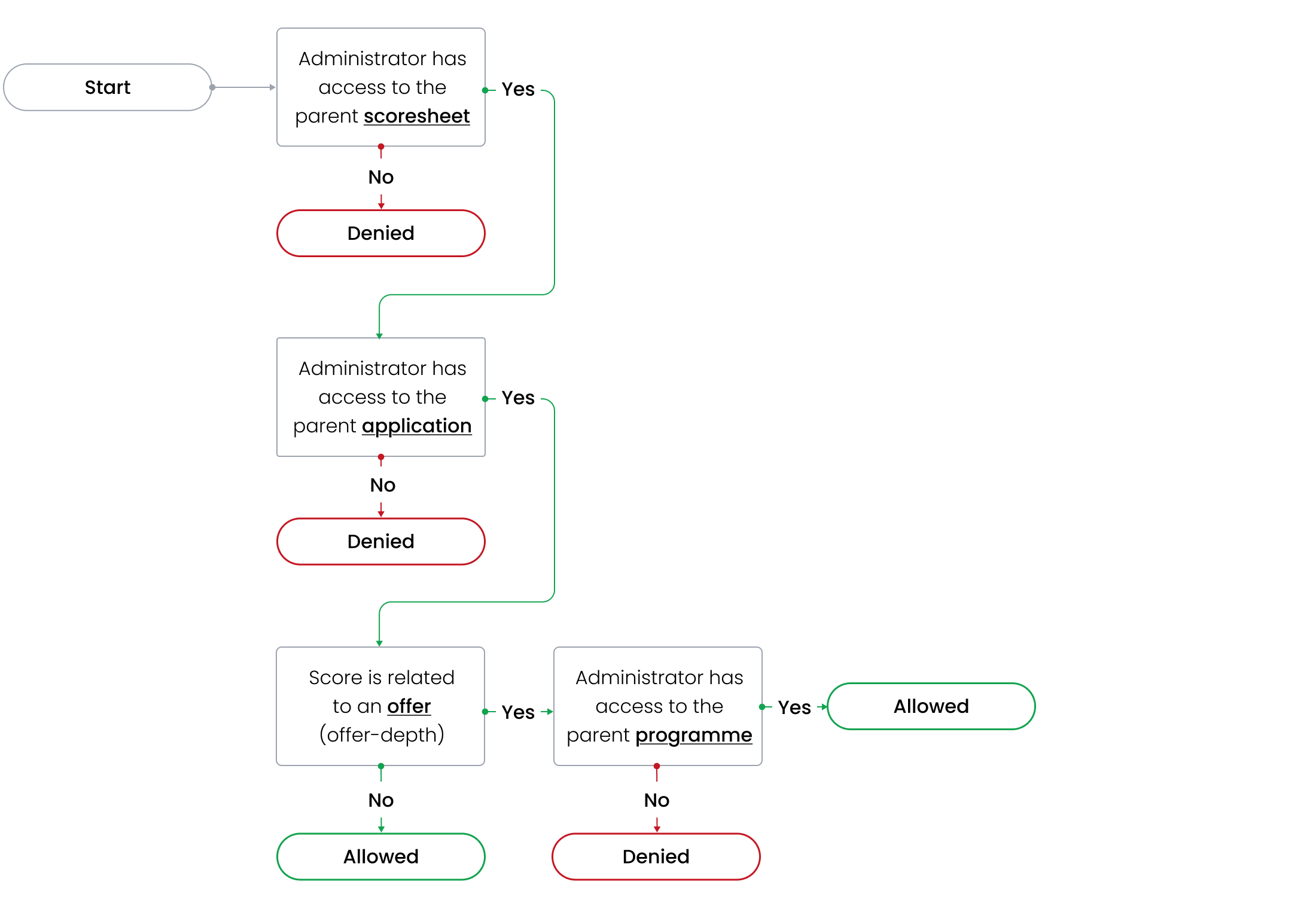
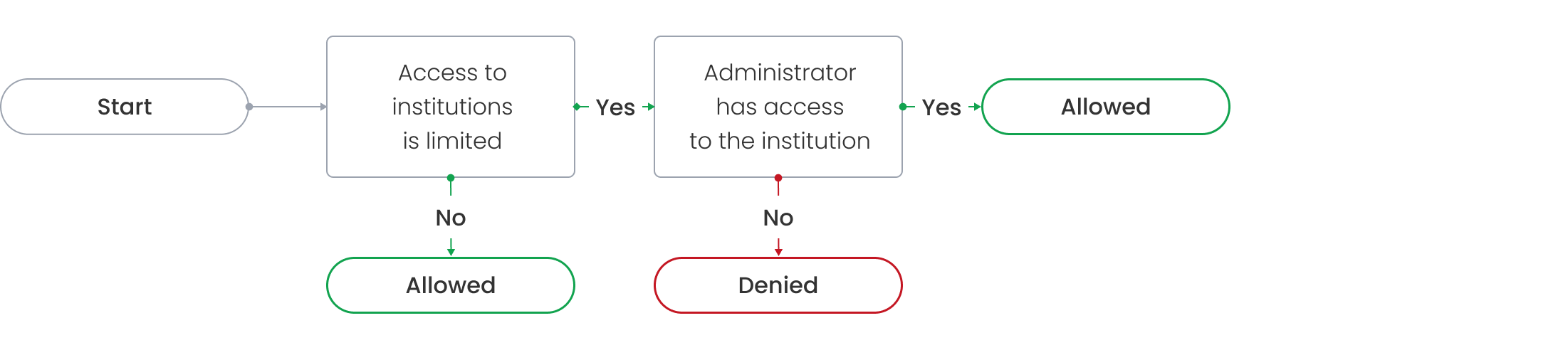
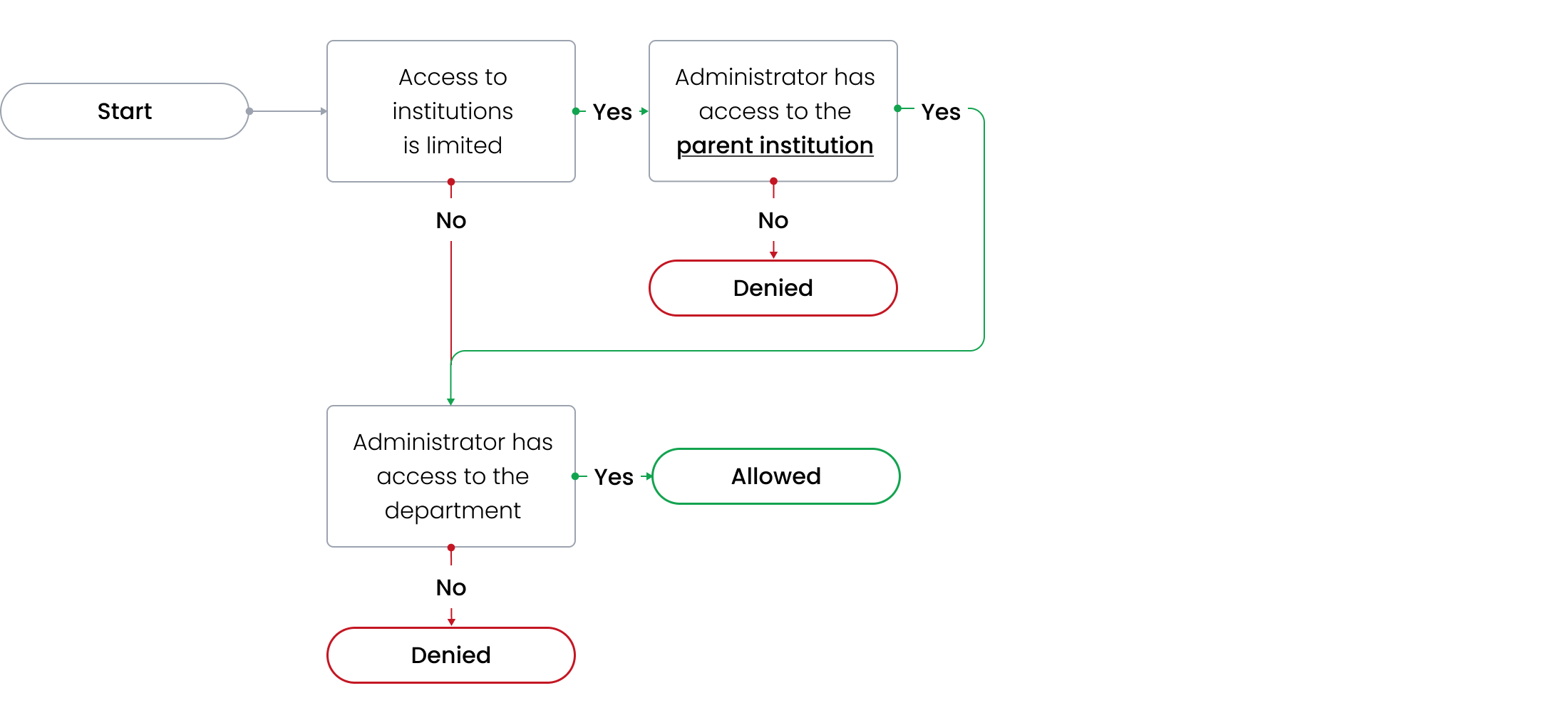
If evaluation involves multiple levels, an Administrator needs access to every related resource within the hierarchy to get access to the intended resource. In schemes, such resources are shown in bold.
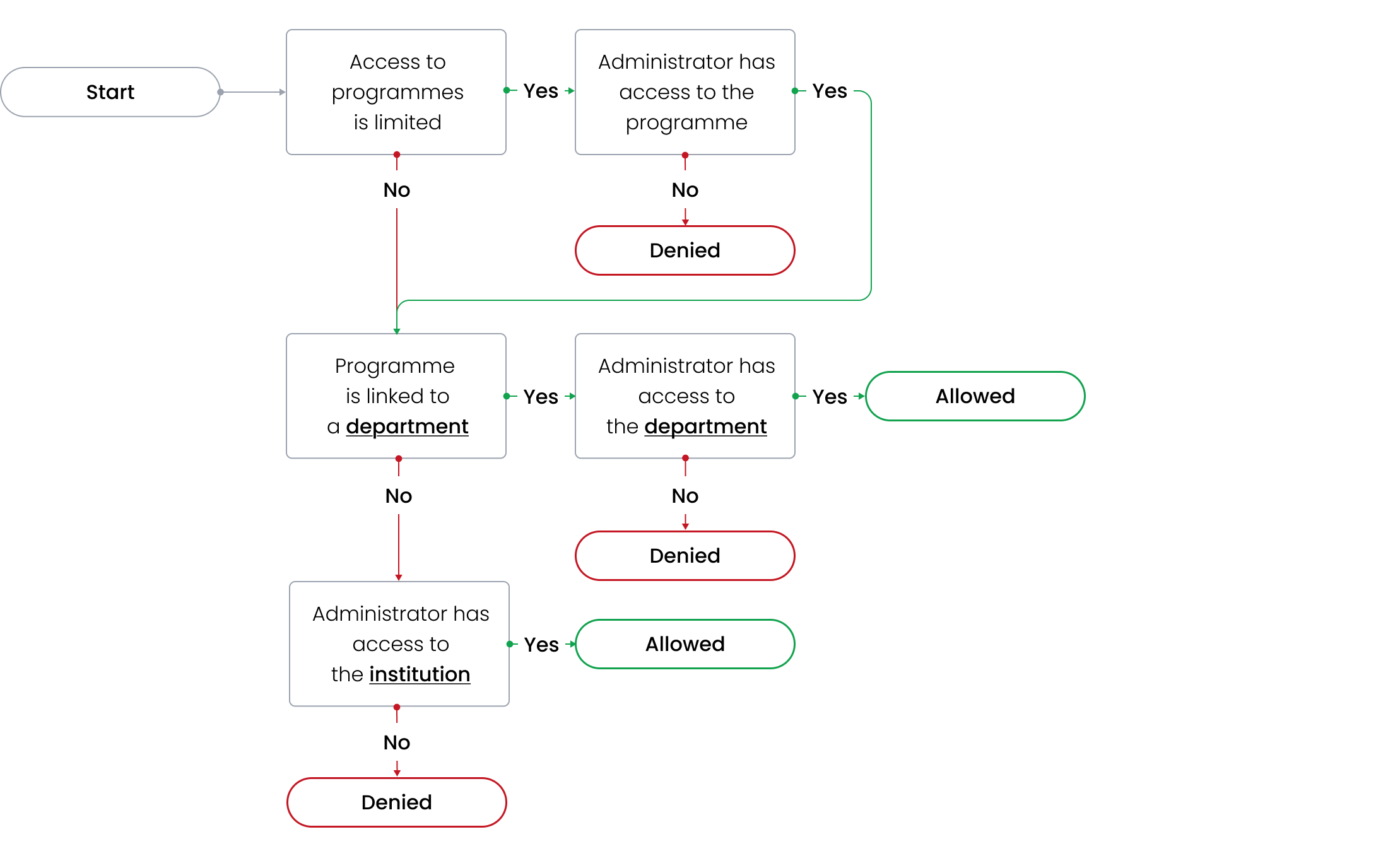
Institutions
DreamApply checks if an Administrator has access to the institution resource itself.
Departments
DreamApply checks if an Administrator has access to the institution to which the department belongs or the department resource itself.
Programmes
DreamApply checks if an Administrator has access to the programme resource itself, the department or the institution to which the programme belongs.
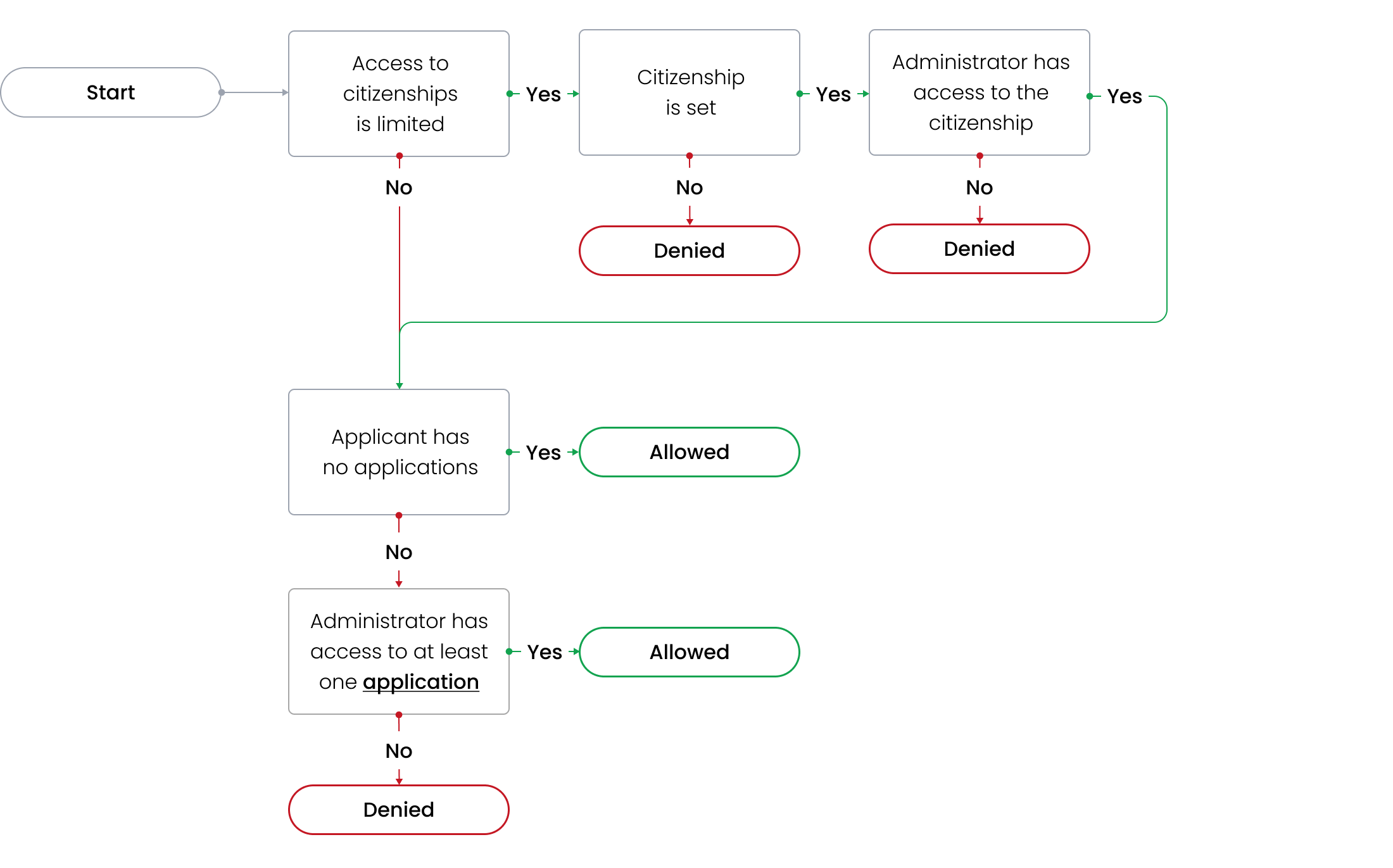
Applicants
DreamApply checks if the citizenship is set up for an applicant, an Administrator has access to the citizenship and any applications submitted by this applicant.
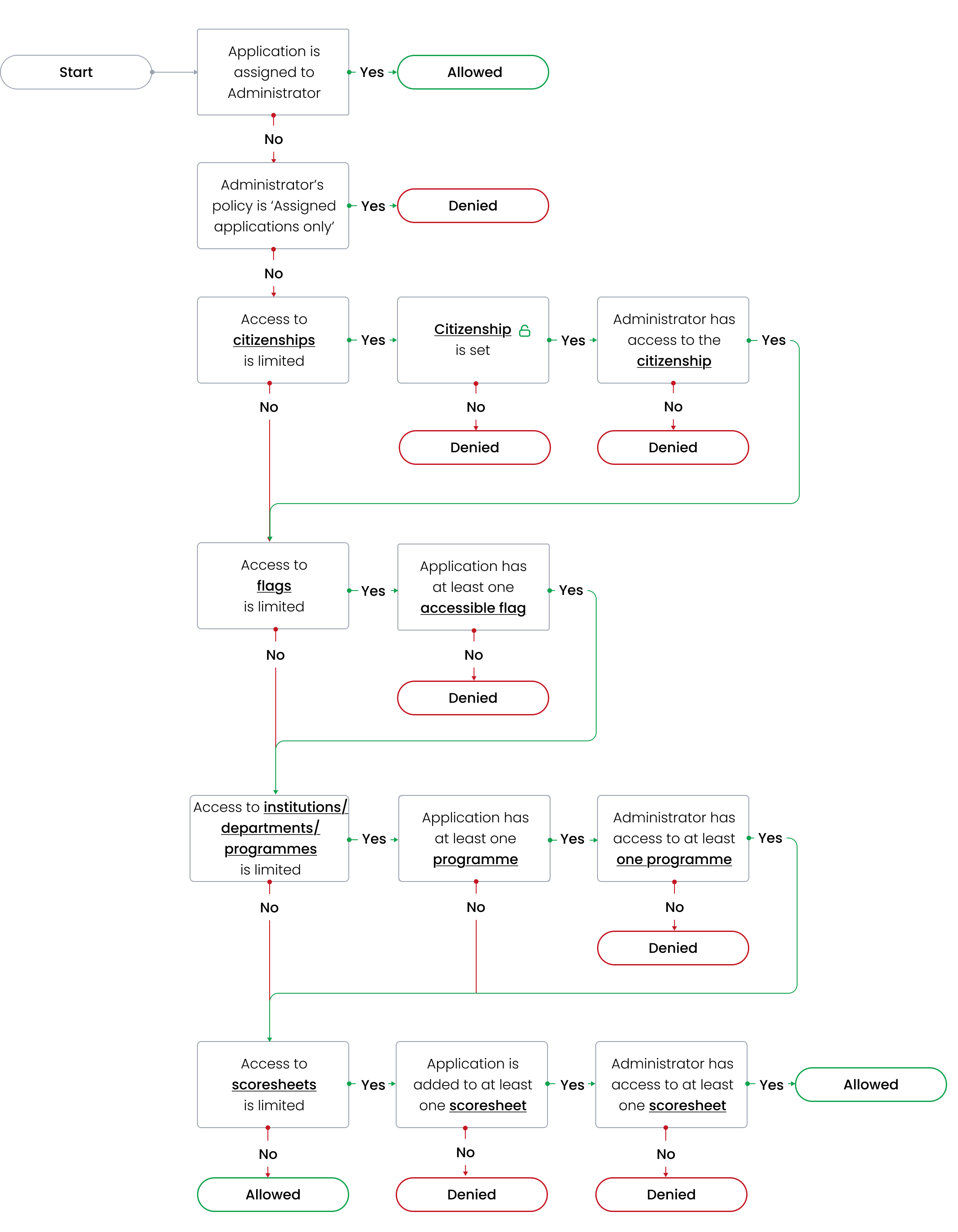
Applications
DreamApply checks applications against several conditions:
- If an Administrator is assigned to an application using the Director, automatic rules or manual assignment
- The assignment mode defined for the Administrator
- Accessible citizenships, flags, institutions, departments, programmes and scoresheets
If an Administrator is limited to a specific list of institutions/departments or programmes, DreamApply considers all programmes on the application when evaluating programmes. This includes current priorities as well as offers (even if priorities have been removed, offers still remain).
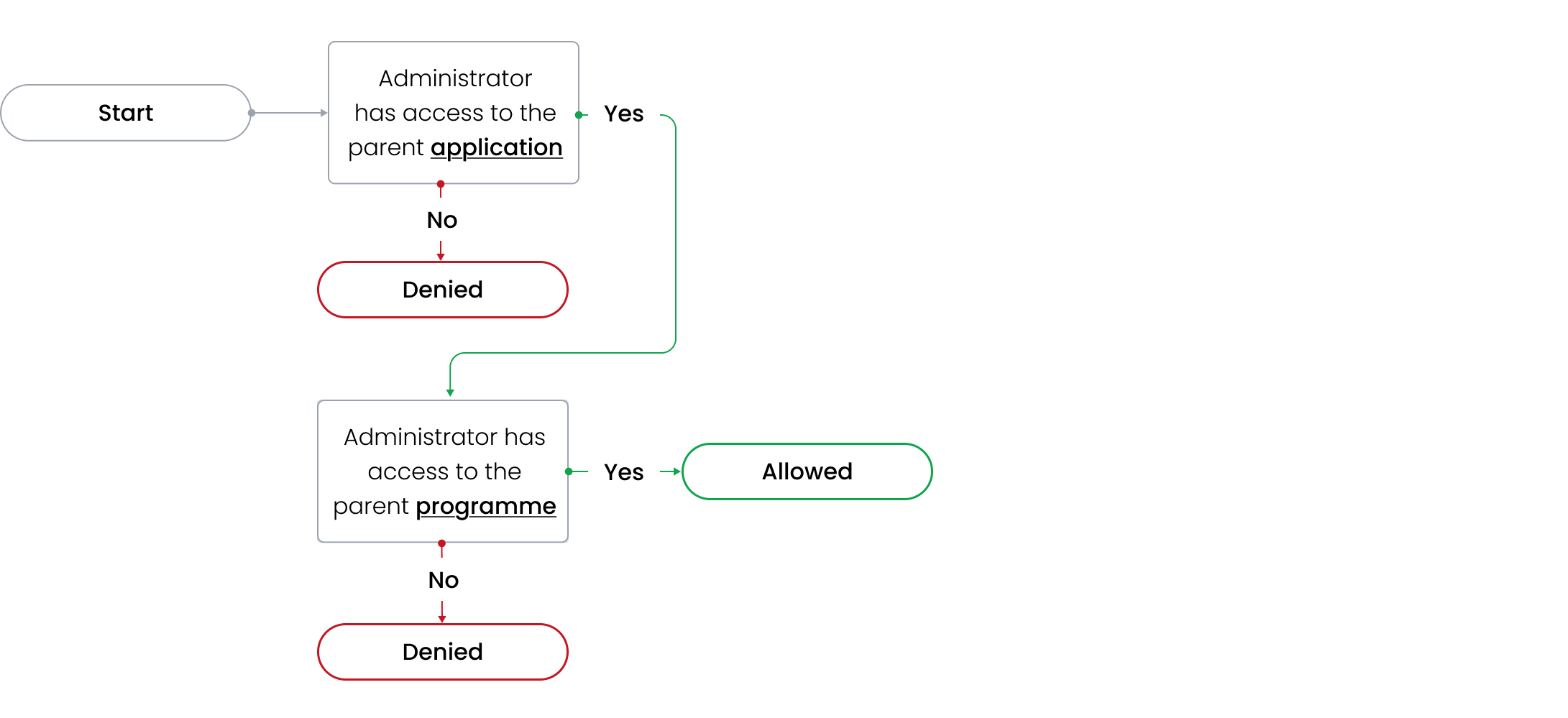
Offers
DreamApply checks if an Administrator has access to the parent application and programmes.
Interviews
DreamApply checks if an Administrator has access to the parent application.
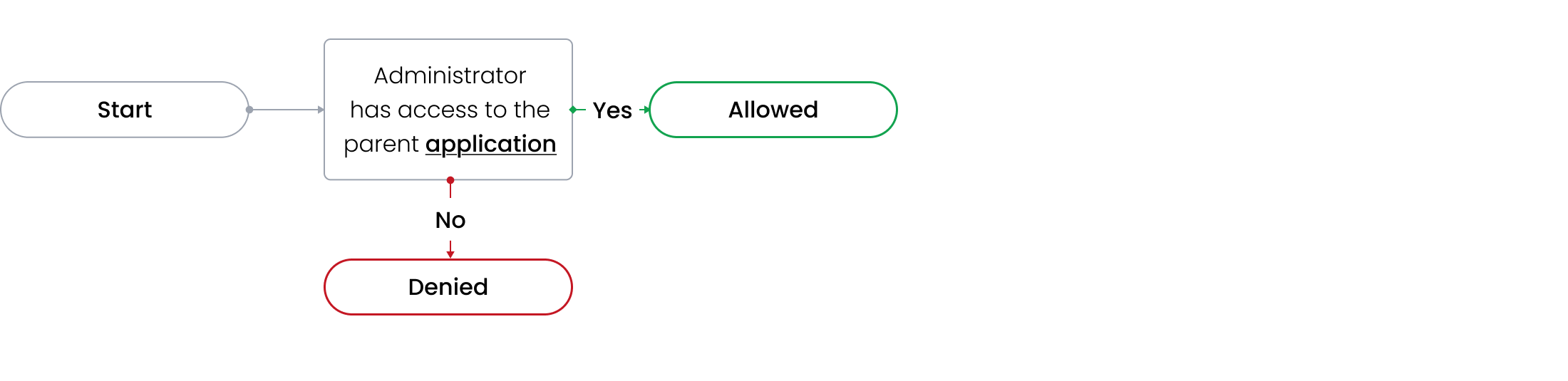
Tasks
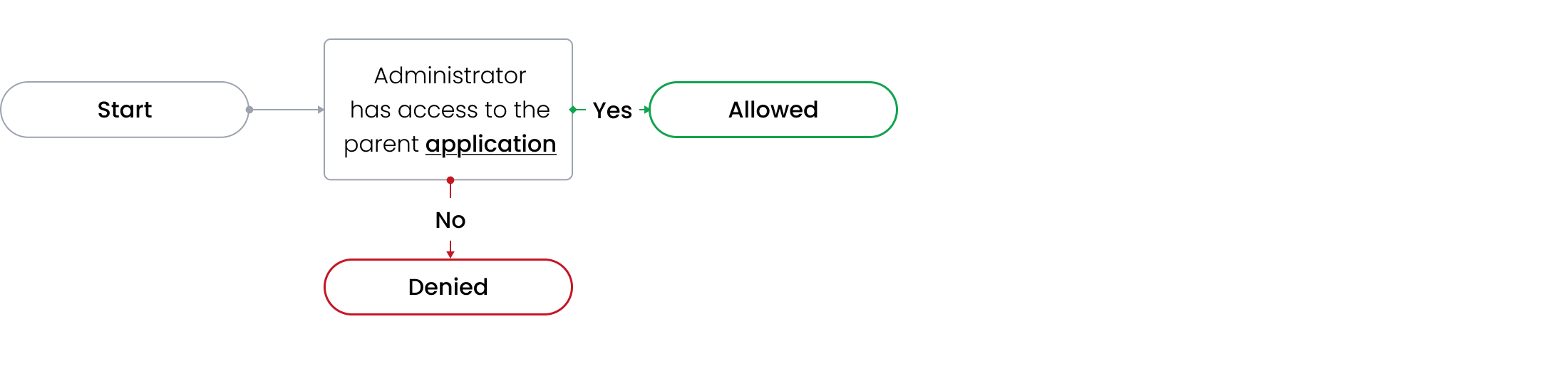
DreamApply checks if an Administrator has access to the parent application.
Invoice
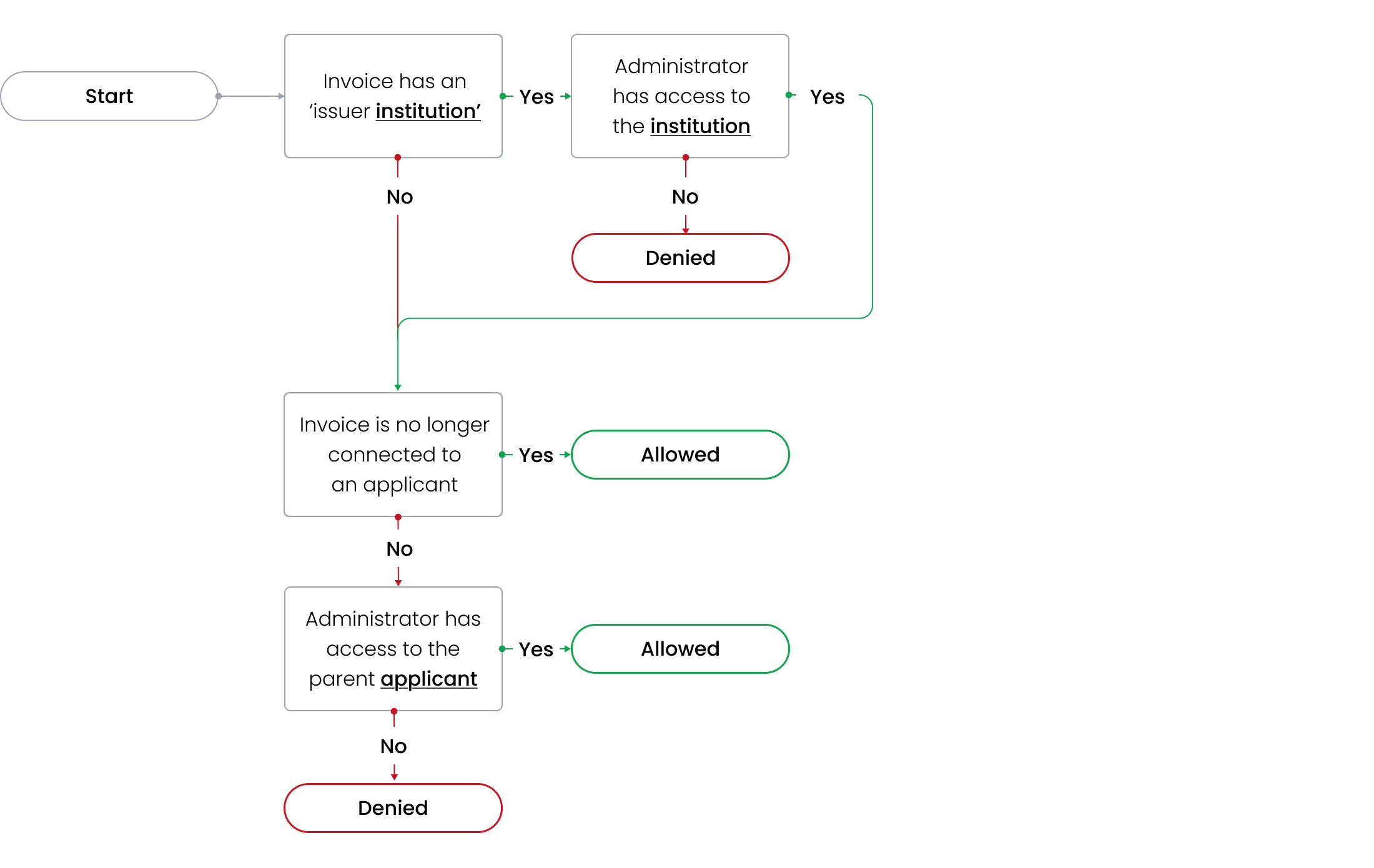
DreamApply checks if an Administrator has access to the institution that issued the invoice and the applicant to whom the invoice is issued.
Scoresheets
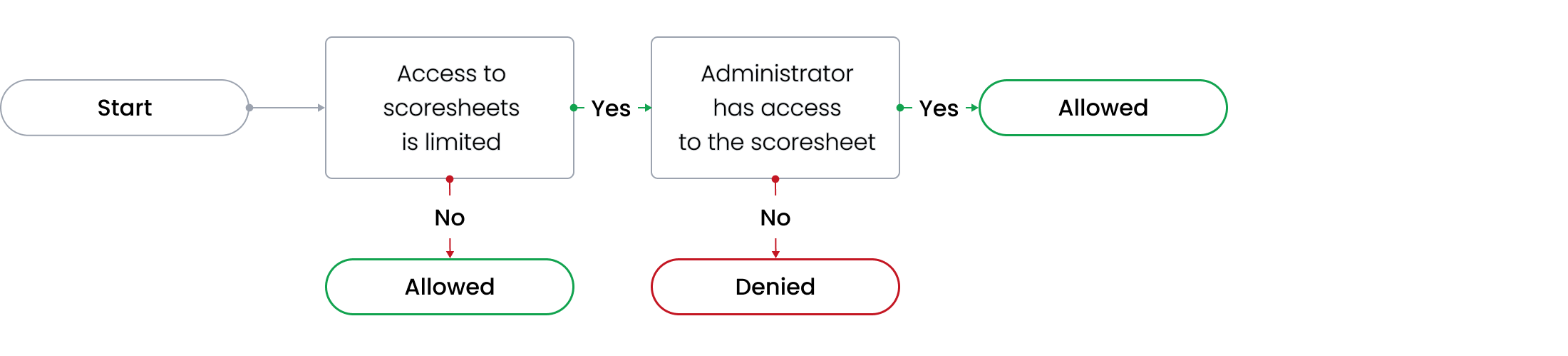
DreamApply checks if an Administrator has access to the scoresheet itself.
Scoresheet scores
DreamApply checks if an Administrator has access to the parent scoresheet, application and programme.