Share-based access
Roles
These roles reflect the default DreamApply setup.
You can define custom roles based on your
institution's needs. Learn more →:
You can define custom roles based on your
institution's needs. Learn more →
In DreamApply, Administrators can use links shares to give external parties access to resources without requiring them to create an account. Link sharing can be useful in scenarios when it is necessary to share or distribute resources for a limited time. For example, an Administrator may share an application with a reviewer involved in applicant evaluation.
Links shares can be used for the following resources:
- Applications
- Scoresheets
- Tables
- Invoices (legacy sharing is used)
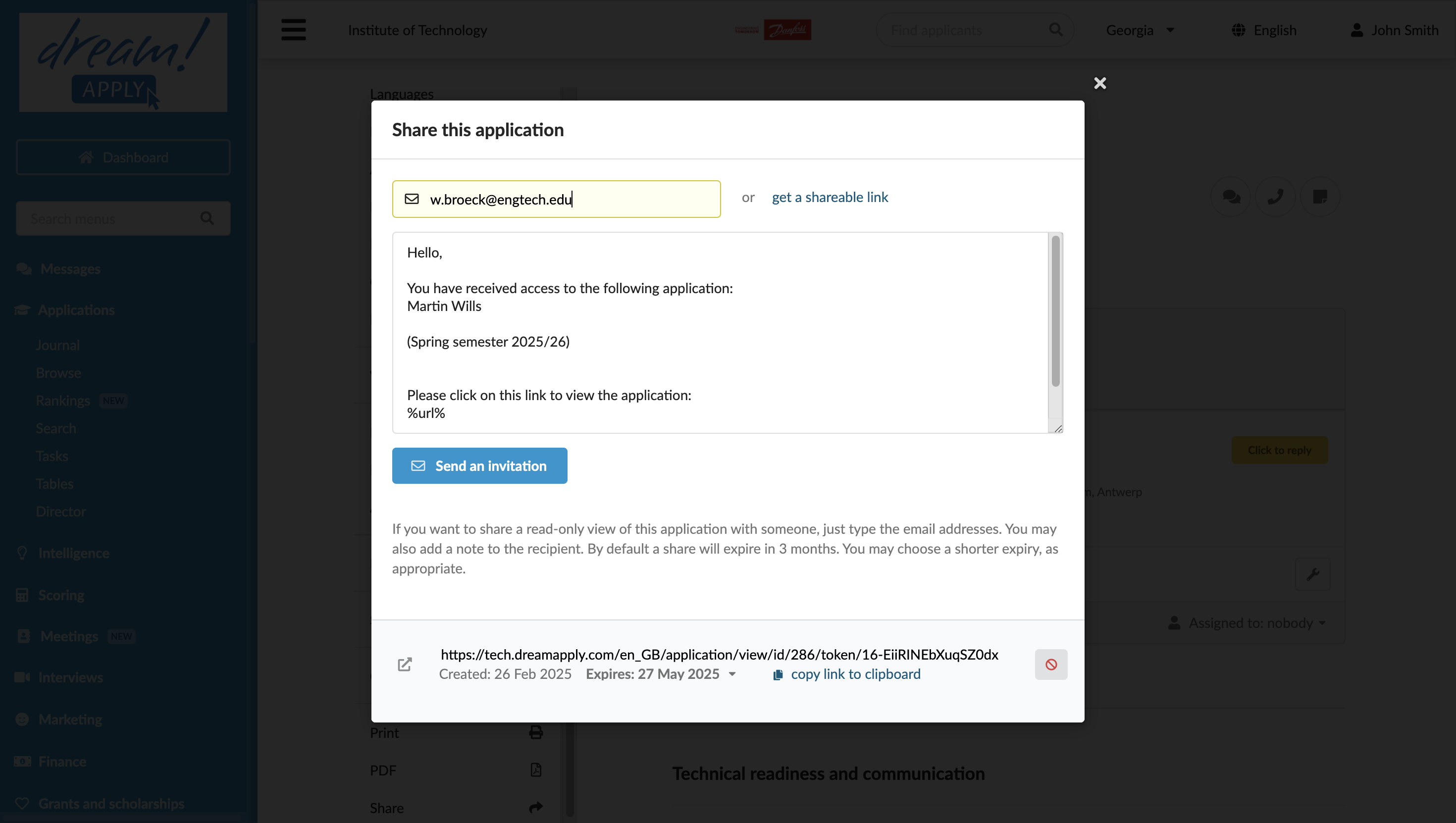
Administrators can share resources via an email address or by copying a shareable link to send to a recipient. Each share is assigned an expiry date.
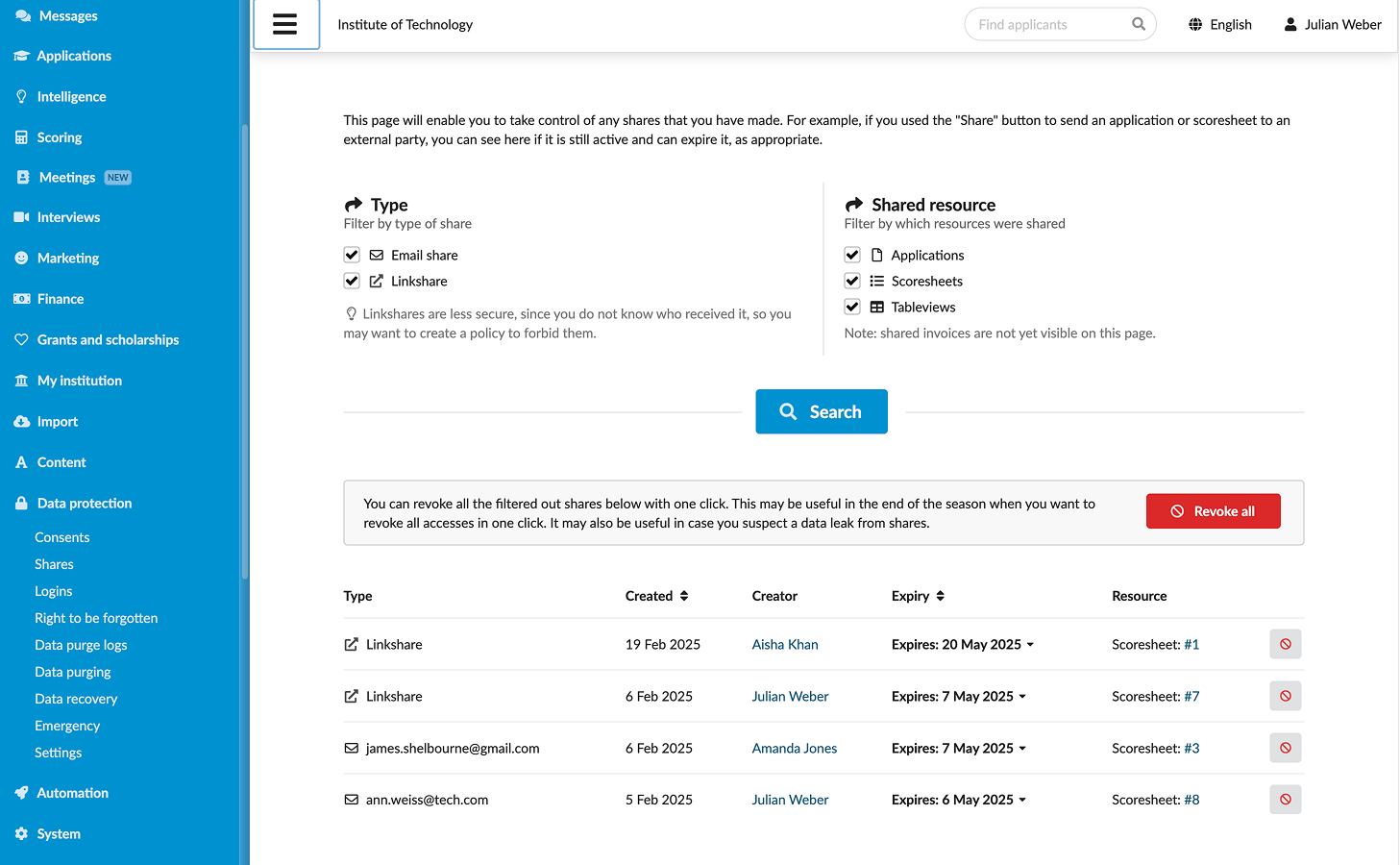
Active shares are centrally managed through the Data protection > Shares view. Administrators can review the list of shares, extend resource access or revoke it as needed. To manage shares, Administrators must have the Superuser role or the data-protection permission.